 Credit

This article walks you through what an avatar maker is, how AI enhances avatar creation, and how you can use online tools to make stunning avatars without hassle.
What Is an Avatar Maker?
An avatar maker is a tool that creates digital images representing a person, character, or concept. These can be cartoonish, realistic, or stylized images used for social media profiles, gaming, or branding.
How Does an AI Avatar Maker Differ?
An AI avatar generator uses artificial intelligence to automate and enhance the creation process. Instead of manually drawing or designing, you input simple prompts or customize features, and the AI produces a high-quality avatar that matches your specifications.
Why Use an AI Avatar Generator?
- Speed: Generate avatars in seconds.
- Customization: Create highly personalized images.
- Variety: Produce multiple styles—from cartoon to realistic.
- Ease of Use: No artistic skills required.
- Cost-effective: Many platforms, including Pixelfox.ai, offer free options.
How to Use an AI Avatar Maker Online
Using an AI avatar maker is straightforward. Here’s a simple step-by-step process:
1. Choose Your Platform
Select an AI avatar generator that suits your needs. Pixelfox.ai is a popular choice for free, high-quality avatar creation.
2. Input Your Prompts or Customize Features
Most AI avatar generators allow you to type prompts like “a futuristic warrior” or choose features such as hair color, facial features, and clothing.
3. Generate the Avatar
Click the generate button. The AI processes your input and creates the avatar within seconds.
4. Fine-Tune and Download
Adjust details if needed and download your avatar in high resolution, ready for use.
Top AI Avatar Makers and Generators
Here are some of the best online tools for creating AI avatars:
1. Pixelfox.ai
Pixelfox.ai offers an advanced AI avatar generator that makes high-quality avatars from prompts or direct customization. It has a user-friendly interface and allows free downloads.
Features:
- Prompt-based avatar creation
- Multiple style options
- No signup required
Why it’s popular: It combines simplicity and customization, making it ideal for beginners and professionals.
2. Artbreeder
Artbreeder uses AI to blend images and create unique portraits. It’s great for producing artistic, realistic avatars or characters.
Features:
- Mix multiple images
- Adjust facial features
- Free to use with optional premium features
Use case: Perfect for creative projects needing detailed and diverse avatars.
3. Zmoji & Bitmoji
These are app-based avatar creators that use AI to generate cartoon avatars based on your inputs. They are ideal for social media profiles.
Features:
- Custom emoji avatars
- Easy customization
- Free with optional in-app purchases
4. Avatarify
Avatarify uses AI to animate your avatar, turning static images into lively, animated characters.
Features:
- Realistic facial animations
- Customizable avatars
- Free options available
What Are the Benefits of Using an AI Avatar Generator?
- Personalization: Create avatars that match your personality or brand.
- Time-saving: Generate multiple avatars in minutes.
- High quality: Produces professional-looking images suitable for various platforms.
- Creativity: Experiment with different styles and prompts easily.
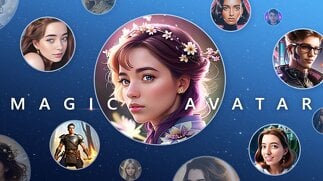
Can I Style My AI Avatar?
Yes. Most AI avatar makers allow you to select from various styles, including cartoon, anime, realistic, or fantasy. Some platforms let you tweak features like hair, eyes, or accessories to match your vision.
Is It Worth Using an AI Avatar Generator?
Absolutely. It offers a quick way to produce custom avatars without hiring designers or investing in expensive software. These tools provide high-quality images that look professional and are perfect for social media, gaming, or branding.
Why Choose Pixelfox.ai?
Pixelfox.ai combines powerful AI technology with ease of use. Its free avatar maker with prompt feature lets you generate personalized avatars fast. We focus on quality, privacy, and user satisfaction, making it a trusted platform for both casual and professional users.
Final Thoughts
Creating an AI avatar is quick, fun, and accessible with platforms like Pixelfox.ai. Whether you need a professional profile picture, gaming character, or social media icon, an AI avatar maker offers endless possibilities. They save time, money, and effort while providing high-quality results. Try out a few platforms today and craft your perfect avatar in minutes.
Frequently Asked Questions (FAQs)
Q: What is the process of developing an AI avatar using prompts?
A: Type descriptive prompts in apps like Pixelfox.ai where you can have the AI create an avatar based on the wording you use.
Q: Is it possible to create a realistic online avatar?
A: Yes. Many AI avatars have the capability to create realistic images, especially such tools as Artbreeder and Pixelfox.ai.
Q: Are free AI avatar generators suitable to use as a professional?
A: In the case of most casual, social media, or branding applications, they suffice. Nevertheless, in commercial projects that are high-end it would be recommended to put into consideration paid options that offer higher-resolution outputs.
A: I would not require design skills to use an AI avatar maker.
A: No. Its tools are user friendly enough, with simple prompts and customisation options, to ensure that these tools are accessible to users who do not have any previous experience.
Q: Does it allow me to make some changes to my avatar?
A: There are numerous opportunities to edit or refine on a lot of platforms. Alternatively, additional adjustments can be made with the help of image-editing software.