 Credit

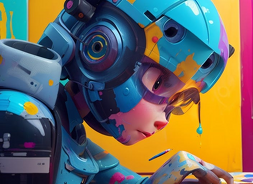
Have you ever seen an image and wondered why it cannot move, blink, smile or even breathe as if it were living? That is what an AI image animator does. With the latest tools of artificial intelligence, these technologies will be able to make pictures come alive and transform two-dimensional images into lifelike moving video, including natural facial expressions and movement.
AI animation tools enable you to bring life to your images in a matter of clicks, whether you are generating social media content, creating digital art, or telling emotional stories. It is now much easier, quicker, and automated (no animation experience required) to learn how to transform an image into a moving video.
What Is an AI Image Animator?
AI image animator is based on the principle of deep learning to identify the image elements, such as facial features, textures, and lighting, and then it reproduce natural movement. This technology has the potential to make portraits blink, smile, or even talk, turning pictures into moving videos with their expressions.
It is an ideal solution for a person who has questioned how to convert an image into a moving image without wasting hours in professional programs like animation. AI does the heavy work, using real-world motion and depth that bring your images to life.
How to Make an Image into a Moving Video
It was complicated to move a still picture in the past, but it is easy with the help of AI image animators. Here’s how it works:
Upload Your Image: Begin with a good portrait or subject picture.
AI Detection: The app searches your photo for the face or for objects.
Motion Mapping: Artificial intelligence is used to analyze posture, depth and lighting.
Animation Rendering: The image is animated, smiling, blinking or moving naturally.
Export the Video: Save or share your animated result as a short video or GIF.
And that is it; no layers, keyframes, or editing knowledge required. AI changes your still image into a moving one within seconds.
Why Animate Pictures Using AI?
AI opens the world of animation to all. You want to have fun social content or to see a story developed on screen, the animation of the pictures can entirely transform the perception of people towards your pictures.
Here’s why users are fond of AI image animators:
· Instant results: Design animated videos within seconds.
Realistic expressions: AI is very efficient in replicating natural motion.
Creative storytelling: Get historical portraits or selfies to life.
Social media ready: Ideal to short videos, reels, and profile animations.
No editing skills required: AI does all the animation.
Through AI image animation, your photos transform into animations that are moving stories that easily attract attention and emotion.
Popular Ways to Animate Images
You still do not know how to convert an image into a video? The following are some of the innovative ways by which people have used these tools:
· Talking Portraits
Transform your selfies or portraits into talking videos with the help of AI face animation. These are devices that map the lips' movement to voice, giving hyper-realistic talking images to tell stories or market digitally.
· Cinemagraph-Style Animation
Retain a portion of your photograph motionlessly, but slightly animate another one, still water, waving hair, or furrowed eyes. The creators of photo motion are adding depth and realism without making the motion too extreme.
· Historical & Artistic Animations
Have you ever imagined historical paintings or family portraits coming alive? Animators can simulate the change of expression with the help of AI, and old memories will become alive again.
· Social Media Reels & Short Videos
Create animation with AI image animators to transform the still images into scroll-free motion video. Ideal for influencers, artists, and brands that desire to increase engagement.
All sorts of animations narrate various stories, artistic and emotional, and AI helps you in producing them without any complications.
How AI Makes It All Possible
The secret of AI image animation is based on neural networks that are trained to move faces and objects. This family of models guesses the natural movement by examining thousands of motion references and uses this to apply the same to your image without altering its original characteristics.
It is a process that gives natural and smooth movements, be it a blink, smile or full-body motion. AI-generated depth and motion do not have to be painstakingly edited frame by frame, conserving time and effort as compared to traditional animation.
FAQs
How can I make an image into a moving video?
An AI image animator is available to you; just upload your photo, and the AI will create the natural movement on its own.
Can I animate any type of image?
Yes, however, portrait pictures or clear subject pictures produce the most realistic results.
Is AI animation safe and private?
Credible sites handle information safely and do not archive the images you have uploaded.
Final Thoughts
Days of static pictures are over; today, with AI image animators, you can bring all the pictures to life. You need to transform creativity into movement whether you need to animate pictures, create a moving image or make a short video from a photo, AI provides you with the strength to make it happen.
Then, the next time when you find yourself in the situation of thinking, 'How can I turn an image into a moving video?' keep in mind that it is not as complicated as it seems: AI can do it for you.