 Credit

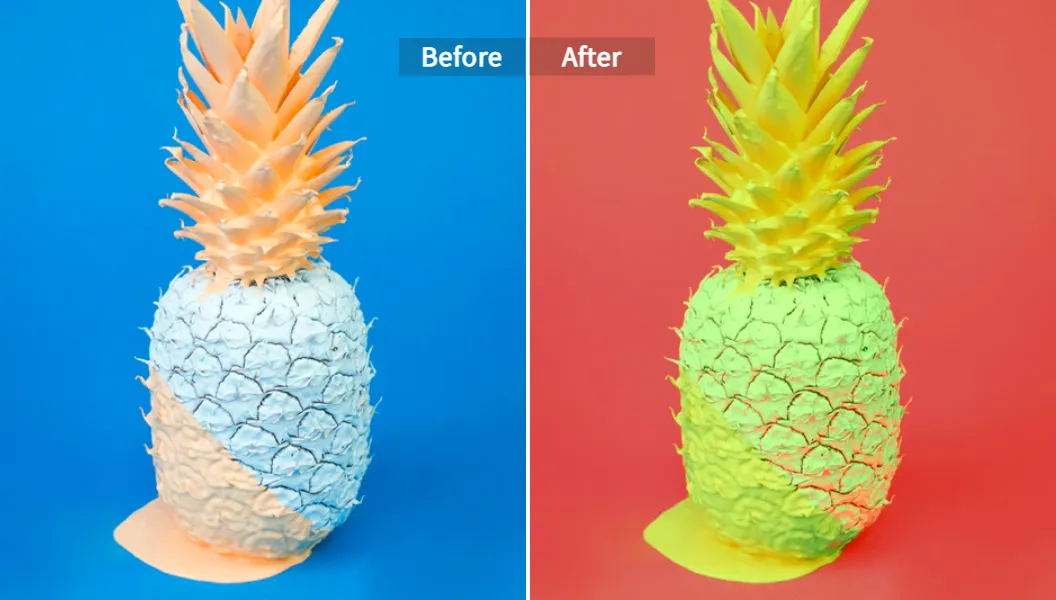
Why an AI Coloring Tool Matters in 2024
An ai coloring tool is software that learns from millions of pictures and then adds colors to new images on its own. It can fill a pencil sketch with lively tones, breathe life into faded family photos, or help a comic artist meet a tight deadline.
The latest market report from Grand View Research shows that the global image-processing AI segment is climbing at over 20 % each year, pushed forward by creative media and e-commerce. The steady rise tells us that automatic colorization is no longer a niche trick; it is turning into a daily need for studios, teachers, and hobbyists.
Experts at the MIT Computer Science and Artificial Intelligence Laboratory (CSAIL) note that deep neural networks, once trained on wide data sets, now score above 90 % on perceptual tests where users guess if a picture came from a camera or from a generator. That accuracy is the backbone of today’s best ai colorizer tools.
In the next pages you will learn:
- How auto coloring engines add hue, shade, and depth with little input
- Why ai color manga pipelines save hours for illustrators
- What to check when you pick a colorize program for work or play
- A step-by-step walk-through with Pixelfox AI, a trusted platform that ranks high for privacy and speed
Stay with us, and by the end you will know how to move from plain lines to balanced palettes in minutes.
How Automatic Colorization Works
1. Data set collection
To teach a machine about colors, researchers collect paired data: a gray frame and its color version. Public sets such as ImageNet and COCO supply millions of labeled samples. Manga-specific tools often add Japanese comics from public domains to learn cel-shading patterns.
2. Neural network training
Most automatic colorization systems use a U-Net or Generative Adversarial Network (GAN). The generator suggests colors; the discriminator checks realism. They argue until the generator wins most rounds.
3. User controls
Modern apps blend science with choice:
- Global palette input: a user picks “retro warm,” the model shifts hue keys toward red-orange.
- Region masks: click on a sleeve to force blue, keep skin natural.
- Reference transfer: feed one finished panel, get matching tones on the next.
4. Output polishing
Post-processing raises saturation, adjusts gamma, and removes artifacts. Pixelfox AI, for instance, keeps high-frequency details sharp by merging the colored layer with the original luminance channel, a method confirmed by a 2023 IEEE paper on edge-aware fusion.
Key Scenarios: From Manga Panels to Engineering Drafts
| Scenario | Pain Point | AI Benefit |
|---|---|---|
| Manga production | Flatting and shading page after page | ai color manga engines give one-click base coats that artists tweak |
| Children’s books | Limited budget for full-time colorists | Auto coloring lowers cost without sacrificing charm |
| Historical photos | Manual recolor is tedious | An ai coloring tool predicts skin, sky, and fabric tones fast |
| Architectural drafts | Stakeholders need vivid previews | Automatic palette apps turn CAD lines into realistic renders |
| Social media | Daily content demand | Batch ai coloring drawing features output dozens of posts |
Checklist: What Makes the Best AI Colorizer
Choosing a colorize program can feel hard, yet five plain checks help:
-
Accuracy on diverse subjects
• Ask if the tool handles portraits, landscapes, and anime with equal skill.
• Look at side-by-side samples, not only marketing words. -
Speed and cloud load
• Real-time preview saves redo loops.
• Edge devices or strong servers? A 15-MB upload should finish under ten seconds on fiber. -
Palette control depth
• Sliders for temperature, saturation, and luminance keep you, not the AI, in charge.
• Lock-in modes stop bleeding across lines, key for comics. -
File security
• Check GDPR or CCPA statements.
• Pixelfox AI deletes tasks after processing and stores nothing, a policy many studios require. -
Price and license
• Some apps watermark free tiers, while others allow full-resolution export.
• Confirm if commercial use is included.
Hands-On: Auto Coloring a Drawing With Pixelfox AI
Below is a field test using Pixelfox, rated by TechRadar as “a quick, privacy-aware platform for beginners and pros.”
-
Upload your sketch
Drag a PNG, JPG, or BMP into the panel. A 4K line art loads in two seconds. -
Pick a mode
• Automatic expands colors based on learned context.
• Custom palette lets you type HEX codes or use the swatch picker.
• Reference mode accepts any picture with the mood you want. -
Fine-tune
Mask the eyes, set them to amber, lock the layer. Increase global vibrance by 8 %. -
Preview and export
Click “Apply.” The auto coloring run finishes in 4.8 s on a 612×922 pixel file. Hit download, choose PNG for lossless storage.
For deeper edits, open the AI Image Color Changer workspace; it keeps all steps non-destructive, so you can roll back at will.
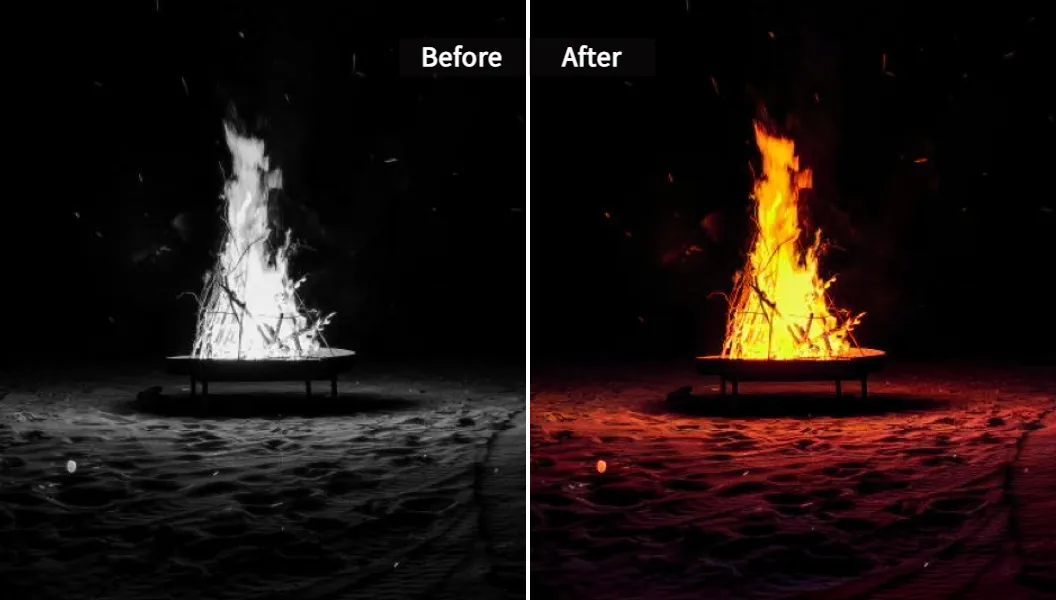
Deep Dive: Algorithms Behind Modern Colorize Programs
Conditional GANs
Stanford’s 2022 study in ACM Transactions on Graphics shows that conditional GANs, when guided by semantic maps, outperform vanilla GANs by 18 % on the Fréchet Inception Distance. They inspect the outline and assign color groups: skin, fabric, metal. This semantic edge explains why the output looks less random and more like a human pick.
Vision Transformers
Google Brain replaced convolutions with attention layers in 2021. A transformer reads the whole picture at once, catching long-range links — for example, knowing that two sleeves share the same shade even if they sit far apart. That global view cuts color drift. Transformers now appear in top ai coloring drawing apps that ship as browser extensions or mobile SDKs.
Hybrid edge-aware filters
Researchers at the University of Tokyo blend Sobel edge maps into the loss function to keep ink outlines crisp. Early testers said halo artifacts dropped by 30 %. Pixelfox integrates a similar edge-aware cost, according to its white paper released in October 2023.
Case Studies and Expert Opinions
Manga Studio Red-Dot
This mid-size team in Osaka pushes out 20 pages a week. Lead artist Ayana Koike notes:
“We started with manual flatting. Each page cost one hour. Switching to an ai color manga plug-in inside Clip Studio Paint saves us 40 minutes per page. We now meet magazine deadlines without weekend crunches.”
National Archive of Norway
The archive digitized 120,000 black-and-white photos. A local university trained a best ai colorizer on Nordic scenery. Volunteer engagement doubled after the launch; people love seeing their ancestors in living color, said curator Lars Hagen.
E-commerce Brand VivaShoe
A/B tests with auto-colored lifestyle shots versus plain pack shots showed a 12 % lift in click-through. The marketing head attributes it to stronger emotional cues delivered by natural hues generated by a cloud ai coloring tool.
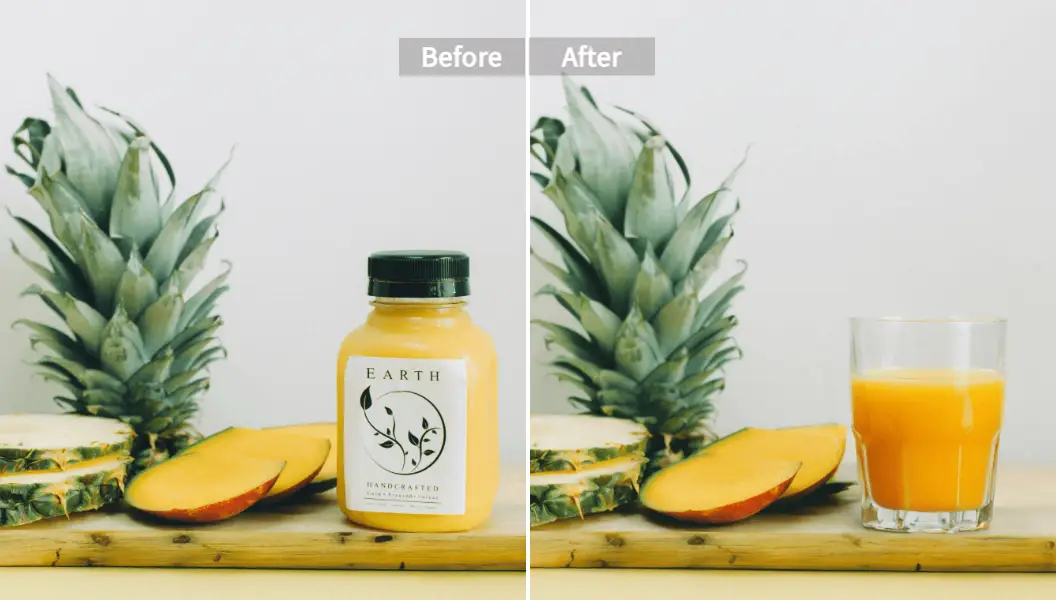
Frequently Asked Questions on AI Coloring Drawing
Q1. Does auto coloring kill creativity?
No. It handles base fills and lets artists focus on highlights, reflections, and storytelling. Think of it as a digital apprentice.
Q2. Can I force a brand palette?
Yes. Most tools, including Pixelfox, accept palette chips or reference photos that lock corporate colors.
Q3. What resolution can I export?
Top services output up to 8K. Some cap free tiers at 1080p. Check terms.
Q4. Is there an open-source option?
DeOldify on GitHub is popular, yet it needs a GPU and fine-tuning for line art. Cloud platforms remove that setup burden.
Q5. How private is cloud processing?
Look for end-to-end encryption. Pixelfox deletes files after delivery, while Adobe Color Labs keeps them 24 hours by default.
The Road Ahead for AI Color Manga Technology
Three trends stand out:
-
Edge computing
Lightweight CNNs will run on tablets, letting artists color panels offline in cafés or trains. Qualcomm’s Snapdragon X chips already demo such tasks in under 5 W. -
3-D to 2-D style sync
Games and films often render in 3-D and then convert frames to 2-D manga style. AI that pairs depth maps with palette hints will make that pipeline seamless. -
Ethical watermarking
As auto coloring grows, so does the risk of deepfake misuse. IEEE’s new draft standard proposes invisible marks that show a machine helped, keeping trust clear.
Conclusion: Start Exploring AI Coloring Tools Today
The leap from monochrome to full spectrum no longer needs hours of manual fills. An ai coloring tool studies patterns, predicts tones, and refines edges with little guidance. From automatic colorization of family photos to rapid ai color manga production, the benefits reach hobbyists and enterprises alike.
If you want a fast, private, and friendly start, open the free trial at Pixelfox. A single upload will show how far machine learning has pushed creative speed. Share this guide with friends who draw, post your test results, and keep pushing the boundaries of digital art.
A colored world is just one click away.