 Credit

Introduction
Backdrops aren’t just backgrounds they are more than that, they represent your mood, style and make you feel better, and alive. An AI wallpaper generator lets you design exclusive captivating visuals with no artistic skill required. Now, with State of the Art AI wallpaper editor, you can easily turn simple sketches into instantaneous eye-catching digital artwork. Services like Pixelfox take the hassle out of this, allowing you to create and use your own wallpapers to suit your aesthetic or personality.
What is AI Wallpaper Generator?
The Concept Explained
What is an AI wallpaper generator? You mention what they want (color palette, theme, style) and the AI creates a design to fit.
Why It Matters
Saves time than hand-craft design.
Offers endless creative possibilities.
Makes personalization accessible to everyone.
Process for an AI Wallpaper Maker
Step‑by‑Step Process
Your words are visualized by the AI.
It creates a wallpaper in mere moments.
You download it and install it on your device.
Example
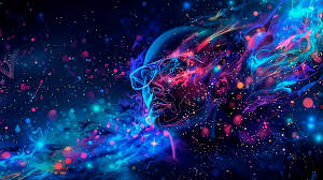
Type “galaxy sky with neon waves,” and the AI wallpaper maker generates a space wonderland filled with glowing patterns.
Advantages Of AI Wallpaper Generator.
Accessibility
You don’t need design skills. With just a few words, anyone can make wallpapers.
Creativity
AI takes the seed of your thought and grows it to become complex, artistic visuals instead of just text on paper.

Personalization
Each wallpaper is a unique composition that reflects your personal tastes and style.
Uses AI Wallpaper Maker
Personal Devices
Personalize your phone, laptop or tablet with wallpapers to fit your mood or personality.
Social Media Content
AI wallpapers are also used as post, story and video backgrounds.
Branding
Companies create their own branded wallpapers for presentations, events and marketing initiatives.
Pixelfox based Wallpaper Generation
Try Pixelfox for easy-to-use wallpaper creation. You input your idea and the system spits out a design.
Features include:
Text‑to‑image wallpaper generation.
Style choices such as abstract, realistic, anything that looks like a cartoon.
Fast export to devices and social media.
Image enhancement for sharper details.
How to Create Great Wallpaper BGs
Be specific in your prompts. Use “sunflowers in a watercolor style” instead of “flowers.”
Include mood descriptors, such as “serene,” “vibrant” or “dramatic.”
Try a few to see which suits your personality best.
High‑resolution outputs for clean wallpapers.
AI Wallpaper Generators of the Future
There will be further improvements in AI wallpaper maker tools. You can anticipate offerings such as animated wallpapers, interactive themes, and on-the-fly customization. You’ll soon be able to build moving backgrounds that reflect your mood or surroundings.
Personalisation Features with AI Wallpaper Generator
One of the great things about AI wallpaper generator or AI wallpaper maker is that you can fine tune every details. You’re not stuck with premade templates. Instead, you can change colors, styles and themes to reflect your mood or brand. You could opt for a minimalist black‑and‑white design if you want to look professional, or a bright neon pattern if you feel sparky. This versatility makes sure that each wallpaper feels completely personal and unique to your device.
Conclusion
It’s more than a tool; it is a creative partner, an AI wallpaper generator. Whether you want to pimp your phone, design Instagram content or create branded visuals, an AI wallpaper maker can make it happen. Tools such as Pixelfox make it easy, allowing you to create beautiful designs for nothing. By adopting this technology you open up a world of entirely new digital art and personal choices.
FAQs
Q1: What are AI wallpaper generators?
A: It is a tool that, essentially using AI, makes wallpapers from text prompts.
Q2: How does an AI wallpaper maker work?
A: You write a description, and the AI creates wallpaper from your words.
Q3: Do I have to be good at design to use these services?
A: No, wallpaper creation is as easy as can be with platforms like Pixelfox.
Q4: Can I use AI wallpapers for personal social media?
A: Yes. Many creators, for example, use them as backgrounds for posts, videos and stories.
Q5: How much does an AI wallpaper generator cost?
A: Absolutely. There are tools such as Pixelfox which provide free of cost solutions to design in style.