 Credit

Let’s be real for a second. You spent a week planning, two days shooting, and another day editing a glorious, hour-long YouTube video. You hit publish. Crickets. Why? Because in 2024, attention spans are shorter than a goldfish's memory. According to HubSpot, short-form video is the #1 format for lead generation and engagement. If you're not turning that epic video into a dozen TikToks, Reels, and Shorts, you're basically leaving money on the table.
But who has the time? Manually chopping up long videos is a soul-crushing, mind-numbing task. That's where an AI clip editor comes in. This isn't just another buzzword; it's your new secret weapon. These tools use artificial intelligence to find the juiciest, most "viral-worthy" moments in your long content and automatically turn them into ready-to-post short clips. This guide will show you the best free tools to do it, so you can finally stop editing and start growing.
Why Your Current Workflow Is Broken (and Costing You Views)
If you're still using traditional software to manually hunt for clips, you're fighting a losing battle. It’s like trying to win a race on a tricycle while everyone else has a jetpack. Here's the pain you're probably all too familiar with:
- The Endless Scroll: You spend hours scrubbing through a timeline, looking for that one perfect 30-second soundbite. It’s boring. It’s inefficient. And frankly, your time is more valuable than that.
- Creative Burnout: After finding a few clips, you still have to reframe them for vertical, add captions, and maybe an emoji or two. By the time you're done, your creative energy is completely drained.
- The "AI" That Isn't So Intelligent: You tried some
free ai video editingtool you found online. It spit out a bunch of random, nonsensical clips. Somevirio aiknock-off that cut you off mid-sentence. Total waste of time. - Watermark City: You finally find a decent tool, but it slaps a giant, ugly watermark on your video unless you fork over your credit card. Ugh.
This isn't sustainable. Creators who scale are the ones who work smarter, not harder. They automate the grunt work so they can focus on what matters: creating more great content.
The Ultimate AI Clip Editors: Your New Content Team
The market for al video editor tools has exploded. Some are amazing, some are… less so. I’ve tested dozens to separate the game-changers from the gimmicks. Here’s the breakdown.
| Tool | Free Plan | Key Feature | Best For | My Take (1-10) |
|---|---|---|---|---|
| Pixelfox AI | Generous Free Tier | All-in-one suite (clipping, enhancing, style transfer) | Creators who want power and flexibility without juggling apps. | 9.8/10 |
| OpusClip | 90 mins/month trial | "Virality Score" to predict clip performance | Podcasters and interviewers who want data-driven clips. | 9.2/10 |
| Vizard.ai | Limited free plan | Screen recording to clips workflow | Coaches and educators repurposing webinars and tutorials. | 8.8/10 |
| Riverside.fm | Free plan available | Text-based editing (edit video by editing text) | High-quality podcast production from recording to clipping. | 9.0/10 |
| Canva Magic Video | Included in Canva Free | Template-based video creation | Beginners and marketers who need quick, branded videos. | 8.5/10 |
1. Pixelfox AI: The All-in-One Powerhouse
Okay, I’m a bit biased, but for good reason. Pixelfox AI isn't just an ai video clip editor; it's a full production suite disguised as a simple web app. While other tools do one thing well (like just clipping), Pixelfox lets you clip, enhance, denoise, and even completely change the style of your videos.
- AI Clipping: It finds engaging moments, but its strength is in the post-clipping tools.
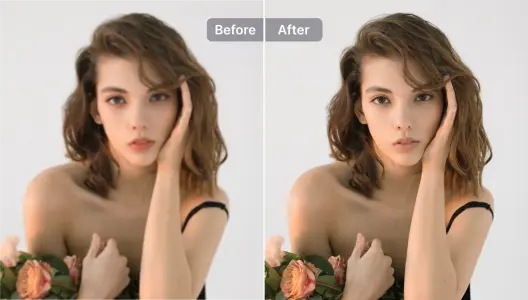
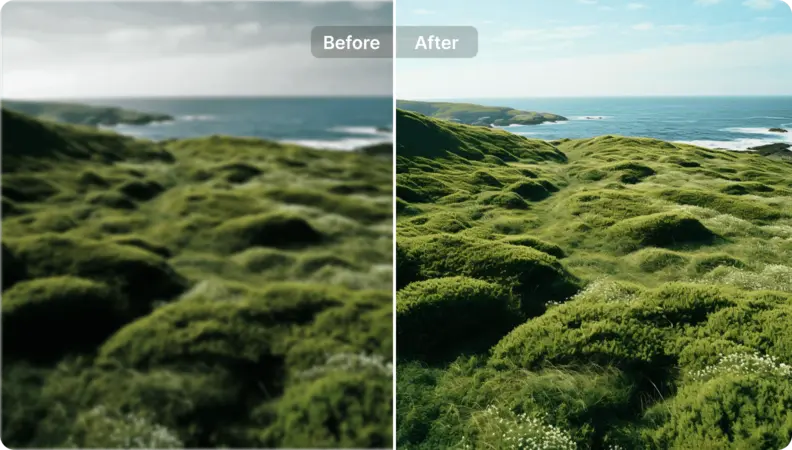
- Video Enhancement: Got a grainy clip? The AI Video Enhancer can upscale it to 4K. No more blurry, low-quality shorts.
- Portrait Perfection: The AI Portrait Enhancer for Videos & Selfies is a lifesaver. It subtly smooths skin and fixes bad lighting in your talking-head clips, making you look your best without looking fake.
- Audio Magic: The AI Video Denoiser cleans up background noise, so your audio is crisp and professional.
It's built for creators who see the bigger picture. You don't just want clips; you want high-quality clips that make you look good.
2. OpusClip: The Virality Predictor
OpusClip is the tool that really put AI clipping on the map. Its claim to fame is the "Virality Score," an AI-powered metric that predicts how well a clip might perform. It's incredibly fast and does an excellent job of identifying hooks and compelling narrative arcs in dialogue-heavy videos. It's a favorite among podcasters like Lewis Howes for a reason.
3. Vizard.ai: The Repurposing Pro
Vizard shines in its ability to take one long video, like a webinar or a live stream, and turn it into a month's worth of social media content. It has a clean interface and focuses heavily on team collaboration, making it great for marketing agencies and businesses.
💡 Tip: When you first start with an
ai clip editor, feed it your best-performing long-form video. The AI learns from what works. If your original video has clear audio and a strong narrative, the AI will have a much easier time finding gold.
AI vs. The Old Guard: Why Premiere Pro Is Getting Nervous
For years, Adobe Premiere Pro and Final Cut Pro were the undisputed kings of video editing. They still are, for feature films. But for social media clips? Using Premiere Pro is like using a sledgehammer to crack a nut.
- Speed: An
ai edit makercan generate 10-20 clips in the time it takes you to open a new project file in Premiere. The AI does the cutting, reframing, and captioning in minutes, not hours. - Cost: Professional software costs hundreds of dollars per year. Most AI editors have robust free plans or affordable monthly subscriptions. The ROI is a no-brainer.
- Learning Curve: Let's be honest, mastering traditional video editors takes months, if not years. You need to learn about timelines, keyframes, color grading, and a million other things. An
ai video clip editorhas a learning curve of about five minutes. You upload a video and click a button. That's it.
This isn't to say pro software is dead. It’s about using the right tool for the job. For fast, high-volume social content, AI is unbeatable.
Pro-Level Moves: Make Your AI Clips Look Less... Robotic
The biggest complaint about ai video edits is that they can sometimes feel generic. Here’s how you add your human touch back in and stand out.
1. The Hybrid Workflow: AI Co-Pilot, Human Pilot
Don't just accept what the AI gives you. Use it as a starting point.
- Generate Clips: Let your chosen AI tool, like Pixelfox AI, create 15-20 potential clips.
- Select the Best: Review them and pick the top 5-7 that truly capture your message.
- Refine & Polish: Import those clips into a simple editor (Pixelfox has one built-in!). Trim the start and end points with precision. Add a unique sound effect, a meme, or a B-roll shot that the AI couldn't have known about. This small amount of human touch makes a world of difference.
2. Master the AI Overlay and Style
An ai video overlay can be your brand's best friend.
- Consistent Branding: Create a simple template with your logo, brand colors, and font. Apply it to every clip. This makes your content instantly recognizable as it flies through the feed.
- Style Transfer: This is next-level stuff. With a tool like Pixelfox's AI Video Style Transfer, you can give all your clips a unique artistic look—like an anime style, a Pixar look, or a vintage film aesthetic. Imagine every clip from your podcast having a consistent, cool, animated feel. Nobody else is doing that.
Real-World Wins: From Podcast to Profit Machine
Still skeptical? Let's look at how real creators are using these tools.
-
Case Study 1: The SaaS Startup. A small B2B software company had hours of product demo webinars. They were just sitting on a hard drive, collecting digital dust. They used an
ai clip editorto pull out every "aha!" moment where a feature was explained. They turned these into 60-second Reels, driving a 200% increase in free trial sign-ups because people finally saw how the product worked. -
Case Study 2: The Gaming Streamer. A Twitch streamer would play for 8 hours straight. Finding the best moments was impossible. By using an AI tool with
ai video changercapabilities to analyze the gameplay, she could instantlyget clipsof every epic win and hilarious fail. She scheduled these to post on TikTok and YouTube Shorts, and her channels grew by 50,000 followers in three months, driving more subscribers back to her live stream.
Where Beginners Go Wrong (And How to Avoid These Traps)
Jumping into ai video editing online free is exciting, but new users often make the same mistakes.
- Blindly Trusting the AI: The AI is smart, but it's not a mind-reader. Always review the clips. The AI might miss the context of an inside joke or cut a sentence at an awkward spot. You are the final quality check.
- Using Bad Source Material: "Garbage in, garbage out" is the #1 rule of AI. If your original video has terrible lighting, distracting background noise, or a rambling structure, the AI will struggle. Start with a high-quality, well-structured video for the best results. If your footage is a bit grainy, at least run it through an AI Frame Interpolation tool first to smooth it out.
- Ignoring the Platform: A clip that works on TikTok might not work on LinkedIn. TikTok loves fast cuts and trending audio. LinkedIn prefers slightly longer, more informative clips. Use the AI's suggestions, but use your brain to tweak the content for the specific platform you're posting on.
💡 Tip: Pay attention to the first 3 seconds. The AI is good at finding a "hook," but you can make it even better. Sometimes, starting a clip right in the middle of an action or a controversial statement is more powerful than a slow lead-in. Don't be afraid to trim the first few words if it makes the opening punchier.
Frequently Asked Questions (FAQ)
How does an AI clip editor actually work?
It's pretty cool, actually. The AI uses a combination of natural language processing (NLP) to understand what's being said and computer vision to analyze what's happening on screen. It looks for indicators of high engagement, like changes in vocal tone, laughter, key phrases ("The most important thing is..."), and fast-paced action. It then scores different segments and presents the highest-scoring ones as potential clips.
Can I really get clips for free without a watermark?
Yes, but you have to choose the right tool. Many free ai video editing tools will force a watermark on you. However, tools like Pixelfox AI offer a generous free tier that allows you to export clean, watermark-free videos. Always check the pricing page before you invest time in a tool.
What's the difference between an AI clip editor and a full AI video generator?
An AI clip editor works with existing video content. You provide the long-form video, and it helps you repurpose it. An AI video generator (like Sora or VEO) creates video from a text prompt, essentially making a video out of thin air. Clip editors are for creators who already have content; generators are for creating new visuals from scratch.
Can AI change the background or add an overlay to my clips?
Absolutely. This is where more advanced tools shine. A basic ai clip editor might just cut and caption. But a more comprehensive platform like Pixelfox AI includes an ai video changer that can remove or replace backgrounds and an ai video overlay function to easily add your logos, text, and other branded elements.
You've put in the hard work to create great long-form content. Don't let it die on the vine. Stop the manual madness and embrace the AI revolution. The right AI clip editor isn't just a tool; it's a content multiplier, a time-saver, and your fastest path to growing an audience in today's fast-paced world.
Ready to reclaim your time and get more views? Try Pixelfox AI's free video editor today and see how easy it is to turn one video into a dozen viral-ready shorts. No credit card, no nonsense—just results.