 Credit

Deepfake technology has revolutionized the digital content industry and enabled individuals to swap faces in a video, imitate voices, and create hyper-realistic AI characters with a couple of clicks. You can use deepfake apps to find new tools that enable face swapping, AI movement, and synthetic media creation, no matter if you are a content creator, influencer, or just interested in the field of artificial intelligence entertainment.
Here, we are going to discuss the most suitable deepfake apps and online tools in the contemporary world, their power, and their use in a responsible manner.
We will also present you with the best AI deepfake generator apps that allow you to generate face swap content that looks real, and you can do it right in front of your computer; no technical expertise is needed.
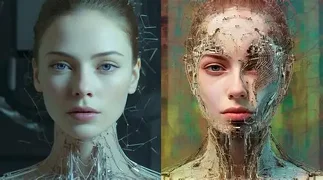
What Are Deepfake Apps, and How Do They Work?
Deepfake applications are based on artificial intelligence, machine learning, and the generative neural networks that analyze the facial pattern, expression and voice tone. The AI overlays one face on the other in photographs or videos and provides a realistic and smooth simulation.
In contrast to the old-fashioned editing, deepfakes are based on the newest models that keep learning the facial movement and patterns of lighting; this is why the quality of the modern deepfakes can be almost identical to the authentic video.
This technology is used to do amusing celebrity face swaps, customized video content, advertisement images, movie creation, and animation. However, it is important to be ethical in its application; deepfake tools must not be utilized without authorization, and also, they must be used as a source of entertainment or creative enrichment.
Best Deepfake Apps to Try
The number of AI deepfake applications is vast, and they are designed to serve various functions, including video editing, voice cloning, and face swapping on a smartphone. The following are the most popular ones:
· DeepFaceLab
DeepFaceLab is regarded as the most developed deepfake application in face swapping. It provides complete control over the deepfake creation process using training models, blending options and face extraction. It produces extremely realistic output with large datasets, but it needs a strong graphics card and an advanced level of expertise.
· FakeYou
FakeYou is an online platform of deepfakes specializing in voice synthesis AI and speech generation made character-based. The text typed by users can be read out in the voice of celebrities, fictional characters or in a trained voice. The good thing is that it does not require any software installation; it is simple to operate, but its face swap functions are few relative to video deepfake tools.
· ZAO
ZAO is another viral deepfake mobile application that allows people to upload a selfie and immediately watch themselves in popular movie scenes. It is characterized by the spectacular speed and entertainment-oriented outcomes, but it has a Low level of editing and privacy.
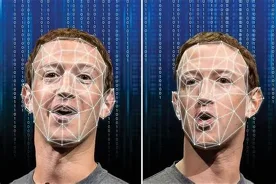
The Best Alternate Deepfake Generator – Pixelfox AI
Most deepfake applications are installed or need technical expertise, whereas Pixelfox has a face swap video AI deepfake generator available online, so anyone can create a face swap video right in their browser. No graphics cards, no ex-files, just post your picture and let the A.I. do the job.
Here is why it is the best alternative deepfake app:
· Online 100% mobile and desktop.
· Half-life AI face swap in photos and videos.
· Easy interface, does not need editing.
· Free trials available
· Appropriate for content developers, advertisers and non-definitive users.
Users can use Pixelfox, as it provides face swaps created by AI with a natural skin texture, correct expression, and stable lighting, something that the majority of mobile apps cannot do. You can make celebrity mashups, animated avatars, or simple social media posts: Pixelfox offers an easy and safe way to realize your ideas.
Ethical and Responsible Use of Deepfake Sites
Deepfake technology is thrilling, but with a price tag. These tools should always be used with permission; it is not acceptable to imitate real people without their permission, and it is not acceptable to spread false or harmful information.
Final Thoughts
The future of AI creativity is being transformed by deepfake technology. With entertainment videos and marketing campaigns, the possibilities are unlimited as long as they are applied responsibly. Pixelfox is the best choice between advanced control in DeepFaceLab, fast mobile editing in ZAO, and a powerful online deepfake generator with zero configuration.
And now, are you willing to make your own AI deepfake?
“Pixelfox is available today and is the future of AI face swapping on the internet.”