 Credit

e you struggling to make your posts go viral on social media? Face-swapping content is all over social media, whether it's on TikTok or in meme-worthy GIFs. All credit goes to GIF face swap AI tools and free video face swappers. With their help, anyone can create stunning clips in a few seconds, which can travel and go viral around the internet.
In this blog, you will come across the power of AI face swaps and learn how to use AI gif face swap and free video face swap tools to make viral content from short clips. Thank god you are at the right place, as we will teach you to use multiple face swap videos online for free and GIF face swap online for free.
What is AI Face swap, and what is the reason for its popularity?
AI face swap is a type of artificial intelligence where you swap your face with another image or video using the algorithms. There is a technology used in AI face swap that uses machine learning and replaces faces in the media, such as videos, memes, GIFs, and live streams. Unlike manual photo shop edits, AI face swap creates faces in seconds. We can use it for different purposes, such as:
You can use it to create movie clips with the faces of you your friends.
Generate content for memes and influencer content
Make GIFs with your face having funny reactions
For group edits, you can make multiple face swap videos online for free.
These AI face swap tools give us innovative liberty as they help with GIF face swaps and video face swapping.
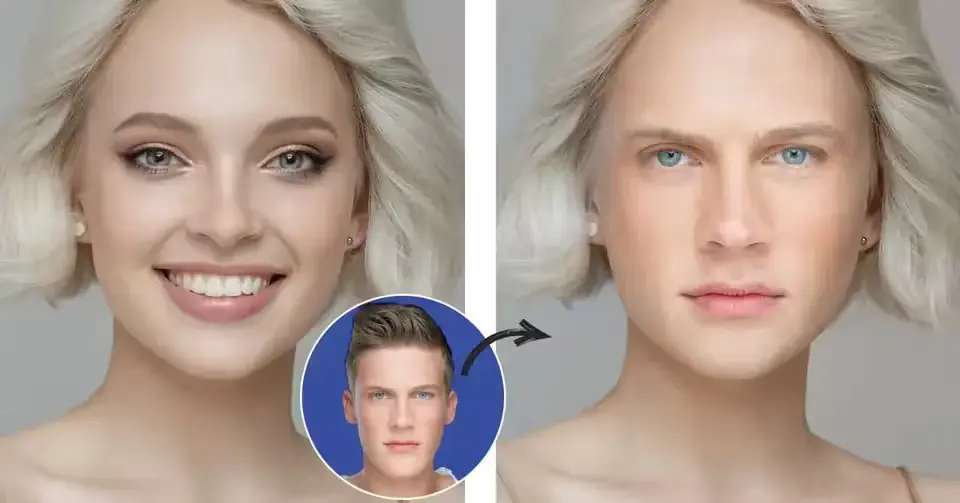
Best free AI Face swap tools
There are various forms of free AI face swap tools to generate videos and GIFs online, which you can try now. The list of them is:
Vidnoz AI
This is high-quality face swap videos with one or more faces, and key features include bulk upload, fast depiction, supports multiple faces, and no watermark is included in its free version.
PixNova AI
This is a GIF face swap AI with one-click processing and includes drag and drop UI, AI auto detection, and instant export.
VidMage
VidMAge is best for video face swapper and face swap gif creation on social media, and its key features include fast uploads, no sign-up hassles, and easy to use on mobiles.
Supawork AI
It is a free and unlimited video face-swapping online tool that works in a browser and provides accurate face replacement for free.
BeArt AI
This AI is a gift face swap and doesn't require any design skills, as facial mapping is automatic, and it is best for memes and marketing.
Create Your Own AI Face Swap GIFs & Videos in simple steps.
Firstly, choose your media wisely, having a clear photo or video. Make sure to use trending memes or GIFs to make it viral.
Upload your chosen image and trending video into any of the free video swap or GIF face swapper tools mentioned above.
Customize the image or video by adjusting the face alignments, lighting, and expressions. Some tools also provide multiple face swap videos online for free with just one press.
After the press, let the AI do the magic, and your new content will be ready in a few seconds.
Export the image or video by downloading the face swap GIF and post it on any social media platform you want.
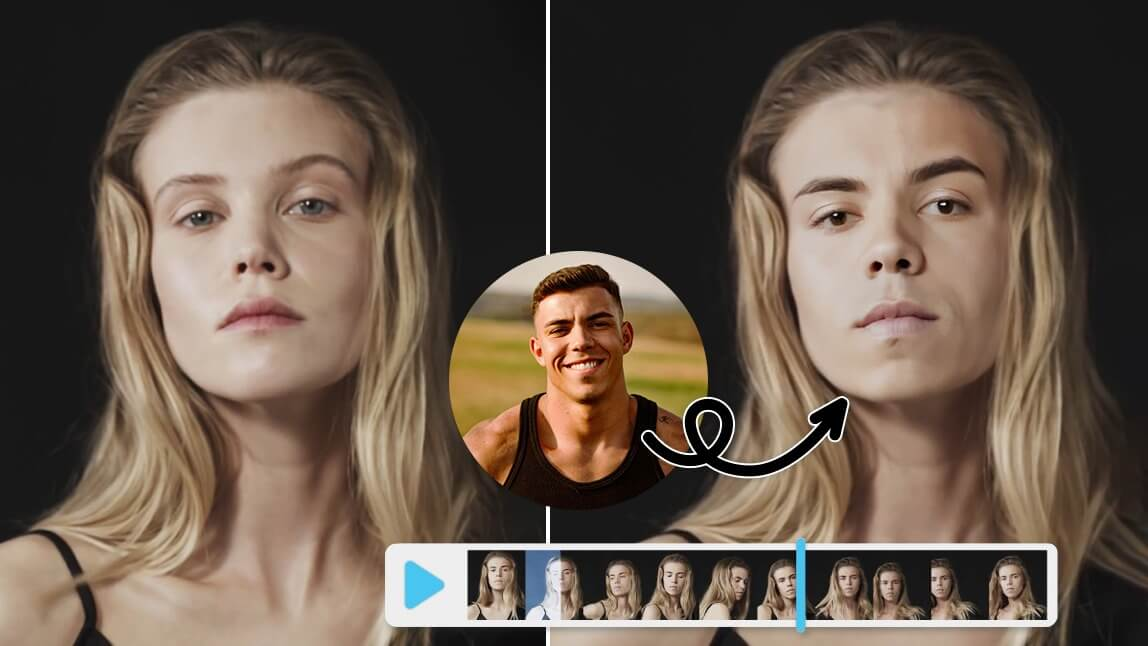
Tips to make viral AI Face Swap content
Do you want to make it go viral and trending on social media? Then follow the tips and tricks below:
Always use trends and viral scenes of the current time, or any celebrity clips, to stay on the page and go viral
Make sure your GIFs and short videos are no more than 15 seconds, as they perform best
Free tools allow you to add music and text to GIFs or videos, which increases dominion and your watch time
Share your AI face swaps across different platforms to maximize the reach.
Is AI Face Swap Safe & Ethical to Use?
AI face swap online is safe and ethical to use if you use it right and follow the commands below:
Don’t use images or videos you don’t have the right to, as it will raise copyright issues
Try to avoid spreading misinformation through your platform
Be aware of age-appropriate and diplomatic content you upload and use it wisely.
Final Thoughts
Whether you are generating GIF face swap, AI face swap video online for free, or multiple face swap videos, AI has made this easier and provides endless possibilities for free, too. Your next viral post is just a swap away. Go pick a photo, post a clip, and wait for AI magic to make you trending.