 Credit

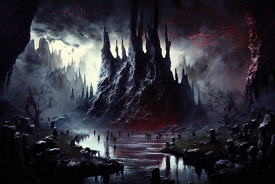
The dark fantasy art of the modern digital world can be found everywhere: in gaming, storytelling, world-building, visual elements of characters, and even films. But imagine you could call up whole worlds of gothicism, distorted monsters or landscapes of nightmares without the aid of skills, brushes or sophisticated implements?It is what a dark fantasy AI picture generator can do.
With the development of artificial intelligence, any person can compose grimdark characters, haunting creatures, occult scenery and dark surrealism by simply typing a prompt. Advanced enough to produce concept art, book illustrations, video game assets, or even images of the atmosphere, a dark fantasy AI generator can transform your imagination into images in a matter of seconds.
We will take a look at the functioning of such tools, their features and how to produce dark fantasy AI videos through the same technology.
What Is a Dark Fantasy AI Generator?
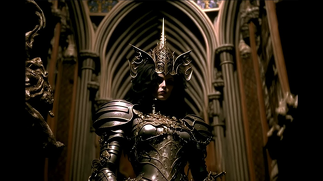
A dark fantasy AI generator is a strong AI-based instrument that changes your text into gothic, creepy, or horror-related fantasy paintings. It uses neural networks that are trained on fantasy art, movie pictures, low-key lighting, and surreal horror to create detailed pictures.
Just type something like:
“A horned knight in a rusty armor strolling in a storm-lit citadel”
The AI will make a whole dark fantasy scene with the lighting, textures, atmosphere, and style.
There are even tools that assist with image-to-image, dark filters, creature design models, and video generation, which make your worlds even livelier.
How Does Dark Fantasy Text-to-Art AI Work?
It is extremely easy to use a dark fantasy AI art generator. Here’s the typical process:
· Input your Prompt
Write a description of the type, either detailed or simple. Current dark fantasy AI systems are knowledgeable of modes including grimdark, gothic, occult, dark surrealism or nightmare aesthetic.
· Select a Style or Model
Choose a theme such as:
Dark medieval fantasy
Gothic horror
Eldritch cosmic fantasy
Dark surreal art
Demon or creature design
There are fantasy- and horror-trained models that are available with certain tools.
· AI Builds the Artwork
The system creates graphics, textures, effects of light, and drama to align with the dark fantasy look.
· Download or Enhance
Once you have previewed it, you can download the art in HD or run it through:
Upscalers
Animation tools
AI video generators
It is also the way creators create dark fantasy AI videos, which we will discuss later.
Top Features of a Dark Fantasy AI Art Generator
Contemporary fantasy art AI tools are pre-equipped with functions to assist the user in creating high-quality, stylized visuals.
· Text-to-Dark-Fantasy Art
Verbings transform themselves into haunting sketches with darkened hues, gothic detailing, and a movie feel.
· AI Creature Design Engine
Produce monsters, demons, gods, and other eldritch creatures with complicated anatomy and bizarre textures.
· Dark Fantasy Filters
Gothic tones, colors of nightmares, dramatic contrast, and moody light apply to any piece of art.
· AI Character Creator
Create dark fantasy heroes, warlocks, witches, cursed knights, spirits, and undead creatures.
· Dark Surrealism Mode
Design cosmic scenes that are dreamlike or horror-themed with unusual forms and spooky settings.
· Video-to-Video Dark Fantasy AI
Turn real videos or photos into a dark fantasy film with video-to-video AI software.
How to Make Dark Fantasy AI Videos
This is among the most widespread applications of dark fantasy AI. Here's the typical workflow:
1. Generate Your Dark Fantasy Images
Write characters, landscapes, monsters, or scenes with a dark fantasy AI generator.
2. Use an AI Video Generator
Post your photos to a video tool that has the potential to:
Animation
Motion expansion
Scene transitions
Camera movement
3. Add Sound and Effects
Enhance your videos with:
Dark ambient music
Gothic soundscapes
Eerie whispers
Cinematic bass hits
4. Export Your Dark Fantasy AI Video
Can be exported in HD, and the platforms can have subtitles or narration to tell a story.
Best Free Dark Fantasy AI Art Generator Tools for 2025
The following are among the most effective AI art and AI video tools used in the creation of dark fantasy art and videos:
· NightRealms AI
Majority of its work is about horror and fantasy. Perfect creature design, occult imagery, and grimdark.
· Midjourney
Technical gothic, surreal and atmospheric dark fantasy scenes. Exceptional in concept art of high quality.
· Flux / Stable Diffusion
Open-source designs using numerous dark fantasy add-on designs and LoRAs.
· Runway ML
Great at AI video creation with video-to-video styles to turn your dark fantasy images into videos.
Final Thoughts
The world of creativity is changing with the help of dark fantasy AI. With a few words one can make haunting images, dark moods, dark fantasy characters and complete filming videos. Dark fantasy AI can open up new worlds of imagination whether you are a storyteller, gamer, artist or content creator.