 Credit

Deepfake technology has become viral, and now it is possible to exchange the face in the video, make a funny video, or do hyper-realistic visual editing with a few taps. There’s no need to explain how powerful modern AI tools have become, especially if you’ve been searching for the finest deepfake software, the smoothest deepfake sites, or reliable deepfake software for Windows.
However, with the number of AI face-swap generators available online, it is difficult to 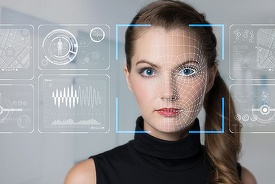 select the appropriate one.
This article breaks down the best tools, what deepfakes actually are, and how these applications function, all in a clean, beginner-friendly manner.
What Is a Deepfake?
A deepfake is an artificial intelligence-based video, image, or audio clip that is digitally edited to appear real.
These models analyse facial expressions, angles, movements, and lighting and recreate the face of one person in a realistic way onto another person.
Deepfakes can be used for:
· Fun face-swap videos
· Entertainment & memes
· Creative content
· Film VFX and digital editing
Since they are typically applied to entertainment purposes, deepfake apps should never be applied irresponsibly, immorally, and illegally.
Why Are Deepfake Apps So Popular?
The issue of deepfake became mainstream since it simplifies the complex task of video editing to a very easy task. Anyone can now:
· Switch faces on a video with only an upload.
· Produce natural responses, lip reading, or facial expressions.
· Produce entertainment-based videos on TikTok, YouTube or Instagram.
· Play with AI safely and in an entertaining manner.
What once took hours of CGI can now be created in seconds using an AI deepfake generator.
Best Deepfake Apps & Websites You Can Try
The most popular and easy-to-use deepfake tools that provide clean and realistic results are shown below.
· Pixelfox AI Face Swap
Pixelfox provides one of the cleanest and fastest AI swaps.
ü Works on photos and videos
ü Free to try
ü High-precision face recognition.
ü No complicated editing
It is ideal when you are in a hurry and desire no technical expertise.
· DeepFaceLab (PC Software)
Best deepfake PC software with high-end projects. It has:
ü Advanced editing control
ü Ideal Long or complex video deepfakes
ü Completely free
It is considered best when creators need to have more control than online apps offer.
· Faceswap AI
It is one of the oldest open-source deepfake freeware.
ü Large community
ü Runs on PC and GPU
ü Good on the operation of deepfake generation.
· Reface App
It is known to have superfast swapping face memes.it is:
ü Super fast
ü Perfect for fun videos
ü Easy UI
DeepSwap.ai (Website)
An advanced site to swap faces in real-time without any installations.
ü Upload → swap → download
ü Easy for beginners
ü Great for fast video edits
· HeyGen Video Swap
It has an artificial video replacement that is clean. It is used for:
ü High-quality swaps
ü Advertisement, presentation, and entertainment.
ü Professional-grade output
Best Deepfake Sites for Fast Online Face Swaps
In case you like to use the deepfake in your browser, here are the best deepfake websites:
· DeepSwap.ai
· HeyGen Swap Tool
· Reface Web
· Swapface.org
Each of them does not need any software and uploads without complications.
Best Deepfake Freeware & Tools for PC
If you need deepfake freeware or downloadable software:
DeepFaceLab: Open source and the strongest.
Faceswap: Open source and open-ended.
Avatarify: Face animation in real time.
These tools can achieve studio-quality results but need a bit more training.
How Deepfake Apps Work
Deepfake tools of AI apply neural networks that are trained on massive collections of faces.
They analyze:
· Facial landmarks
· Skin texture
· Eye movement
· Lighting and shadows
· Angle and expression
They then superimpose one face onto another, creating a realistic blend which tracks the movement of the original subject frame by frame.
This is completely automated; there is no need to edit anything manually.
Popular Uses of Deepfake Apps Today
· Entertainment & Fun Videos
Replace your face with movie scenes, movie characters, or celebrities.
· Social Media Content
Deepfakes are used by TikTok and Instagram influencers in funny reels and viral content.
· Creative Film & Video Projects
Visual effects, placeholders, or testing scenes are employed by editors with the help of AI.
· Marketing & Branding
Multilingual ads and virtual avatars are made with AI face swaps by brands.
Is it Safe to Use Deepfake Apps?
Yes, as long as:
· You use them responsibly
· You just make edits to the content you have the rights to.
· You prevent negative or deceiving use.
Deepfake applications are effective and they should be used in an ethical manner.
Final Thoughts
AI face swapping has never been as quick, easy and lifelike with the emergence of the best deepfake applications. With Deepfake software for PC, instant online tools, or the best free deepfake video maker, you can now enjoy unlimited creative possibilities with the current AI platforms.