 Credit

The AI anime generators have transformed the creative process in the world of digital art. Professional drawing skills are no longer necessary to create the awestruck anime-style artwork. As an experienced illustrator or an excited amateur, you can create animated beach-themed scenes in a matter of seconds with the help of AI tools with stunning ocean waves, sunsets, palm trees and dynamic anime characters.
This guide will show you how to use anime art AI generators to design a beautiful beach image, write effective prompts, and improve your artwork to the same perfection.
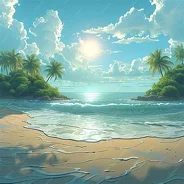
Explore the World of AI Anime Generators
An AI anime generator can change the text descriptions (prompts) into anime-style images. These platforms are taught huge amounts of anime images, which enable them to recreate the natural light, expressions, hairstyles and scenery that are typical of anime art.
Popular AI Anime Art Generators
Here is an amazing AI Anime Art Generators platform that creates stunning AI art in seconds for you:
Stable Diffusion with Anime Models
Leonardo AI
NovelAI
Fotor AI Anime Generator
Krea AI
Each platform has its unique characteristics, like customizable styles, high-quality output, posture of the characters, and background customization, and turns out to be ideal for creating the images of the beach as anime characters.
Art of Creating AI-Prompted Anime
An impressive prompt is the key to unlocking beautiful AI-generated art. Here is how you can Write Effective Anime Prompts:
A good prompt contains:
· Character description
· Environment
· Art style
· Visual mood and lighting
Example Prompt:
“Beautiful anime girl standing on a tropical beach at sunset, ocean waves behind her, long flowing hair, soft pastel colors, high detail, Studio Ghibli style, ultra-realistic lighting”
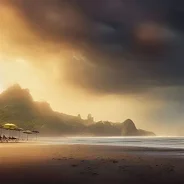
echniques for Better Results
· Apply descriptive adjectives (serene, dreamy, vibrant, cinematic)
· Include pose and facial expression (smiling, wind blowing hair)
· Included camera angle (wide shot, close-up, side profile)
Refining and Iterating
AI can hardly be perfect at first. The nature of the prompt you make depends on what you wish to refine, such as character proportions, details of the background, lighting, and mood.
Mastering the Beach Aesthetic
All the anime shots on beaches are emotional and atmospheric. Here is the way to achieve the final beach atmosphere:
Essential Beach Elements
· Ocean & Waves
· Palm Trees and Sand Dunes
· Clear Sky or Golden Sunset
· Seashells, sun hats, beach umbrellas.
Artificial Intelligence in Perfect Beach Art
• Warm lighting when the day is on the beach.
• Golden hour, or sunset glow, is best used to capture romantic or dreamy images.
• Add more saturation to tropical vibes and less contrast to soft pastel styles.
Post-Processing Tips
After creating one, you can further improve the art with the help of editing software:
• Add lens flares or sparkles
• Turn filters on to enhance colors.
• Finally, use Canva or Photoshop.
Ways to Personalize Your Art
• Alter the character's outfit to beach themes.
• Include fantasy features such as magic islands, magical monsters or anime-style sea ghosts.
• Create anime beach posters, wallpapers or story scenes.
How to Showcase Your Creation
• Post on anime visual sites or social networks.
• Make your art your profile picture or banner.
• Print your AI anime art on posters or merchandise.
Optimizing Your AI Anime Workflow
To achieve uniform and high-quality outcomes, optimize your workflow as time passes.
Efficiency Tips
• Test negative prompts to do away with unwanted features.
• Apply batch generation to generate several variations.
• Export with high resolution to be displayed in prints or animation.
Once you generate a mesmerizing art piece, if you need more refining, here are some tools for the purpose:
• AI upscaler to improve details.
• Inpainting to alter elements of the image (alter eyes, hair, or background)
• Outpainting to make the beach scene stretch past the original picture.
FAQs
What is an anime art AI generator?
It is an artificial intelligence application that generates anime-like art on the basis of textual prompts.
Can I generate beach-themed anime scenes using AI?
Yes! Just tell us about the vision of your beach in the prompt, in terms of lighting, character, and scenery.
Can I customize the art after generation?
Absolutely, you can correct details with the help of AI, Photoshop, or Canva.