 Credit

You snap a photo. The moment is perfect, the smile is genuine, but when you look closer, something’s off. Maybe the lighting was dim, making your face a little blurry. Perhaps your skin isn't having its best day. Or maybe the camera just didn't capture the details you wanted. We’ve all been there. You have a great picture that is just one small step away from being perfect. In the past, fixing it meant diving into complicated software like Photoshop, spending hours watching tutorials, and still not getting that natural look.
But what if you could fix it all in seconds? What if you could make your face clear, smooth your skin, and get a professional-looking portrait without any technical skills? That’s not a dream anymore. It's exactly what AI can do for you. This guide will show you how to use an AI tool to get stunningly clear portraits, so every photo you share is your best one yet.
Why Traditional Photo Editing Fails Most of Us
For years, Adobe Photoshop has been the king of photo editing. It's an incredibly powerful program. But for the average person, it’s often overkill and comes with a steep learning curve.
Here's the reality for most of us:
- It’s Too Complicated: Layers, masks, healing brushes, frequency separation... these are professional tools that require time and patience to master. You just want to fix a selfie, not become a professional retoucher.
- It’s Time-Consuming: Even for simple tasks, manual editing takes time. Removing every single blemish or carefully sharpening a face without making it look fake can take a long while.
- It’s Expensive: Professional software usually comes with a monthly subscription fee. That's a lot of money if you only need to edit photos occasionally.
- It Requires Bulky Software: You have to download and install large programs on your computer, which isn't ideal if you're on the go or using a device with limited storage.
These barriers mean that most people either give up or settle for basic, often unnatural-looking filters that plaster over imperfections instead of truly enhancing the photo.
The Simple Solution: An All-in-One AI Face Beauty Tool
This is where AI changes the game. Instead of you learning the tool, the tool has learned how to edit for you. Pixelfox AI offers an AI Face Beauty tool that acts as your personal photo editor, and it’s built to be powerful yet incredibly simple.
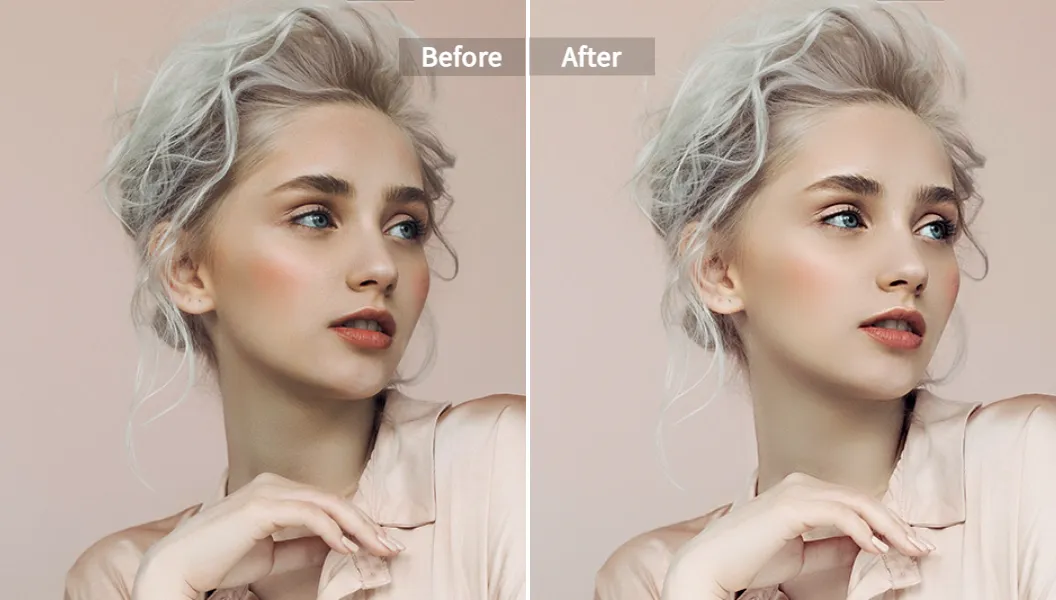
What does it mean to make face clear ai? It's more than just increasing sharpness. True clarity comes from a combination of factors:
- High-Resolution Details: The AI sharpens blurry facial features without adding that crunchy, over-edited look. It brings back the details lost to poor focus or low light.
- Smooth, Natural Skin: It intelligently identifies and reduces blemishes, wrinkles, and uneven skin tone. The goal isn’t to create a plastic doll effect but to give you skin that looks naturally flawless. It’s like a high-end clear skin filter online, but much smarter.
- Perfect Lighting and Radiance: The tool analyzes the lighting in your photo and enhances it, brightening your complexion and adding a healthy glow that makes your portrait pop.
With the Pixelfox AI Face Beauty tool, you get all of this in one place. It’s a comprehensive solution that is 100% online, requires no downloads, and delivers professional results with a single click.
Step-by-Step Tutorial: Make Your Face Clear with AI in Under a Minute
Ready to see how easy it is? Forget long tutorials. You can do this in three simple steps. I’ll walk you through the entire process right now.
Step 1: Upload Your Image to Pixelfox AI
First, you need to give the AI your photo.
- Navigate to the Pixelfox AI Face Beauty tool page.
- You'll see a large upload area. Click the “Upload Image” button and select the photo from your computer or phone.
- Alternatively, you can just drag and drop the file directly onto the page. You can even paste an image from your clipboard using Ctrl+V. It's that flexible.
The tool supports all common image formats like JPG, PNG, and BMP, so you don’t have to worry about converting your files.
Step 2: Let the AI Work Its Magic (and Fine-Tune if You Wish)
This is where the magic happens, and it’s almost entirely automatic.
- As soon as your image is uploaded, the AI gets to work. It analyzes every part of the face—skin texture, eyes, lips, lighting—and applies a series of enhancements automatically.
- In just a few seconds, you will see a "before and after" comparison on your screen. You can slide the divider back and forth to see the incredible difference.
Now, for those who want a bit more control, Pixelfox offers simple adjustment sliders. You might see options for Smoothness, Brightness, or Clarity. I often find the automatic result is perfect, but sometimes I like to dial the smoothness down just a touch to keep more of the original skin texture for a hyper-realistic look. This customization is a great feature. It lets you decide the final look, ensuring it perfectly matches your style.
Step 3: Download Your Flawlessly Clear Portrait
Once you're happy with the result, it's time to save your newly enhanced photo.
- Simply click the “Download” button.
- Your picture will be saved to your device in high quality, ready to be shared on social media, added to your resume, or sent to your family.
And that's it. No complicated steps. No technical jargon. Just a perfect, clear portrait in less than a minute.
Beyond Just Clearing: What Else Can Pixelfox's Face AI Do?
The AI Face Beauty tool is fantastic for overall enhancement, but sometimes you have a more specific goal in mind. Pixelfox offers a suite of specialized AI tools that work together to give you complete control over your portraits. This is what makes it a one-stop-shop for any facial editing needs.
Achieve Flawless Skin with Our Clear Skin Filter Online
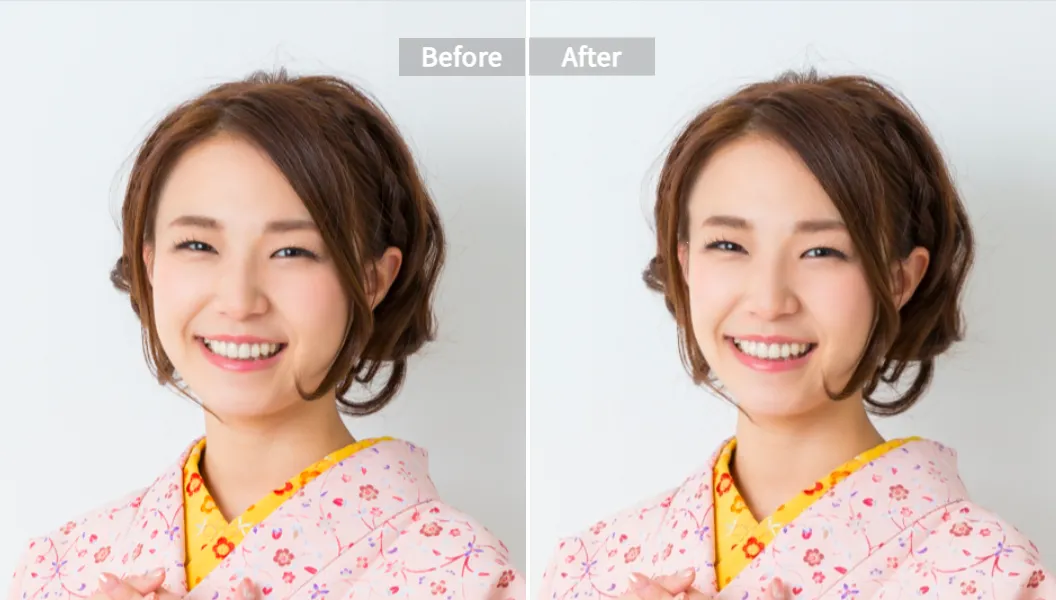
Sometimes, the main issue isn't blurriness, but skin imperfections. If you're dealing with acne, dark spots, or just tired-looking skin, a smart AI tool can be a lifesaver. Unlike a simple filter that blurs everything, Pixelfox’s AI identifies individual blemishes and smooths the skin tone while preserving natural texture like pores. This is the key to a realistic result. It doesn't look like you're wearing a mask; it looks like you just have amazing skin. It's the most advanced clear skin filter online because it's intelligent and works with your unique features.
Reshape and Refine for That Perfect Look (AI Face Reshape)
Have you ever taken a photo and wished your face looked just a little slimmer, or your eyes a bit bigger? Camera lenses can sometimes distort features in unflattering ways. With the AI Face Reshape tool, you can make subtle and natural-looking adjustments.
You can:
- Slim your face for a more defined contour.
- Refine your jawline to add sharpness.
- Slightly enlarge your eyes to make them more expressive.
- Adjust your nose and lips with precision.
Each adjustment is controlled by a simple slider, so you can see the changes in real-time and find the perfect balance. It’s an incredibly powerful way to ensure you look your absolute best in every shot, without ever looking unnatural.
Try On a New Look with Virtual AI Makeup
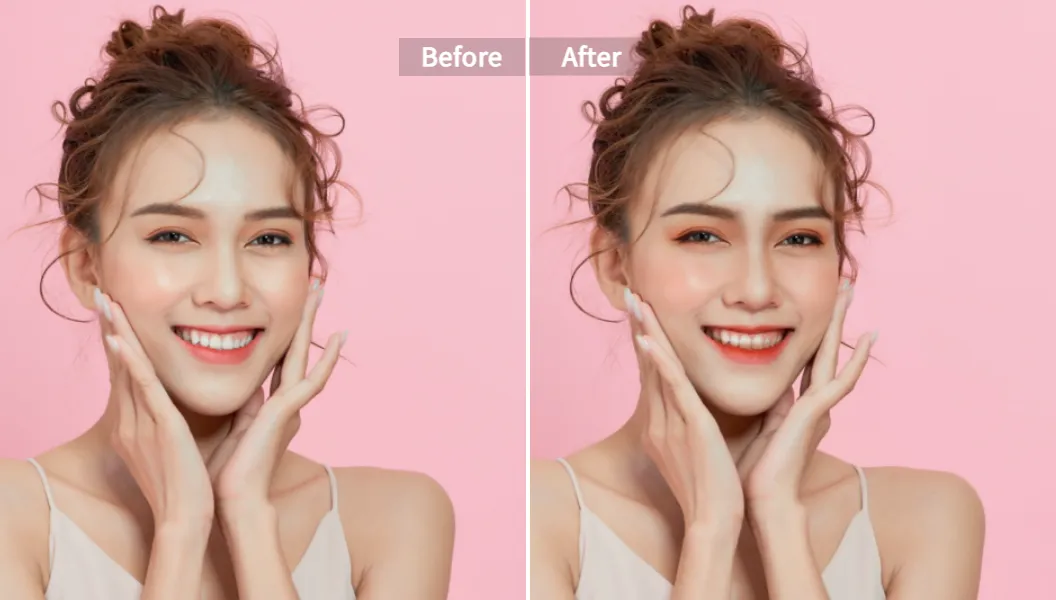
Want to add a little something extra to your photo? Maybe you weren't wearing makeup but want to see how you'd look with a touch of lipstick or eyeshadow. The AI Makeup Filter tool lets you experiment with different makeup styles virtually.
From natural, everyday looks to glamorous evening styles, you can apply foundation, blush, lipstick, and eyeshadow with a single click. The AI is smart enough to apply the makeup perfectly to your features, so it follows the contours of your lips and the shape of your eyes. It's a fun and easy way to enhance your photos or try out a new look before committing to it in real life.
Pro Tips from My Experience: Getting the Best Results
As someone who uses these tools regularly, I’ve picked up a few tricks to get the absolute best results. Here are my top tips:
- Start with a Good Quality Image: The AI is powerful, but it works best when it has more data to work with. A photo that is completely out of focus or extremely low-resolution will be harder for the AI to fix. Start with the best shot you have, even if it has minor flaws. The AI will then elevate it from good to great.
- Less Is Often More: When using the manual adjustment sliders for beauty or reshaping, it's easy to get carried away. My advice is to make subtle changes. The goal is to enhance your natural beauty, not create a new identity. A small adjustment often has a much bigger and better impact.
- Use It for Old Photos Too: This technology isn't just for new selfies! Do you have old scanned family photos that are a bit faded and blurry? Upload them to the AI Face Beauty tool. I’ve found it does an amazing job of restoring clarity and life to older portraits, making them look like they were taken yesterday.
- Check the Details in Group Photos: The AI is great at detecting and enhancing multiple faces in a single photo. After you process a group shot, zoom in on each person to see the improvements. It’s a fantastic way to make sure everyone in the photo looks their best.
Our Commitment to Your Privacy and Security
Uploading your personal photos online can feel risky. That's a valid concern. Pixelfox takes your privacy very seriously, which is one of the reasons I trust their tools.
All images you upload are processed securely. The company has a strict policy where your photos are automatically deleted from their servers after a short period. They are not stored, shared, or used for any other purpose. This commitment to privacy means you can edit your photos with complete peace of mind, knowing your data is safe.
Ready to Get a Crystal Clear Face? It’s Your Turn!
You no longer need to be a photo editing expert to have flawless, professional-looking portraits. With tools like Pixelfox AI, the power to create stunning images is available to everyone, right from your web browser. We've shown you how to make face clear ai in just a few clicks, transforming blurry or imperfect photos into high-quality masterpieces.
There's no need to struggle with complex software or pay for expensive subscriptions ever again. You can achieve smoother skin, brighter features, and perfect clarity in under a minute.
Now, it's time for you to see it for yourself. Stop settling for less-than-perfect photos.
Try the Pixelfox AI Face Beauty tool for free NOW and watch your portraits transform before your eyes