 Credit

Let's be brutally honest for a second. Your LinkedIn profile picture might be silently sabotaging your career. 😬 That blurry selfie from your car? The one where you cropped out your ex from a wedding photo? Total cringe. And in a world where LinkedIn's own data shows profiles with a professional photo get 21 times more views and 9 times more connection requests, a bad picture isn't just a minor oops—it's a major liability.
But who has the time or budget to hire a photographer? This is where the AI LinkedIn photo generator steps in, and it's a complete game-changer. Forget awkward photoshoots and complicated software. We're talking about turning your casual selfies into studio-quality headshots in minutes. This guide will show you exactly how.
Why Your Current LinkedIn Photo is Probably Costing You Opportunities
Before we dive into the AI magic, let's diagnose the problem. A subpar profile picture sends signals you're not even aware of. Is yours guilty of any of these career-killing crimes?
- The "I'm a Ghost" Profile: No picture at all. This is the digital equivalent of showing up to a job interview with a paper bag over your head. It screams "inactive," "spam," or "I have zero confidence."
- The Pixelated Blob: You uploaded a low-resolution image, and now your face looks like it was rendered on a potato. It looks unprofessional and suggests a lack of attention to detail.
- The Party Pic: You, holding a red Solo cup, maybe with a questionable background. It tells recruiters you're fun on weekends but maybe not the serious professional they're looking for.
- The Outdated Time Capsule: Your photo is from 10 years and 20 pounds ago. When you finally meet someone in person or on a video call, the disconnect is jarring and can erode trust.
A study by Nielsen Norman Group on first impressions online confirms that users form an opinion within seconds. Your profile picture is the single most important visual element in that snap judgment. A great photo builds trust; a bad one creates friction.
What's an AI LinkedIn Photo Generator, Anyway? (And How Does It Work?)
Think of an AI LinkedIn photo generator as your personal, on-demand digital photographer. You feed it a few of your regular photos, and it uses complex algorithms—often a technology called Generative Adversarial Networks (GANs)—to create brand-new, hyper-realistic headshots of you.
In simple terms, it's like two AIs playing a game. One AI (the "Generator") creates a new image of you in a professional setting, wearing a suit. The other AI (the "Discriminator") judges it against real professional headshots and tells the Generator, "Nope, try again. The lighting is off," or "That smile looks fake." They go back and forth thousands of times until the final image is indistinguishable from a real photo.
The benefits are insane:
- Cost-Effective: Professional headshots can cost hundreds of dollars. Many AI tools have free or incredibly affordable plans.
- Blazing Fast: Get dozens of options in minutes, not days.
- Incredible Variety: Experiment with different outfits, backgrounds, and expressions without ever changing your clothes.
How to Create Your Perfect LinkedIn Headshot in 3 Steps with Pixelfox AI
Alright, enough theory. Let's get practical. You can create a polished, professional headshot right now. While there are many tools out there, we'll use Pixelfox AI as our example because of its versatility and high-quality output.
Step 1: Upload Your "Training" Photos
The AI needs to learn your face. For the best results, upload 6-10 decent-quality photos of yourself.
- Do: Use a mix of angles (front-on, slight side profiles).
- Do: Include different lighting conditions (but avoid harsh shadows).
- Don't: Use photos with sunglasses, hats, or other people.
- Don't: Make silly faces. A neutral expression or a natural smile works best.
Think of it like giving an artist a few reference sketches. The more data they have, the better the final portrait.
Step 2: Let the AI Work Its Magic ✨
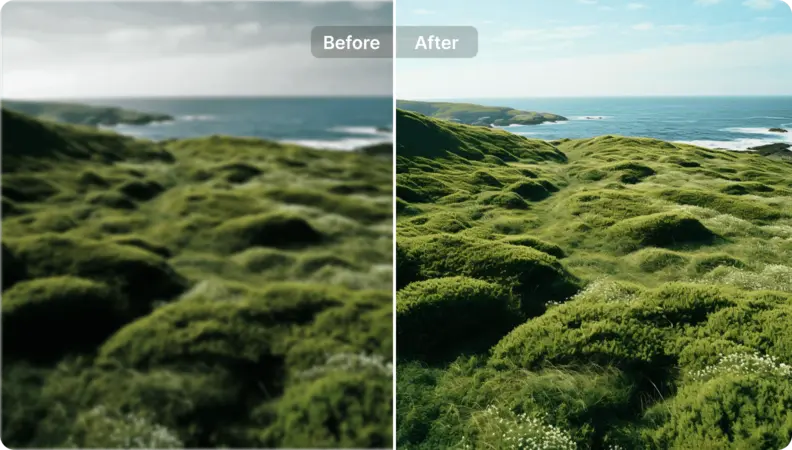
This is where you sit back and relax. The AI will analyze your facial features—your eye color, jawline, hair texture, everything. It then re-renders your face in a variety of professional contexts. If you want to take it a step further, this is where a tool like the Instant AI Portrait Enhancer for Videos & Selfies from Pixelfox becomes your secret weapon. It can automatically fix lighting, smooth skin naturally, and sharpen details to ensure you look your absolute best.
Step 3: Choose Your Winner and Download
Within minutes, you'll have a gallery of new headshots. You'll see yourself in different suits, blouses, and professional settings. Some will look uncannily like you; a few might be slightly off. Scroll through and pick the one that captures your professional essence perfectly. Download it in high resolution, and you're ready to update your profile!
⭐ Expert Tip: Don't just pick one and forget it. Download your top 3-5 AI-generated headshots. You can use them for other professional platforms (like your personal website or conference speaker bio) to maintain a consistent brand image.
AI vs. Photoshop vs. a Real Photographer: Which Should You Choose?
So, how does an ai linkedin photo editor stack up against the old-school methods? Let's break it down.
| Feature | AI Generator (e.g., Pixelfox) | Photoshop (DIY) | Professional Photographer |
|---|---|---|---|
| Cost | Free to ~$40 | Monthly Subscription | $150 - $500+ |
| Time | 5-30 minutes | Hours (if you know what you're doing) | 2-3 hours for shoot + days for edits |
| Control | Style selection, some editing | Total control (requires expert skill) | Limited to the shoot |
| Variety | 100+ options instantly | Limited by your source photo | 5-10 final edited shots |
| Best For | 90% of professionals needing a fast, affordable, high-quality solution. | Designers and photographers with existing skills. | C-suite execs, actors, or those needing highly specific art direction. |
For most people, the AI route offers the best return on investment, hands down.
Pro-Level Moves: Advanced Ways to Use Your AI Headshot
Generating a great headshot is just the beginning. The real pros know how to leverage it.
- A/B Test for Maximum Impact: Who says you have to stick with one photo? Upload one AI headshot to your LinkedIn profile. A month later, switch to another one with a different look (e.g., smiling vs. serious, different colored suit). Track your profile views and connection requests to see which one performs better.
- Go Beyond LinkedIn: Use your new headshot everywhere to build a cohesive personal brand. Your email signature, your Twitter profile, your personal portfolio site, your guest post author bio... consistency is key to being memorable.
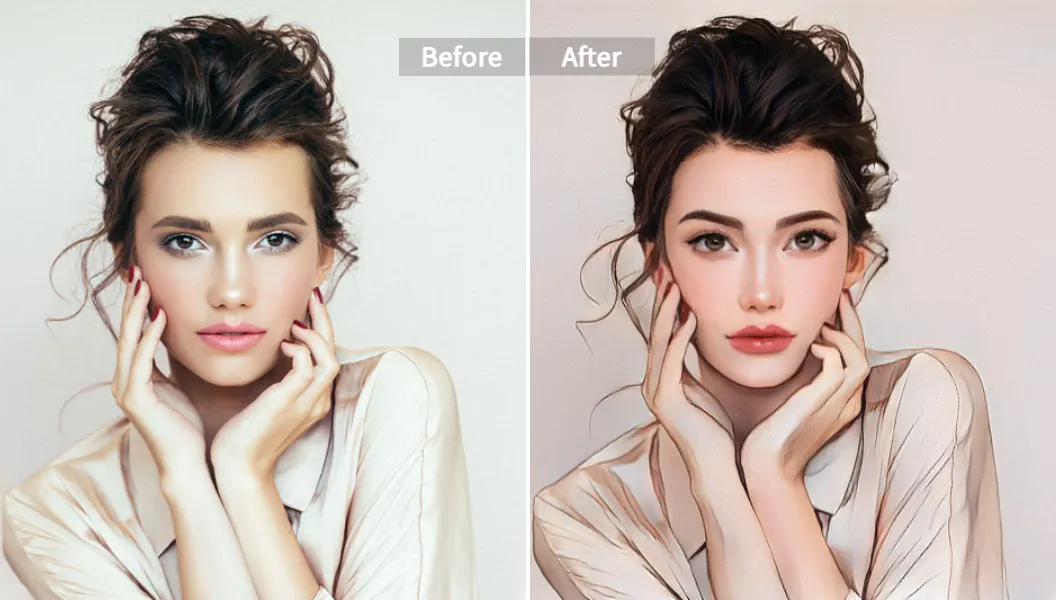
- Get Creative (for the Bold): Are you in a creative industry like design, marketing, or writing? A standard corporate headshot might be a bit... boring. Why not experiment with a more stylized look? You could use a tool like Pixelfox's AI Anime Generator - Turn Photos into Cartoons to create a unique, artistically rendered version of yourself. It's a bold move, but it can make you stand out in a sea of blue suits. Or, for a truly futuristic vibe, turn your static image into a talking avatar with an AI Photo Talking Generator to use in a video intro on your profile.
Don't Make These 3 Rookie Mistakes with Your AI LinkedIn Photo
The technology is powerful, but it's not foolproof. Avoid these common pitfalls to ensure your results are fantastic, not funny.
- Mistake 1: Falling into the "Uncanny Valley." Some AI outputs can look almost human, but something is slightly off. It's creepy. Always choose the headshot that looks the most like you on a normal day, not a hyper-perfected, plastic version of you. Authenticity still wins.
- Mistake 2: Ignoring the Background. Even if the AI generates a great picture of you, a busy or weird background can be distracting. The best
linkedin photo generatortools will give you options with simple, neutral backgrounds (like light gray, white, or a softly blurred office). These keep the focus on you. - Mistake 3: Forgetting About the Circle. Your LinkedIn photo appears in a circle. Before you finalize your choice, picture it cropped. Is your face centered? Is anything important cut off? A good
linkedin profile picture makershould account for this, but it's always smart to double-check.
⭐ Expert Tip: After generating your photo, upload it to a
linkedin photo editoror even a simple tool like Canva. Place a circle frame over it to preview exactly how it will look on your profile. This five-second check can save you from an awkward crop.
Frequently Asked Questions (FAQ)
How can I get an AI LinkedIn photo for free?
Many tools, including Fotor, Supawork, and even Canva, offer a ai linkedin photo generator free tier. Usually, this gives you a limited number of generations or may include a watermark. They're great for trying out the tech. For the highest quality and no watermarks, a small one-time payment on a service like BetterPic or a versatile tool like Pixelfox is often worth the investment.
Is it safe to use an AI photo generator for my LinkedIn profile?
Yes, as long as you use a reputable service. Top-tier tools like Aragon AI and Pixelfox AI have strong privacy policies and state that they delete your uploaded photos after a short period. Avoid shady, unknown websites. And ethically, as long as the photo is a realistic representation of you, it's generally accepted on the platform.
Can AI really make me look more professional?
Absolutely. A good AI tool doesn't change who you are; it changes the context. It takes your face and places it in a professional photograph—with better lighting, professional attire, and a clean background. It elevates your presentation, which directly impacts how professional you appear to others.
What is the best background for a LinkedIn headshot?
Simple is almost always better. Solid colors like white, light gray, or navy blue are classic and professional. A subtly blurred-out office or outdoor environment can also work well. Avoid distracting backgrounds like brick walls, cluttered rooms, or overly bright landscapes.
Your LinkedIn profile is your digital handshake. For too long, professionals have been stuck with subpar photos that don't do them justice. The rise of the AI LinkedIn photo generator has democratized the professional headshot, putting the power of a photo studio right at your fingertips.
Stop letting a bad photo hold you back. Stop overthinking it. Take a few selfies, let AI handle the rest, and present the most polished, professional version of yourself to the world.
Ready to transform your image in the next five minutes? Try Pixelfox AI's suite of photo tools now and go from overlooked to overbooked. 🚀