 Credit

Simple images can be transformed into enjoyable, expressive moments with animated faces. In a manner that regular photos are unable to, they bring life, movement, and emotion. Anyone may create a moving character with smooth motion and clean emotion changes from a photo using today's tools. For this reason, animated facial editing has gained popularity in digital storytelling, creative endeavors, and social media.
A powerful technology for animating faces in a matter of seconds is provided by Pixelfox.ai. Smiles, winks, reactions, and a variety of animated expression styles that feel smooth and appear real can be added. The application maps the features of your face, interprets it, and adds expressive movement that corresponds with actual movements.
This article explains animated facial editing, why it's important, and how to use Pixelfox.ai to make your own vibrant animation faces.
What Is Animated Facial Editing?
A stationary image can be transformed into a moving face via animated facial editing. To make the picture come to life, it adds facial expressions, little motions, and motion adjustments.
How Animation Faces Work
Face-mapping systems are essential to animation faces. The eyes, brows, lips, cheeks, and jawline are among the face points that these instruments can read. They then use realistic-feeling motion.
Beyond simple forms, Pixelfox.ai can read more. It examines natural curves, lighting, and angles. This keeps the animation fluid.
Steps inside the system
Detect main facial points
Track eye, lip, jaw, and brow positions
Build motion paths
Add animated face expression
Blend lighting and color
Create smooth frames
This creates a clean animated result.
Why People Use Animated Facial Tools
Emotion and charisma are enhanced by animated faces. They facilitate improved internet communication. They also add relatability and excitement to the text.
Common reasons
To make profile photos lively
To create short animated clips
To add emotion to social media posts
To make reaction images for content
To animate characters or avatars
How Pixelfox.ai Improves Animated Facial Results
Smooth and organic animation is the main focus of Pixelfox.ai. Many tools result in odd mouth forms or jerky movements. Pixelfox.ai uses motion tracking that mimics actual facial expressions to address this.
What the platform improves
Clean eye movement
Soft brow lifts
Natural lip motion
Smooth cheek movement
Balanced lighting transitions
Characters look lively without looking fake.
What Makes Pixelfox.ai Better Than Basic Animation Apps
Basic apps use fixed templates. Expressions look the same on every face. Pixelfox.ai uses adaptive animation. This means expressions match the actual shape of your face.
Key strengths
Adaptive animation
Soft motion curves
No harsh stretching
No frozen parts
High-quality frame blending
The animation feels personal to your own face.
Types of Animated Face Expression Styles You Can Create
Pixelfox.ai supports many animated styles for different moods.
1. Happy expressions
Light smiles, cheerful eyes, and bright cheek movement.
2. Funny reactions
Face winks, playful expressions, and cute eyebrow jumps.
3. Calm expressions
Soft breathing motion, gentle eye movement.
4. Surprise expressions
Open eyes, small jaw drop, and lifted brows.
5. Social media styles
Looped expressions that work well in short clips.
Every expression works on real facial landmarks.
How to Create Animated Faces With Pixelfox.ai
Step 1: Upload your photo
Use a clear face photo with even lighting.
Step 2: Choose an animation style
Pick a mood or expression you want.
Step 3: Adjust the motion level
Choose soft, medium, or strong animation.
Step 4: Preview the movement
Check how the expression flows on your face.
Step 5: Export your animated clip
Save as a video or GIF.
How Animated Facial Tools Help Creators
Creators use animation to stand out. A moving face grabs attention faster than a still image.
Benefits for creators
Higher engagement
More expressive reactions
Better connection with viewers
Fun and emotional short clips
Fresh content for reels and stories
This helps creators express tone and personality.
How Animated Facial Editing Helps Brands
Businesses use animated faces to create friendly content. It helps brands feel warm and approachable.
Uses for brands
Animated product messages
Friendly customer updates
Mascot animations
Brand storytelling
Quick video intros
Animated faces are great for marketing on social media.
Is Animated Facial Editing Worth It?
Yes. It gives life to any photo and lets you express more emotions. It’s easy and fun to use. It also saves time compared to manual animation.
Why Natural Motion Is Important in Animation Faces
The human eye easily notices unnatural movement. Pixelfox.ai avoids stiff or robotic motion by using soft frames and smooth timing.
Natural motion benefits
Better emotional feel
Higher viewer trust
Cleaner expression flow
Less uncanny effect
More social media appeal
This makes your animated face look real and friendly.
How Pixelfox.ai Maintains High Animation Quality
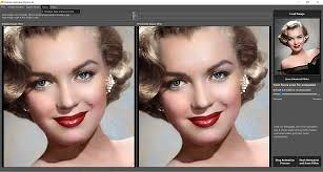
Pixelfox.ai uses frame-by-frame correction. It adjusts shadows, colors, and textures so the animation blends naturally.
Quality features
Sharp face detail
Stable frame blending
Clean edges
Smooth transitions
True skin tone retention
The animation looks polished in every frame.
How Animated Facial Editing Works on Different Face Types
Faces come in many shapes. Pixelfox.ai adapts to each one.
What the system handles well
Round, oval, and angular faces
Light or dark skin
Thick or thin eyebrows
Wide or narrow mouths
The model learns each face and animates it smoothly.
Limitations of Animated Facial Systems
AI is strong, but it cannot fix missing or blocked details.
Limitations
Hidden faces may not animate well
Very low-resolution photos may look soft
Strong shadows reduce accuracy
Side-angle faces may have limited motion
How to Get the Best Results With Animated Facial Editing
1. Use a well-lit photo
Good light keeps features clear.
2. Keep the face visible
Avoid hair blocking the eyes or mouth.
3. Upload a high-resolution image
More detail gives cleaner animation.
4. Pick expression strength that fits
Soft motion often looks most natural.
Why Pixelfox.ai Is a Trusted Choice
Pixelfox.ai is built with careful animation modeling and real testing. It avoids over-editing and focuses on natural, human-like motion. Many users value the tool because it keeps the face real while adding fun expressions.
Trust factors
Clean motion
Realistic expressions
No facial distortion
Smooth frame quality
Reliable across many photo types
The tool creates polished animated facial results with ease.
FAQ
1. What is animated facial editing?
It turns a still face photo into a moving, expressive animation.
2. How do I make animation faces easily?
Upload your photo to Pixelfox.ai, choose an animation, and save the clip.
3. Will the expressions look natural?
Yes. Pixelfox.ai builds motion based on real face patterns.
4. Can I control animation intensity?
Yes. You can adjust the motion strength.
5. Does it work for all face types?
Yes. The system adapts to many shapes and skin tones.