 Credit

Nothing ruins the impact of otherwise great visuals quite like a blurry photo, pixelated graphic, or low-res image. No matter if editing portraits, product photos or digital art, quality of the image is a significant part in results. That’s where the finest AI image enhancer tools come in. They’re not just about sharpening edges or boosting colors, they reveal hidden patterns, reduce noise, and deliver life-like results.
By using AI image realism enhancers and AI art enhancers, you can treat old photos to new life or upgrade the quality of digital images — or even add textures without sacrificing their natural sense of depth.
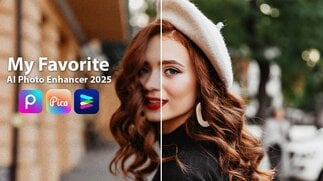
Why is AI Image Enhancements Important?
AI photo enhancement software employs machine learning models that have been trained on millions of high-resolution pictures. As you upload your photo, the algorithm compares it with its training data to speculate what the missing portions should appear like. Instead of mere sharpening, AI reconstitutes textures, cleans up edges and evens out tones.
How AI image realism enhancer
For example:
AI image realism enhancer tries to make your photo more real and truer.
AI art enhancer improves the color effect of digital painting, illustrations and anime design.
Smoothes noise, pixelation and rough edges out to make fine details remain in the picture.
Together realism, detail and smoothing is what makes AI excelling manual approach in terms of quality.
Advantage of the Best AI Image Enhancer
Now, when you utilize an up-to-date AI picture enhancing product, you gain access to something more than just higher resolution.
Crisper images – Great for portrait, landscape and close-up shots.
Organic textures – AI realism enhancers prevent the overly edited look.
Noise reduction – Remove the grain in your photo easily without flattening it.
Accelerated workflow – Save time editing in Photoshop with one click edits.
Versatile – good for photos, digital art, social media graphics and product shots.
For example, a photographer restoring old family photos can utilize an image smoother AI to clean up noise while retaining facial details. Alternatively, an artist could use AI to enhance colours in concept illustrations.
AI Image Realism Enhancer For Authentic Looking Photos
Not every photo has to look cinematic, sometimes they just need to feel real. An AI image reality enhancer is built for this purpose. It enhances shadows, corrects color balance and cleans up skin tone while leaving your image looking its natural best.
If you’re shooting a group picture in dim lighting, say, an AI. A realism tool could brighten faces, polish the background and even out brightness so that it looks like a professionally edited photo — but doesn’t become unrealistic.
AI Art Editor – Ideal for Creative Artists
Artists and designers were frequently frustrated when they received a poorer quality of digital art after exporting. That’s where an AI art enhancer comes in. It adds texture to paint strokes, flat illustrations, and color pops.
This is what can help your work to get noticed on Instagram, ArtStation, or Behance.
Gain and Rough Edges Fixing
This AI can also help smooth grain, unsharp parts or noisy roughness from the output too.
Pixelation is often associated with old scans, screen shots and compressed photos. The problem is significantly mitigated by AI image smoother, which processes rough edges sensibly while conserving fundamental details.
In the case of a scanned vintage photograph with plenty of grain, AI smoothing technology can remove those without scrubbing away skin texture or fine, delicate hair fibers. It is like wiping dust off a glass frame, suddenly, you can see the picture better.
AI Image Enhancer Tools Online
Here is a list of the best AI-based image enhancers online.
And of the myriad platforms available out there, there's Pixelfox. AI is one of the best solutions to get automatic photo enhancement online. It combines:
AI based on realism – To provide realistic photo enhancements.
Artistic flair – To improve your digital artwork.
De Noise / Smooth – Great for low-weight images.
Unlike other tools that tend to make pictures look plastic or over-processed, Pixelfox presets keep your visuals natural but crystal clear. Whether you’re retouching portraits, designing product labels, or working with digital art, this tool does the trick.
Selecting the Best AI Image Enhancer
What to look when using a photo enhancer:
Purpose – Do you desire realistic texturisation, artistic enhancements or to smooth the image out?
Quality of output – See if the software saves high quality pictures.
User friendliness – Websites like Pixelfox. ai are time-savers rather than desktop software.
Free versus premium – Some tools will sacrifice free exports, with others offering no limitations for free.
The best enhancer for you is largely determined by your workflow. Casual use is best served by a quick online tool. For professional use, a feature-rich platform may be worthwhile.
Conclusion
Good quality images can change the way others see your photos or artwork. With AI powered image realism enhancers, AI art enhancers, and image smoother AIs tools you can transform any picture in seconds.
Platforms like Pixelfox.ai makes this process as easy and intuitive as it gets, whether you’re restoring family photos, removing objects, fixing social media images or simply improving your digital art. No more tinkering with bad shots — let AI do the heavy lifting and only share images you’re really proud of.
FAQs
Q1. Which is the best AI image enhancer for photos?
Pixelfox.ai is one of the most balanced tools in terms of realism, smoothing and artistic improvements/all purposes.
Q2. Do these things actually work: AI upscaling Can you really smarten an image?
Yes, accurate machine-learned models leverage predictive algorithms to fill in details in order to revitalize blurry, pixelated images.
Q3. AI art enhancer and photo enhancer, what is the difference?
When enhancing a photo, the natural realism of it can be enhanced, whereas when enhancing an art piece, digital paintings/illustration/anime style picture image will become vivid as well.
Q4. Is image smoother AI safe to use online.
Yes, images on most platforms are being handled securely. But always use services that you trust like Pixelfox. ai.
Q5. AI photo enhancement: Is manual editing now obsolete?
AI is a time saver and offers an improved level of quality, but there is still value in manual editing for fine-tuned artistic control.