 Credit

An online photo mixer is magic in the age of digital creativity to a person who enjoys working with images. Be it a two-image mash-up, an amusing collage, or a blended picture collage, you are able to do it with online image mixers and enjoy the process that is easy and fast. Now that there are AI-powered tools, every person can transform several pictures into a single beautiful image without even having to install massive programs.
Here, we will discuss the top photo mixer online tools, their functionality, and some of the features that make them special to creative individuals, designers, and average photo enthusiasts.
What Is a Photo Mixer Online Tool?
Photo mixer online tool enables you to combine, blend or mix two or more images so that the resulting image is seamless. These tools identify subjects, balance tones, and combine photos without showing any edges with the help of smart AI and layering technology.
It can be ideal when it comes to creating an image montage online, designing a 2-picture collage, or when it comes to putting family pictures, travel memories and portraits into one artistic frame. These platforms are free and web-based.
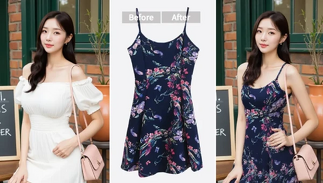
Key Features to Look for in a Photo Mixer Tool
When you are about to use a photo mixer online, the following features will help you choose a good one:
Automatic photo blending: Artificial intelligence automatically matches and assembles images.
Layer transparency control: Allows you to control the number of images displayed.
Multiple collage layouts: Ideal on 2 or more photographs.
No watermark or registration needed: No signing up required.
Export in HD quality: Professional and print-ready images.
Best Free Photo Mixer Online Tools
The following are the best tools that would allow you to mix photos online easily:
Fotor Photo Mixer
Fotor is among the most flexible image mixer sites on the Internet. Its AI blending tool allows you to mix photos into seamless montages, allowing you to add textures, add lighting, or add any artistic filter. The outcome is a nicely blended image that is ideal in digital storytelling.
Canva Collage Maker
Canva is not merely a bunch of design templates; it is a picture editor and collage maker. You are allowed to combine images, brighten or darken them and even add fade effects to have soft transitions. It is best suited to content creators, social media managers, and amateurs.
Pixlr X
Pixlr X enables the merging of two photographs online. Its simple layering capability enables you to create the effect of a photo editor's double exposure or superimposition on a picture with ease. The tool is free and browser-based; also, its export quality is sharp.
PineTools Photo Blender
If you want something simple, PineTools is a lightweight blending tool that can be used quickly. Simply upload two pictures, use transparency and see your final 2-picture collage as soon as possible. It is fast and convenient, and there is no creation of an account.
PhotoJoiner
PhotoJoiner can be used to make photo compilations, collages, and grids. It works with vertical and horizontal layouts, so it is an easy-to-access photo composition tool among bloggers and students who prefer fast visual solutions.
How to Choose the Right Photo Mixer Online
Your decision will be based on your creative requirements:
· Pixlr X or Fotor is the best option, provided you love the effect of the doubled exposure.
· Canva is ideal in the design of social media or marketing image graphics.
· PineTools or PhotoJoiner will work well when it comes to simple, fast collages.
Always seek an AI collage maker which will export in HD and allow you some freedom in mixing options and the degree of transparency.
Pros & Cons of Using Free Photo Mixer Tools
Pros:
· Completly Web Based, No software installations.
· Free to work with AI-based automation.
· Rapid combination of several pictures.
· Perfect for both beginners and designers.
Cons:
· Some of the tools are limited in their free versions.
· Internet connection will be necessary.
· Watermarks can be found in free exploration.
FAQs
Which is the best free photo mixer online?
Fotor and Pixlr are excellent online tools (free) that can be used to blend photos with lightning speed and to make them appealing.
Does a photo mixer work on mobile devices?
Absolutely! Such applications as Canva or PhotoJoiner have mobile-based versions that allow you to make a 2-picture collage at any place.
How do I make a picture montage online?
Online tools like Fotor or Pixlr (use an image montage), upload your photos, choose the blend mode, change the transparency, and save the resultant image.
Final Thoughts
Photo mixer is a photo editing application that allows anyone to be creative, be it in joining memories, creating a post, or playing with effects. In the current AI-based platforms, it is simple to combine, blend, and collage your favorite images to become a professional-level artwork with a few clicks.
“And there you have it, experiment with these best free image mixer tools and make the creations of your dreams!”