 Credit

Sometimes, when art meets science, it can actually take your breath away. With the rise of Image to Image AI tools, we have fundamentally changed how we can manipulate images, whether it is adding realistic grabs of color to faces or transforming blurry sketches into masterpieces. Using AI image to image creators, you can snap a single picture and automatically generate new visual works of art even if you are not talented at editing.
In this post, you'll learn how to use an AI image converter, understand what makes these tools so impactful and find out how to leverage the power of platforms like Pixelfox by generating appealing visuals in minutes.
What Is an Image to Image AI Generator?
In essence, the image to image, AI realistic AI image generator is a deep-learning model that uses one picture as an input and generates a second unwanted optimized or modified version of it. Think of it as an intelligent digital artist that “knows” the content and style of your photo.
This is a generative model trained in millions of images. The AI examines the patterns, colors and composition, then re-produces the image based on your prompts or what filter you’ve applied.
Why Apply an Image to an Image Generator?
Conventional photo editing is a heavy manual labor, especially when you prefer to edit the images one by one.This requires you to spend hours for just only 1 day (or more if on your wedding day!) of shooting.Ai image-to-image tool will do them all for you. Here’s why creators, photographers and designers are turning to these systems:
Time Saving: Convert images in just a few seconds without using tools like Photoshop.
Realism & Detail: AI models shading, lighting and texture details for realistic results.
Artistic Freedom: Apply graphic or realistic styles and images with a brush stroke.
Sketching up a new social media post, an everyday concept art, or product visualizations? Then the real AI realistic image generator is the easy way to professional looking results.
How Image to Image AI Works Behind the Scenes
The functioning of these tools is based on machine learning, especially diffusion models and GANs (Generative Adversarial Networks). Put simply, the AI learns to identify patterns and establish connections within visual data.
When you upload a photo, it reads:
Shapes and Curves to Represent Object Boundaries
Colour schemes for recolouring accurately
Shadows and depth create a 3D illusion for added realism
Textures and fabrics for realism
Then it, based on these insights, reconstructs the image following your prompt, whether you’re asking for “a painting-style version” or “a realistic cinematic scene.”
It enables AI image converters like the ones at Pixelfox to produce wildly accurate and fanciful results.
How to Use Image to Image Generator:
Generate and Download
Click “Generate.” A few seconds later, your AI-assisted image appears. You can preview, make adjustments and download the final high-resolution product.
What does a Realistic AI Image Generator look like?
All weapons are not the same. A strong image-to-image generator should have:
High-quality output without any distortion or blurring.
Multiple art styles for flexibility.
AI upscaling to improve pixel quality.
Prompt-based customization for more control.
Ultra-fast rendering with optimized AI models.
Platforms like Pixelfox, especially with a mix of precision and playfulness like air can deliver, it's no wonder this is a favorite for pros & enthusiasts alike.”
Cool Things to do with Image to Image AI
The following are a few innovative applications that you can use AI image converters to give your visual material a new level:
Social Media Branding: Transform pictures into graphic designs which will make your brand trendier.
POS Mockups: Visualize the way that a potential design will appear on packaging before purchasing a product.
Common Issues
Blurry results? Use higher resolution input images, or switch to an optional “HD” mode if one is available.
Inaccurate colors? Really adjust color temp & saturation before you even send them up to outer space.
Unwanted distortions? You may want to crop the image or rephrase your AI prompt for better clarity.
Overexposed lighting? Lower the intensity or choose a less vivid style preset.
A little fine-tuning can be the difference between “almost right” and perfect.
Why Pixelfox Stands Out
Pixelfox also already has strong competition in the world of AI tools, though. ai is realism, quality, and ease of use. It lets you upload, tweak and regenerate images effortlessly – no technical nonsense. The AI gets visual subtleties, that's why it is suitable for designers, marketers and all who want to give their visuals a new boost.
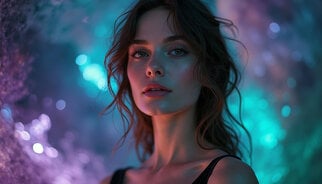
It has an excellent realistic AI image generator that retains creative interpretation at the same time as photorealistic accuracy, giving each generated image a professional and polished look.
Future of Image to Image AI
With the sharp further evolution of AI technology, human and machine creativity are becoming more and more blurred. The next generations of the image-to-image generators are likely to be equipped with:
Real-time editing capabilities
Context-aware transformations
Integration with AR/VR systems
Conclusion
Artificial intelligence doesn’t have to be for professionals anymore, it’s for everyone, with the help of an AI Image Generator. So if you’re looking to turn photos into art, digital art, or just make things look more realistic than ever, bet Pixelfox are what you need. https://ai.make it easy and accessible.
In a single upload and a few clicks, you can turn your brilliant vision into exceptional visuals that look like they were crafted in a studio. If you haven’t experimented with an AI image converter, now is the best time to break into this creative revolution.
FAQs
Q: What is an Image to Image AI Generator?
A: It is an artificial intelligence program that transforms one image into another, utilizing the effects and improvement of one photograph to the other.
Q: Can I use it for free?
A: Yes, many platforms—including Pixelfox — are available to beginners, free trials or cut-down versions.
Q: How realistic are the results?
A: Nowadays with modern realistic AI image generation you can generate pretty photo-real looking detail images that are indistinguishable from professional photos or (semi-)digital art.
Q: Do I need design experience?
A: Not at all. The interface is friendly for novices — you upload, choose a style and the AI does the heavy lifting.
Q: Is it to be used in commercial work?
A: Most of these images can be used in a commercial way, however, you are expected to look into the licensing conditions of each site before posting your findings.