 Credit

Looksmaxxing AI is getting popular because people want to look better in photos and online profiles. Today, first impressions often happen on screens. A good picture can create trust, attract attention, and make someone look confident. This is why many people now use tools like Looksmax AI, Looksmaxxing apps, and Looksmaxing websites to understand and improve their appearance in a simple and quick way. Platforms like Pixelfox AI Photo Editor make photo enhancement even easier for beginners.
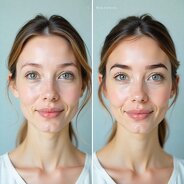
What Is Looksmaxxing AI?
Looksmaxxing AI studies your face and gives clear suggestions to improve your look. It checks symmetry, angles, lighting, and proportions. It doesn’t try to change your whole face. Instead, it helps you highlight your best natural features.
This technology works by using data from thousands of photos. Because of this, the tips feel helpful and realistic. Many people use Looksmax AI when they want quick improvements without going to salons, studios, or hiring photographers. If they want to clean up their photo, tools like Pixelfox Object Remover help them remove unwanted elements instantly.
Why People Use Looksmax AI Tools?
People use these tools mainly because they are simple. You upload a photo, and the tool gives instant feedback. This saves time and keeps the process private.
Many users also say these tools help them feel more confident. When someone knows their best angles or lighting, their photos look more natural and sharp. Looksmaxxing AI helps users feel prepared and comfortable posting pictures online.
Some use these for dating apps, others for resume photos, personal brand images, or social media profiles. Many other creators make use of enhancement tools like Pixelfox AI Image Enhancer to make their photos cleaner and clearer.
How a Looksmaxxing App Works?
A good Looksmaxxing app keeps things simple. You upload a photo, the app scans your face, and within seconds it gives a list of suggestions. Common features include:
Face symmetry check
Shows how balanced your face looks and suggests small pose changes to improve symmetry.
Jawline and chin analysis
Explains how angle, posture, and light can make your jawline appear stronger.
Skin clarity suggestions
Gives easy tips to improve brightness and smoothness. For instant improvements, tools like Pixelfox Background Remover help create clean, studio-like photos.
Eye and eyebrow balance
Shows how tiny changes in angle or shape can make your expression look more open and fresh.
Improvement tips
Simple reminders like using natural light or adjusting camera height. Small things that make quite a difference when it comes to your photos.
Most applications also demonstrate before-and-after results to help users understand how small adjustments improve their photos.

Why Looksmaxing Websites Are Helpful?
Looksmaxing websites give you access to more detailed tools without downloading anything. You upload a photo, and the site does the work for you. These websites often include:
Hairstyle ideas
Beard or grooming suggestions
Light and pose tips
Automatic photo enhancement
Digital makeup suggestions
This is great for users who want fast, clean improvements for their profile photos. Many also use websites like Pixelfox AI Reimagine to create new photo variations or upgrade older images. Privacy is another advantage. Most sites don’t require sign-ups, so users feel safer.
How Looksmaxxing AI Helps in Daily Life?
Looksmaxxing AI is not only about editing photos, but many claim they changed real-life habits, too. They learned how to smile naturally, how to pose, or how to use soft light for better selfies.
These tips on professional headshots might be used by someone preparing for a job interview, while someone utilizing dating apps could use this to choose their best-performing photo. Even influencers and business owners rely on these tools in building stronger online branding.
Conclusion
Looksmaxxing AI is now a helpful tool for anyone who wants to improve their online appearance. It offers quick tips, easy suggestions, and smart analysis. Whether you use a Looksmaxxing app, a Looksmaxing website, or a Looksmax AI calculator, you get clear ideas on how to look your best.
With simple guidance and AI-powered improvements, anyone can upgrade their photos without effort. Tools from platforms like Pixelfox.ai make the process even smoother with features like image editing, background removal, and object removal. These upgrades are natural, easy, and suitable for all kinds of profiles.
FAQs
1. Are Looksmaxing websites free?
Many Looksmaxing websites offer free analysis. Some also have premium options for extra features like advanced facial scoring, filters, or makeover suggestions.
2. Is Looksmax AI safe to use?
Yes, most Looksmax AI tools are safe. You upload a photo, and the tool gives instant feedback. Many tools also delete your photo after analysis for privacy.
3. Does a Looksmaxxing app keep my photos safe?
Most Looksmaxxing apps and Looksmaxing websites delete your photos after analysis. Always choose tools that clearly mention privacy and do not store your pictures.