 Credit

Do you want to re-edit your logo? If you are a new company trying to establish your brand or an older company that needs a refresh, your logo is the first thing that most people will see. But what happens when your brand is changing so rapidly that the logo becomes irrelevant? The best thing is that re-editing your logo is now simpler than ever before using the right tools!
In this article, we will explore how Pixelfox, the logos design software, is expected to transform logo editing in 2025. The Pixelfox allows for adjusting colors, typography and layouts making the process effortless for both beginners and professional creators.
The Power of Re-Editing Your Logo
Your logo is not an aesthetic image. It is the face of your brand and a key element in forming how potential customers perceive your business. As your business evolves, your logo should evolve accordingly. Re-editing the logo can involve taking steps to ensure consistency with changes to your brand, including updates to your identity, market demands and current design aesthetic. Logo re-editing is not only about minor adjustments; it is also about learning more about the nature of design and making the edited logo embody the mission and values of your business.
Whether you are considering turning an image into a logo or have already done it before, Pixelfox is the one you need. This logo design software allows you to experiment with various design compositions without compromising your brand identity. No matter you are using a vector logo maker or simply associating with colors and fonts, tools are designed to provide all the control you may require without the need for advanced design capabilities.
Why Choose Pixelfox for Logo Re-Editing?
Pixelfox is the best option to re-edit your logo because:
1. AI-Powered Features for Effortless Logo Editing
Pixelfox does not require you to be a professional designer to create amazing results. The artificial intelligence used in the tool will assist you with auto-enhancement, color setting, font matching and more. You can refine a high-end company logo or add intricate details and experiment with new designs.
2. Vector Logo Maker for Scalable Designs
A vector logo maker is important because it uses high-quality pixels that can be resized or enlarged without losing quality. The advantage of a vector format such as an SVG or EPS is that it retains clarity regardless of the size of the logo. Pixelfox offers a vector file logo maker that creates logos and can be scaled to any size without loss of quality.
3. Turn an Image into a Logo with Ease
Do you need a picture to be transformed into a logo? Pixelfox can easily create a logo by uploading an image and editing it using intuitive tools. If you have a sketch, picture or drawing, Pixelfox will help you turn it into a professional logo. This attribute is perfect where a company wants to make a logo from a picture or where an organization already has a design idea but just needs it to be clarified and finished.
4. Design Flexibility for Unique and Memorable Logos
Each brand has its own identity and Pixelfox lets you create logos that reflect that. Learning to combine color palettes and choosing the correct typography, the software offers unlimited possibilities to make the logo stand out. Machine-driven solutions can also provide ideas to help you in the design, ensuring your result is a memorable logo that suits the personality of your brand.
How to Re-Edit Your Logo with Pixelfox
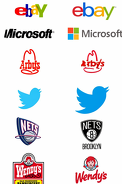
It is time to take a step-by-step process of how you can re-edit the logo using Pixelfox:
Step 1: Upload Your Logo File
You can begin by uploading your current logo file. When your logo is in a raster form (such as PNG or JPEG) Pixelfox can convert it to a vector logo maker format which will provide you with a greater degree of freedom in your design edits. A user can upload a logo maker that has more advanced features should you already have a vector file logo maker.
Step 2: Enhance and Edit with AI Tools
The AI tools of Pixelfox can automatically improve the quality of your logo making it appear sharp and polished. If you want to re-edit an image to make it look more modern or minimalist, Pixelfox can provide you with the tools to do so without making it complicated.
Step 3: Preview and Refine
After you have made changes, preview how your logo will appear in various formats on websites, business cards and even merchandise. Pixelfox refines the logo artwork design until it perfectly captures the essence of your brand.
Step 4: Export and Download
Finally after re-editing your logo to your content, you can download it in different file formats including PNG, SVG or EPS. You can use your logo on different platforms for digital and print materials.
Conclusion: Re-Edit Your Logo with Pixelfox for 2025 Success
Your brand identity also includes your logo and re-editing the logo with the right tools can make you relevant and up-to-date in a competitive market. Pixelfox offers an end-to-end solution for businesses seeking to update or modify their logo with minimal effort. This includes logos created on top of an image, typography or a logo maker that fits the logo on any size.
Are you willing to re-edit your logo and bring your brand to the next level? Sign up with Pixelfox today and make your business logo a classic.