 Credit

Introduction
First impressions matter. Whether you are updating your LinkedIn profile, building a company site or creating marketing materials, the quality of images tells volumes. A slick headshot, or a polished product shot can instantly establish that sense of credibility. And that is why a headshot editing app, the best business photo editor apps are now indispensable tools for working professionals. Hello pixelfox is a platform where you can edit, enhance and fine-tune your images without the requirement of any extensive design knowledge or expertise.
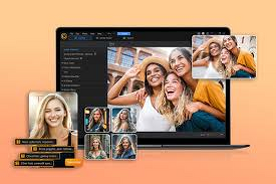
The Importance of Business Professional Images
The Power of Visuals
A brand is judged many times over by its visual image before a single word has been read. A sharp headshot conveys confidence; a clean, edited product shot inspires trust. Businesses that invest in pro imagery pop in these saturated markets.
Real‑World Example
Think about scrolling through LinkedIn. A sharp well‑lit headshot on a profile gives an approachable and credible vibe. Compare that to a blurry selfie it doesn’t exactly inspire confidence. That’s where a business photo editor app can come in handy.
What Are Headshot Photo Editing Apps?
The Basics
These applications excel at retouching portraits. They airbrush skin, tweak lighting and eliminate distracting background elements. You’re not trying to transform your personality, only showcase a more worthy variant.
Why They’re Popular
Easy to use for beginners.
Quick results without professional photographers.
Affordable compared to studio sessions.
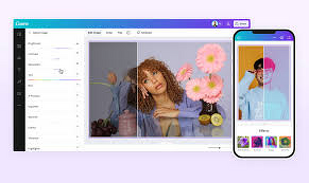
Features of a Business Photo Editor App
Background Removal
A great photo can also be ruined by a poorly composed background. With AI tools, you can erase or switch backgrounds in seconds.
Image Enhancement
Whether you’re sharpening details or balancing colors, these apps help your photos look their best.
Consistency
Companies require consistent images on all platforms. A commercial photo editor app can help keep a consistent style across headshots, product pictures and marketing materials.
How Pixelfox Makes Photo Editing Easy
Pixelfox is designed with easy headshot and business image editing tools. You post a photo and the system automatically retouches it.
Features include:
Background removal for clean visuals.
Image enhancement for sharper details.
AI‑powered retouching for professional headshots.
Fast social media and website export.
Benefits of photo editor application use for headshots
Accessibility
You don’t have to be a designer. For casual editors, those apps will make editing easy for anyone.
Professional Appeal
A polished headshot can make you stand out on job applications, when networking and at client meetings.
Branding
The more high-quality, professional images you have in rotation the stronger your brand identity is across well, anything.
Usages Business Photo Editor App
Corporate Profiles
For companies, it’s a way to get everyone a professional headshot for websites and presentations.
Marketing Campaigns
Brands depend on slick pictures to woo consumers. A business photo editor app has made it convenient to create ads that look professional.
Social Media Content
Influencers and business owners rely on editing apps to project a polished image for their followers.
Headshot Retouching Tips That Will Improve Your Editing
Higher resolution photos make for better results.
Ensure good lighting before editing.
Keep the backgrounds simple to focus on your subject.
Experiment with styles and to fit the personality of your brand.
Is The Future of Photo Editing Apps
It won’t the last that we see of AI technology, by a long way. Apps will soon power real‑time editing, advanced facial recognition and interactive features. Businesses will continue to depend more on photo editing apps for headshots and business photo editor apps in order to maintain professional standards.
Conclusion
The business photo editor app is not just a tool, but it has become a necessity; in the digital era. Whether you’re perfecting a headshot or an image of your overall product list, these apps help you bring out the best in both yourself and your brand. With platforms such as Pixelfox, editing is made easy so that professionals can produce images with which their audience will trust and relate. By making use of these useful tools, you can build your brand name and go ahead in a tough competition.
FAQs
Q1: What is a business photo editor application?
A: It’s a tool that allows professionals to edit and spruce up corporate images.
Q2: Are there any photo editing apps for headshots with which people can improve their LinkedIn profile?
A: Yes. A slick headshot helps make your profile feel more legitimate, and relatable.
Q3:Do I need design skills to use these apps??
A: No, with tools like Pixelfox, editing is easy and attainable.
Q4: What is the role of business photo editor apps in branding?
A: They allow you to create a uniform and professional look on your website, social media, and marketing channels.
Q5: How cheap are photo retouching apps used for headshots?
A: Absolutely. They offer value compared to paying for professional photographers.