 Credit

Let’s be real for a second. There is nothing—and I mean nothing—more annoying than nailing the perfect edit, downloading your video from TikTok or Instagram Reels, and seeing that bouncing logo ruining your masterpiece. It’s like wearing a tuxedo with mud on your shoes. You want that clean, professional look, but that watermark is screaming "I downloaded this from somewhere else!"
You’ve probably tried a dozen "magic" tools already. Most of them promise the moon but deliver a blurry mess that looks worse than the watermark itself. You’re looking for a legitimate video eraser remove watermark solution that actually reconstructs the background instead of just smudging it.
Whether you are a content creator trying to cross-post to YouTube Shorts, a marketer cleaning up assets, or just someone who lost their original file, this guide is for you. We’re going to breakdown how to use the latest AI to wipe those logos clean, specifically looking at why Pixelfox AI is currently eating the competition's lunch when it comes to quality.
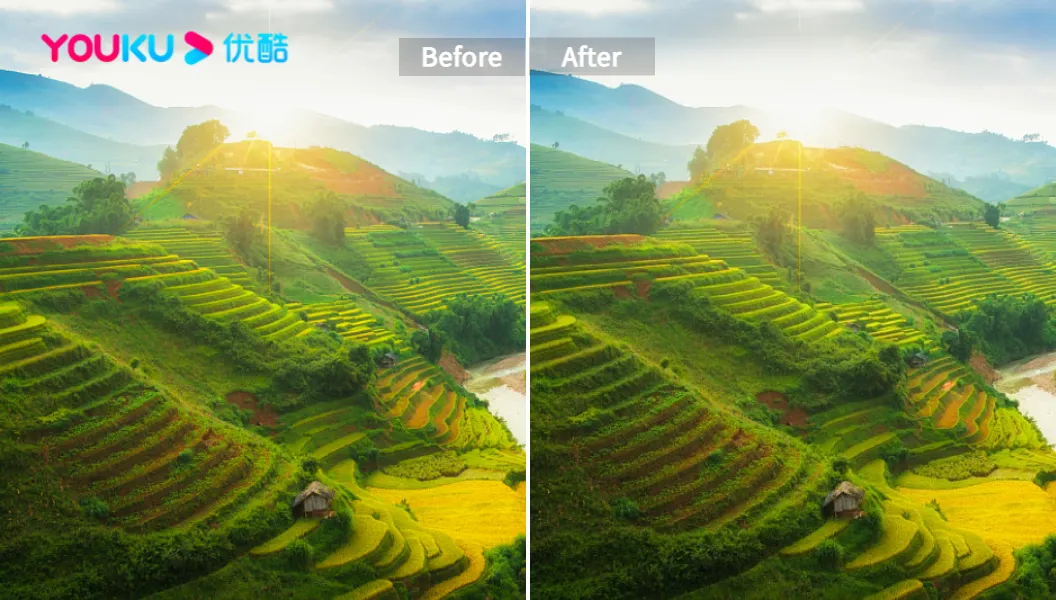
The "Why" Behind the Wipe: It’s More Than Just Aesthetics
Before we get into the "how-to," let's talk about why you need a video eraser. According to recent social media engagement studies (and common sense), platforms like Instagram and YouTube actively downrank content that carries a competitor's watermark. If you post a TikTok-watermarked video to Reels, the algorithm hates it.
But it goes deeper than algorithms.
- Brand Authority: A clean video screams professional. A watermarked one whispers "amateur."
- Content Freedom: You should own your content, not the platform you posted it on.
- Visual Distraction: Watermarks steal the viewer's eye. You want them looking at your product or your face, not a bouncing "TikTok" logo.
This is where an ai video branding remover comes into play. It’s not just about erasing; it’s about reclaiming your video.
The Problem with "Old School" Erasers (Why They Suck)
If you’ve searched for video watermark remover shareware free or similar tools in the past, you know the pain. Traditional software works on a very dumb principle: Interpolation.
Basically, the software looks at the pixels around the watermark and just... smears them over the logo.
- The Result? A ghostly, blurry blob that draws more attention than the original logo.
- The Effort: You often have to select the area frame-by-frame if the camera is moving. Nightmare fuel.
Enter AI video watermark remover technology.
The Solution: How Pixelfox AI Changed the Game
We aren’t in 2015 anymore. Tools like Pixelfox AI use Generative Adversarial Networks (GANs). Okay, I promised no complex nerd-speak, so think of it like this:
Instead of smearing pixels, the AI looks at your video, understands the context (is that a tree? a wall? a face?), and hallucinates what should be behind the watermark. It reconstructs the missing data. This is how you get a free video watermark remover no blur ai result.
Why Pixelfox Stands Out
- Context Awareness: It knows the difference between a static background and a moving object.
- No Blur: It fills in texture, not just color.
- Speed: It happens in the cloud, so your laptop fan won't sound like a jet engine.
Tip: If you are dealing with a video that has a lot of grain or noise after removing a watermark, you might want to run it through an AI Video Denoiser afterwards to smooth everything out.
Step-by-Step: How to Remove Watermark from Video Online Without Blur
Ready to fix your video? Here is the exact workflow I use to get pristine results using Pixelfox's AI Video Logo Remover.
Step 1: Upload Your Footage
Head over to the tool. You don't need to install anything—this is a browser-based video eraser app. Drag and drop your file. Whether it's an MP4, MOV, or WebM, it handles it.
Step 2: Highlight the Offending Logo
This is the satisfying part. You’ll see a brush tool. Just paint over the watermark.
- Pro Move: Make your brush slightly larger than the watermark to give the AI enough "reference pixels" to understand the background.
- Static vs. Dynamic: If the watermark stays in one spot, you just highlight it once. If it's a moving target (like those annoying floating IDs), the AI tracking kicks in.
Step 3: Let the AI Cook
Hit the process button. The ai video watermark remover analyzes the frames. It’s detecting the logo, removing it, and generating the background fill.
Step 4: Preview and Download
Check the result. If it looks good (and it usually does), download it. You now have a clean file ready for watermark remover video download.
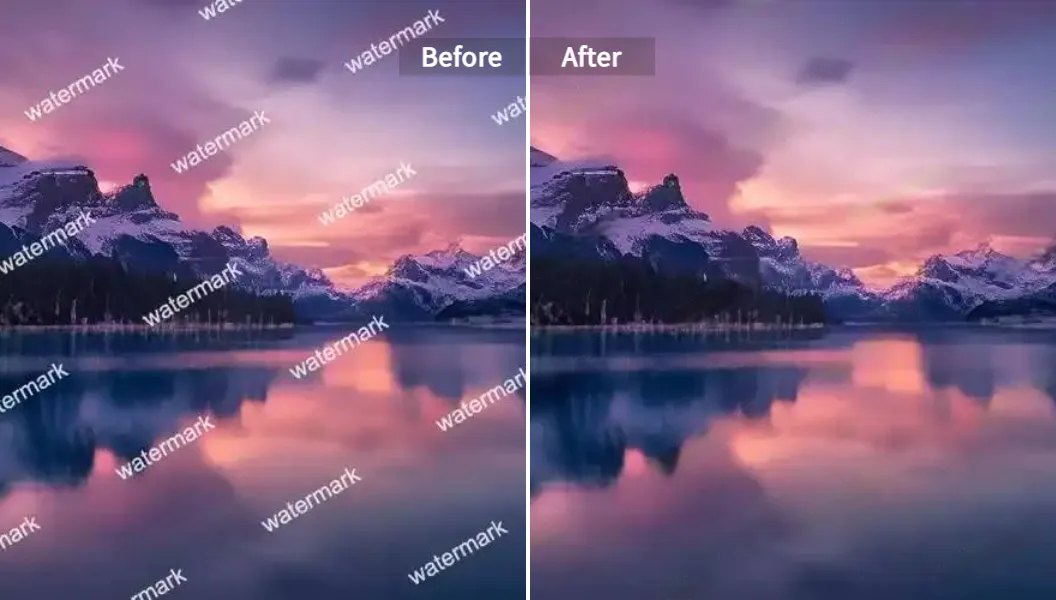
Comparison: AI Erasers vs. The Giants (Photoshop/Premiere)
You might be thinking, "Can't I just use Adobe?" Sure, if you hate free time.
| Feature | Pixelfox AI (Online Eraser) | Adobe Premiere / After Effects | Basic Mobile Apps |
|---|---|---|---|
| Learning Curve | Zero. Upload & Brush. | High. Needs courses to master. | Low, but limited features. |
| Time Required | Seconds to Minutes. | Hours (for frame-by-frame cloning). | Fast, but quality varies. |
| Quality | AI Reconstruction (No Blur) | Perfect (if you are a pro) | Blurry smudge mess. |
| Cost | Free / Affordable | Expensive Subscription | Freemium with ads. |
| Hardware | Cloud-based (works on any PC) | Needs a beefy GPU/RAM | Phone CPU limits. |
If you are looking for an app to remove watermark from video that doesn't require a $3000 PC, online AI tools are the undisputed king.
Advanced Techniques: Beyond Just Logos 🧠
Okay, you’ve mastered the basic logo wipe. Let’s get into the weeds with some advanced video eraser tactics.
1. Handling the "Bouncing" Watermark
TikTok loves to bounce the watermark from the top left to the bottom right.
- The Amateur Way: Cropping the top and bottom of the video. (Don't do this, you lose resolution).
- The Pro Way: Use a reels watermark remover that supports multi-instance detection. In Pixelfox, you can select multiple areas on the timeline. Highlight the top-left instance for the first half of the video, and the bottom-right instance for the second half.
2. The GIF Situation
GIFs are notoriously hard because of their weird color palettes. A standard gif watermark remover often breaks the animation. AI tools treat GIFs like video sequences, ensuring the loop stays smooth even after the text is gone.
3. Subtitles and Hard-coded Text
Sometimes it’s not a logo; it’s burnt-in captions. If you downloaded a video with subtitles you don't want, you need a specific Remove Subtitles from Video tool. The AI recognizes text patterns differently than graphic logos, giving you a cleaner removal.
Tip: Transparency Matters. If a watermark is semi-transparent (see-through), the AI actually has an easier time because it can "see" the original texture underneath. Don't be afraid to try removing large transparent watermarks; the results are often better than small, solid opaque logos.
Real-World Case Studies: Who is This For?
Let's look at how people are actually using these free ai tool to remove watermark from video solutions to make money or save time.
Case Study A: The Dropshipper
Scenario: Alex runs a dropshipping store. He found incredible product demonstration videos from a supplier, but they are covered in Chinese text and weird logos (????? ??????? ??????? ?? ??????? - commonly searched in global markets). Old Solution: He used to pay an editor $50 on Fiverr to clean it up. New Solution: He uses Pixelfox. He uploads the raw video, uses the ai video branding remover, wipes the text, and overlays his own English captions. Result: $0 cost, instant turnaround, high-converting ads.
Case Study B: The Influencer Manager
Scenario: Sarah manages three influencers. They create content on TikTok but need to post to Shorts and Reels to maximize reach. The Problem: The "TikTok" watermark kills reach on Instagram. The Fix: She uses a snap watermark remover workflow. Download -> Pixelfox AI Eraser -> Re-upload. Result: 3x the views because the algorithms treat the content as original.
Common Mistakes Beginners Make (Avoid These!) ⚠️
Even with the best video eraser app, you can mess it up. Here is how to avoid looking like a rookie.
- Over-Brushing: Don't paint the whole screen. Only highlight the logo and a tiny margin around it. If you paint too much, the AI has to guess too much, and things get weird.
- Ignoring Audio: Sometimes watermarks have audio cues (like a voice saying the brand name). Visual erasers don't fix audio. You might need to detach the audio track and trim it.
- Expecting Miracles on Faces: If a watermark is right over someone's eye or mouth, AI struggles. It’s getting better, but reconstructing a human face is hard. Try to find a frame where the face is clear if possible.
- Using "Crop" Instead of Remove: I see people searching remove watermark from video online without blur and then just cropping the video. Now you have a weird aspect ratio that looks bad on mobile. Use the eraser, keep the full frame.
The Legal Stuff (Don't Skip This) ⚖️
Look, just because you have a video eraser remove watermark tool doesn't mean you own the internet.
- Your Content: You are 100% safe to remove watermarks from your own videos that you lost the originals for.
- Stock Footage: If you are removing watermarks from Shutterstock or Getty Images to avoid paying... just don't. That’s theft.
- Fair Use: using a clip for commentary is usually fine, but respect the original creator.
EEAT requires us to be honest: Use these tools ethically.
Frequently Asked Questions (FAQ)
Here are the questions I get asked the most about ai video watermark remover free tools.
Q: Is there truly a free video watermark remover no blur ai? A: Yes and no. Tools like Pixelfox offer free trials or free usage tiers that use high-end AI to prevent blur. However, completely unlimited, server-grade AI usually requires a subscription eventually because GPU costs are real. But for quick tasks, yes, you can get blur-free results for free.
Q: Can I remove a watermark from a video on my phone? A: Absolutely. Since Pixelfox is browser-based, it acts as a video eraser app on your iPhone or Android. You don't need to download a sketchy APK. Just open your mobile browser.
Q: Does this work for photos too? A: Yes! If you need to clean up a thumbnail or a product shot, you should check out the Logo Removal Tool for Images. The tech is similar but optimized for still images.
Q: What is the best video eraser for 2025? A: For a balance of speed, quality, and "no blur" technology, Pixelfox AI is leading the pack. It handles 4K, has strict privacy policies (deletes your data after processing), and uses the latest GAN models.
Q: How do I remove the bouncing TikTok logo specifically? A: Use a tool that allows for segmentation or simply pause the video in the editor, brush the first position, scrub to where it moves, and brush the second position. The AI will handle the intervals.
Stop Letting Watermarks Ruin Your Content
We are in the golden age of AI. You no longer have to settle for videos that look like they were recorded through a dirty window. Whether you are searching for a snap watermark remover, a video eraser, or a heavy-duty ai video branding remover, the technology is here and it is accessible.
Don't let a stray logo distract your audience from your message. Clean visuals build trust, and trust builds brands.
Ready to see the magic yourself? Stop reading and start erasing. 👉 Try Pixelfox AI Video Logo Remover Now and get that pristine look in seconds.