 Credit

Introduction
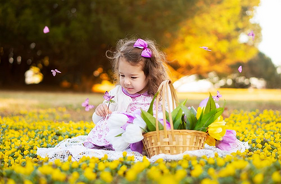
Have you ever thought about how you can create a picture without using a photo editing program, drawing or camera? Modern technology has made it possible to make beautiful and lifelike images with the help of AI. Use an AI image generator, which is an intelligent online solution that could turn your thoughts into images within a few seconds.
Everyone can be an artist using these tools. Whether it is digital art, product images or creative portraits you want to create, AI photo generators do it with ease and speed, and it is entirely free.
Below we are going to discuss how you can make gorgeous images without any effort with free AI image generators online.
Why Use AI to Make Pictures?
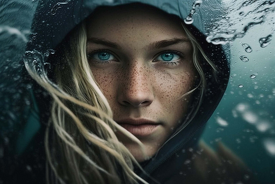
One of the most prominent trends in digital art and design is AI image generation. Here is why today AI photo generators are used by so many people:
No Design Skills Needed: Simply say what you want and AI makes it seem like it came to mind on its own.
Unlimited Creativity: You are able to create anything, such as landscapes, portraits or fantasy art.
Free and Accessible: There are a lot of free AI image generators, and they can create beautiful images online.
High-Quality Output: AI models produce visually professional, detailed, and usable images.
Fast and Fun: This is a picture-making tool that will enable you to create beautiful pictures in seconds, ideal for social media, content, or projects.
Whether by amateur or skilled creators, AI tools have transformed the concept of making a picture.
How to Make a Picture with an AI Generator
The following is how you can make your first artificial intelligence-generated image online without the use of a camera or Photoshop:
· Choose an AI Image Generator
Begin with one of the trusted platforms, such as Pixelfox AI, DALL•E, or Leonardo AI. These computer-aided photo generation programs are particularly concerned with creating realistic images with a text input.
· Enter Your Prompt

Specify in detail what you would like to see. As an example: a small cabin in the forest with a starry sky. The closer you are to the point, the right picture you will have.
· Let AI Create Your Image
The AI reads your text, interprets the idea, and provides several options of pictures. All of them will be distinct, lifelike and to your description.
· Refine or Regenerate
Don’t like the first result? Modify your prompt or use other styles such as digital art, realistic or watercolour. AI allows you to discover infinite possibilities.
· Download and Use Your Picture
Once you are ready, you can store your picture in high quality, and it can be printed, designed or shared online.
These are the basic concepts to understand how to create an image with the assistance of AI, and all that without leaving your browser.
Benefits of Using a Free AI Image Generator
The advantages of creating pictures online with the assistance of an AI-based tool are important:
Instant Results: Creation of fancy pictures in a few minutes.
No Equipment Needed: No light, editing programs or cameras.
Customization: Easily change colors and themes or styles.
Cost-Free Creativity: A variety of free AI image generators are available on the Internet, where they offer unlimited and free-of-charge images.
Versatile Use: Used by artists, marketers, students and creators.
AI technology democratizes creativity; anyone can create beautiful images, making no effort now.
Creative Ways to Use AI Image Generators
1. Content Creation and Blogging
Create original graphics or thumbnails that are distinctive on the websites and social media.
2. Digital Art and Design
AI art makers are applied by artists to produce fantasy worlds, abstract art, and illustrations of concepts.
3. Marketing and Branding
Companies create advertisement images, product prototypes, and innovative posters without recruiting designers.
4. Education and Presentations
Lessons can be made interesting by creating visual learning materials by students and teachers.
5. Entertainment and Inspiration
Feel like a superhero or build a city of the future? The imagination is visualized through AI.
How AI Photo Generators Work Behind the Scenes
Such AI tools as DALL•E and Pixelfox.AI are based on advanced neural networks, which are trained on millions of images. Describing an image, the AI will break your words into visual objects, shapes, colors, and lighting and digitally paint them.
This is called text-to-image synthesis and it enables AI to produce entirely new and never-seen pictures that appear to be created by humans. It is quick, smart, and incredibly precise, which means that AI is not a tool but a creative counterpart.
Tips for Making Better Pictures with AI
· Include descriptive prompts (e.g., sunset on ocean waves, rather than beach).
· State the style: realistic, 3D, cartoon or digital art.
· Include emotion or atmosphere words such as 'dreamy', 'moody' or 'vibrant'.
· Test composition (try lighting, camera angle).
· Store and edit your preferred pictures to use them again or edit more.
With these tips in mind, you are sure that each image that you create will become one of a kind.
Final Thoughts
How to create a picture in an era of AI, then? The solution is easy, through words and imagination. The modern AI image generators turn creativity into an image in real time, allowing anyone, including amateurs and professionals, to make a stunning picture with just a few clicks.
These AI photo creations can be used to bring ideas to life, whether you are having fun or creating content to use in your business, like never before.