 Credit

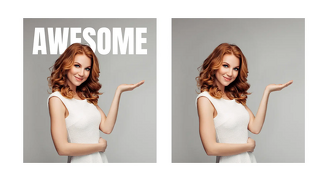
Have you ever wanted to place an entertaining caption, your name or a fancy quote on a photograph? Or perhaps delete undesirable content in a picture? Nowadays, text editors for images allow one to edit text on a photograph over the internet with ease and without technical expertise.
Whether you are developing social media content, marketing icons or digital artworks, the option to edit the photos' text online presents complete creative power to you. You are able to add fonts, color, alignments and effects to make your image really shine through.
We are going to discuss how AI-powered and online applications can help one edit, add, or delete text on photos like an expert.
Why Use Online Tools to Edit Text on Photos?
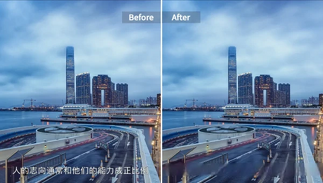
As a creator, influencer or business owner, one of the easiest ways to make visual storytelling easier is through text editing on images. This is the reason why image text editors are so popular:
Creative Freedom: Add titles, slogans or messages that fit the theme of your photo.
Instant Editing: Edit existing text layers in seconds without having to download bulky applications.
Professional Results: There are ideal text alignment, shadows and typography effects using the tools.
AI-Powered Precision: It can remove the unwanted text with all the background preserved with ease.
Free and Accessible: A great deal of online photo text editors are entirely free.
Editing text on images is a necessary skill of any digital creator, which manifests itself in Instagram posts, product labels, and more.
How to Edit Text on a Photo
This is the way you can edit text on photos online in an easy and efficient way:
· Choose an Image Text Editor Online
The first step involves choosing a reliable image editing program such as Pixelfox AI, Canva or Fotor. These websites provide free services when it comes to adding, removing, or editing text on photographs.
· Upload Your Photo
You can drag and drop your image in the online editor. The majority of platforms accept popular formats such as JPG, PNG and WebP.
· Add or Modify Text
To add new text, select the “Add Text” option or to edit existing text layers, select them. Select your font, color, size and alignment.
· Remove Unwanted Text (Optional)
When you already have text on your photo that you want to remove (such as a watermark or label), a photo text remover or inpainting tool based on AI will do the work. The background will be reconstructed naturally by the system.
· Save and Download
You can save the final image in HD quality and you are good to go. It is now usable in social media, adverts or print designs.
These few steps will enable anyone to edit text on a photo online, fast and beautifully.
Best Features of an Image Text Editor
A professional image text editing software on the web allows you to have sophisticated features to create refined images. The following are some of its best features:
Font Library: Find thousands of fonts and styles of any style.
Layer Management: Add text layers to edit them in an orderly manner.
Color & Gradient Options: Colorize your photo with the same palette as your photo.
Text Effects: Add shadows to text, create outlines, or add glow.
AI Background Correction: Removes or corrects text faultlessly without distortion.
These applications are both easy and innovative, they provide all photographs with the right mix of text and graphics.
Creative Ways to Use Text on Photos
· Inspirational Quotes and Captions
Make your photos shareable and inspirational with the help of typography.
· Branding and Marketing
Include business names, slogans, or advertisement messages in your images to make them professional.
· Social Media Aesthetics
Make unique posts, stories, and reels using trendy fonts and filters that increase activity.
· Event Invitations and Cards
Create Digital invitation or greeting cards that merge breathtaking graphics with fancy text overlays.
· Educational Graphics
Design labelled drawings, illustrations or infographics of projects or online learning materials.
Tips for Perfect Photo Text Editing
· Use fonts that suit your feeling when you are writing an ad or writing an artwork.
· Make your text concise and to the point; do not cram too much on the photo.
· Read with high-contrast colors.
· Play around with location, quotes at the centre, and captions at the corner.
· Always test on desktop and mobile before making final decisions.
Minor variations can help to make the text on your image look more even and attractive.
FAQs
Can I edit text on photos online for free?
Yes! Sites such as Pixelfox, Canva and Fotor provide the option to edit photo text on their platforms at no cost.
How can I remove unwanted text from an image?
Use an AI photo text remover to delete text and keep the original background.
Is it possible to change font style or color?
Absolutely, Image text editors are fully customizable with fonts, colors, effects, and transparency.
Do I need to install software to edit text on images?
No, the majority of modern tools are directly in the browser; there is no need to install.
Final Thoughts
To make your visuals more expressive and original, you have to learn how to edit text on photos. An online image text editor allows you to give your images a creative caption, delete undesirable text, and customize your images with ease.
No matter who you are, a designer, social media creator, or a small business owner, these tools can provide you with the power to combine text and visuals in a wonderful manner.
“Get started now, and make your pictures say more than a picture does!”