 Credit

Let’s be real for a second. You are tired of downloading a "free" app just to watch thirty seconds of unskippable ads before you can even crop your selfie. 😤 Same here. You are looking for a stylish editor photo tool that actually works in 2025, not something that feels stuck in 2015 with cheesy stickers and pixelated fonts.
Whether you are chasing that viral Y2K aesthetic, trying to create a neon-infused name edit pic for your WhatsApp DP, or just need a clean, professional edit without a giant watermark slapping you in the face, you have landed in the right spot. We are skipping the fluff. We aren't going to give you a lecture on the history of photography. Instead, we are diving straight into how AI—specifically tools like Pixelfox AI—is changing the game, making you look like a pro graphic designer even if you have zero experience.
The "Stylish Editor" Trap: Why Most Tools Fail You
You go to Google or the Play Store. You type in stylish editor photo. You get hit with millions of results. Most of them are... trash. 🗑️
Here is the reality check on why the old-school name and photo editor apps are failing you:
- The Ad Apocalypse: You click "Edit," you watch a video for a crypto scam. You click "Save," you watch a video for a fake puzzle game. It kills your creative vibe.
- The Quality Drop: You upload a crisp HD photo, edit it, and download a blurry mess that looks like it was taken on a toaster.
- Static, Boring Styles: They offer the same old "3D Shadow" fonts that everyone has been using since 2012. You want 2025 drip—Chrome, Glassmorphism, AI-generated textures.
- Privacy Nightmares: Many sketchy apps act as an unsecured internet photo ai uploader, where you have no idea where your personal photos end up.
You need a tool that respects your time, your privacy, and your aesthetic.
The New King: AI-Powered Stylish Editing
Forget manual sliders. The future is prompt-based and style-transfer based. This is where E-E-A-T (Experience, Expertise, Authoritativeness, and Trustworthiness) comes into play. We aren't just guessing; we are looking at the tech shifts. Platforms like Pixelfox AI utilize advanced algorithms to understand the context of your image, not just the pixels.
Why Context Matters
A dumb editor puts a filter on top of everything. A smart AI editor knows that the sky needs to be blue, but your face shouldn't look like a Smurf. 🌚
Tip: 💡 Don't settle for global filters. If you want a truly stylish editor photo result, look for tools that offer "masking" or "object awareness." AI tools do this automatically now.
How to Create Viral "Name Art" (The 2025 Way)
One of the biggest search intents for stylish editor photo is creating cool names on pictures—a name edit pic. In South Asia especially, this is huge for social profiles. But let's upgrade you from basic text to "Art."
Step 1: The Canvas (Background Matters)
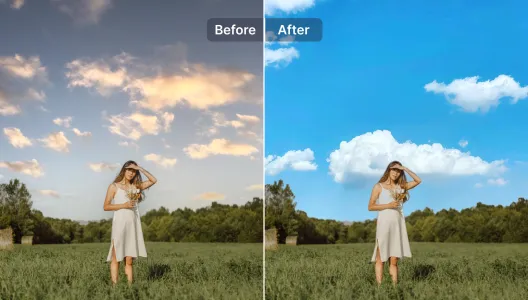
You can't put a Ferrari engine in a bicycle. You can't put a stylish name on a cluttered background. Use an AI tool to clean up your base image.
- The Old Way: Eraser tool. Rubbing your screen for 20 minutes.
- The Pixelfox Way: Use the Cut Out Image - Remove Background Instantly tool. One click, boom, transparent background. Now you have a clean slate to place your text or subject on a neon city street or a smoky abstract void.
Step 2: The Style Transfer (The Secret Sauce)
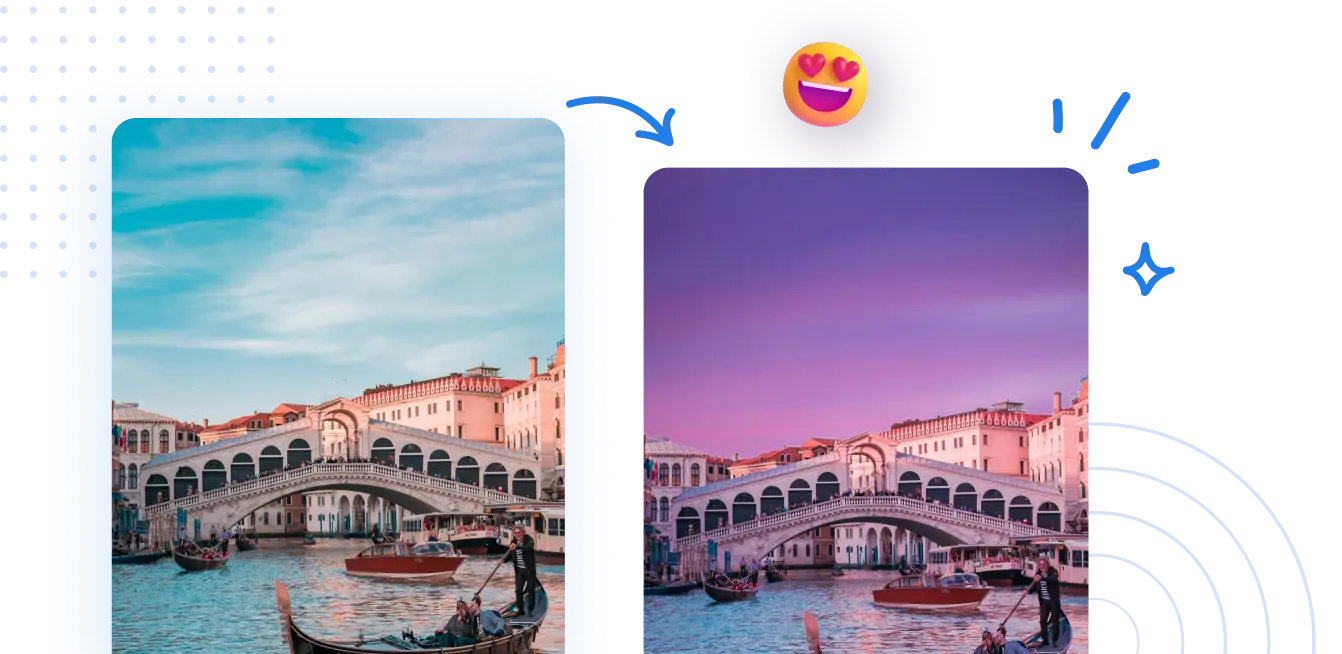
Instead of just typing text, use AI to transfer the texture of a cool image onto your photo. Let's say you have a photo of yourself and you want it to look like a cyberpunk poster.
- Go to the AI Color and Lighting Transfer tool.
- Upload your photo.
- Upload a reference photo (e.g., a neon sign or a moody movie scene).
- The AI steals the "vibe" (lighting and color palette) and paints it onto your photo. This is how you get that stylish editor photo look that influencers have.
Step 3: Text Integration
When looking for a name and photo editor, don't just slap flat text on top. Use tools that allow for "blending modes" (Overlay, Soft Light). If your editor doesn't have blending modes, it’s a toy, not a tool.
Comparison: Pixelfox AI vs. The Giants vs. The Apps
Let's look at the data. You want the best bang for your buck (or your time).
| Feature | Photoshop (The Giant) | Random Mobile App (The Spammer) | Pixelfox AI (The Modern Choice) |
|---|---|---|---|
| Learning Curve | PhD required 🤯 | Easy, but annoying | Zero (Text prompts/One-click) |
| Cost | $20+/month | "Free" (pays with your sanity) | Free/Freemium |
| Installation | Heavy software | App download required | Internet photo ai uploader (Web-based) |
| Style Capability | Unlimited (if you know how) | Presets only | Infinite AI Variations |
| Ads/Watermark | None | Everywhere | Clean Output |
Why Photoshop isn't always the answer: Unless you are being paid to edit, opening Photoshop to make a quick DP is like renting a crane to change a lightbulb. It's overkill. You want speed.
Why Mobile Apps fail: Storage space. Do you really want another 200MB app that you use once a month? Using an online internet photo ai uploader like Pixelfox means the processing happens on the cloud, not on your overheating phone battery. 🔋
Advanced Tricks: Leveling Up Your Game
Okay, you know the basics. Let's talk about the stuff the "gurus" charge you for in their courses. Here is how to actually use a stylish editor photo tool to make money or gain clout.
Trick 1: The "Invisible" Logo (Branding)
Stop putting your logo in a white box. It looks amateur.
- Upload your logo to Cut Out Image.
- Save it as a PNG (transparent).
- Now, whenever you edit a photo, overlay this PNG. It looks professional and seamless.
Trick 2: The E-Commerce White Background Hack
Selling sneakers on eBay or Depop? A messy bedroom background kills sales. Instead of setting up a studio, take the photo on your bed.
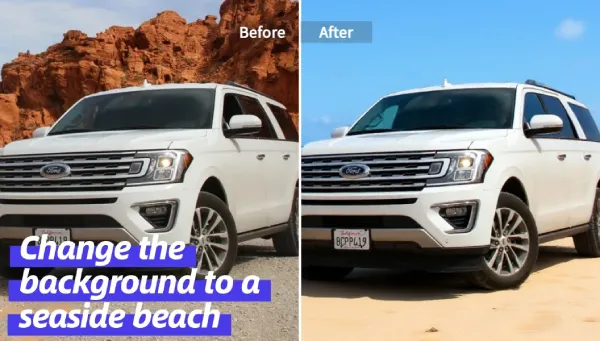
- Use the Cutout Tool to remove the messy room.
- Use AI Image Editing with Text Prompts to generate a "studio lighting, podium, minimalist white background."
- Result: A product photo that looks like it cost $500 to shoot.
Trick 3: The Virtual Haircut
This is for the fun side of name and photo editor apps. Before you commit to a dye job or a chop, test it. Use the AI Hairstyle Changer. You can visualize a "Pink Bob" or "Silver Undercut" on your actual face. It’s stylish, it’s risk-free, and it makes for great "Should I do it?" content for your Stories.
Tip: 💡 Prompt Engineering is Key. When using AI text editors, don't just say "cool background." Say "Cyberpunk city street, neon blue lighting, bokeh effect, highly detailed." The more specific you are, the more stylish the result.
Common Mistakes Beginners Make (And How to Fix Them)
We see these stylish editor photo fails every day. Don't be that person. 🙅♂️
1. The "Deep Fried" Look
The Mistake: You stack five different filters. Contrast is at 100. Saturation is at 100. Your face looks orange and the background looks radioactive. The Fix: Subtlety is the ultimate style. Use the AI Color and Lighting Transfer to apply a cohesive look rather than stacking random filters. Less is more.
2. Ignoring Aspect Ratios
The Mistake: You make a beautiful name edit pic, but it's in 16:9 landscape. You upload it to Instagram (which wants 4:5 or 1:1), and your name gets chopped off. The Fix: Always decide where the photo is going before you start editing. Most AI uploaders allow you to expand or crop the canvas first.
3. Low Resolution Imports
The Mistake: Downloading a thumbnail from Google Images and trying to edit it. The AI can't invent details that aren't there (well, it can, but it might look weird). The Fix: Always start with the highest quality source file you have.
Real-World Case Studies
Let's look at how real people are using these tools.
Case A: The Micro-Influencer
- User: Priya, a fashion blogger.
- Problem: She shoots photos in her apartment, but the lighting is dull. She needs a stylish editor photo vibe to match her "luxury" aesthetic.
- Solution: She uses Pixelfox. She doesn't just filter; she uses the AI Image Editing to change the color of her dress to match the season's trends and swaps her messy living room background for a "Parisian Cafe" vibe using generative fill.
- Result: Engagement went up 40% because the photos stopped looking like "home snapshots" and started looking like "editorial shoots."
Case B: The Gamer
- User: Alex, a streamer.
- Problem: Needs a name edit pic for his clan logo and stream overlay.
- Solution: He sketches a rough idea on paper, photographs it, and uploads it. He uses text-to-image AI to turn that sketch into a "3D Metallic Gold Shield with Fire Effects."
- Result: A professional-grade logo for free, created in 5 minutes.
FAQ: Your Burning Questions Answered
Q: Can I really get a professional result from a free online tool? A: Absolutely. The gap between free AI tools and professional software has closed significantly. Tools like Pixelfox use the same underlying diffusion models that high-end studios use. The difference is just the interface.
Q: Is it safe to use an internet photo ai uploader? A: This is a valid concern. Reputable platforms (like ours) process images securely and delete them after a short period. Avoid shady sites that don't have a privacy policy. We encrypt your data because we know your selfies are private.
Q: What is the best stylish editor photo for beginners? A: If you want full control without the headache, Pixelfox AI is the sweet spot. It combines the power of a name and photo editor with generative AI, meaning you can do the basic stuff (crop, text) AND the crazy stuff (change hair, swap backgrounds) in one place.
Q: How do I remove the background for a name art project? A: Don't use the manual eraser tool on your phone. It's inaccurate. Use an AI cutout tool. It detects hair strands and intricate details that your finger will miss.
The Verdict
The search for the perfect stylish editor photo tool ends here. You don't need to spend hours learning layers, and you definitely don't need to pay a monthly subscription just to post a cool picture on social media.
The era of manual editing is dying. The era of AI-assisted creativity is here. Whether you are fixing a bad hair day, creating a name edit pic that pops, or completely transforming the lighting of a scene, the power is now in your browser.
Don't let your creativity get stuck behind a paywall or a watermark.
Ready to transform your photos? 🚀 Stop reading and start creating. Try the Free AI Edit photos/video online free tool now and see the difference for yourself. Your feed is waiting.