 Credit

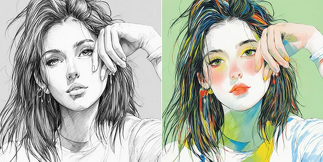
The amazing aspect of contemporary AI is the simplicity with which any image can be altered and entirely changed into something different. Regardless of whether you need to transform a portrait into a cartoon, a landscape into a painting, change styles or create completely original images, AI tools will do the work quite easily. You can just upload your picture and in seconds your pictures can be transformed into new and innovative versions.
Here the concept of how to transform one image into another with the help of AI will come in incredibly handy. With an AI image converter, you post a photo and the system interprets its forms, colours, objects and composition. Then it reproduces your image in a new form – realistic, stylized, artistic, or totally changed, according to the direction you have selected.
AI Image Converter
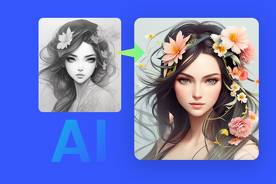
An AI image converter is an application that allows taking a single image and recreating it in a new mode or format. It operates by examining a picture you have uploaded and running it through deep-learning models trained on styles of art, textures, effects, and visual patterns. This enables the AI to trigger new outputs like:
ü A stylized illustration
ü A 3D cartoon version
ü A different artistic theme
ü An improved realistic version.
ü An upgraded picture of your prompt.
All begins with an AI image upload. The AI can create new variations of the same source as soon as your photo is in the system, which is why it is useful to creators, designers, marketers, or any person who wants to make quick visual changes.
Why AI Tools Make Image Transformation Easy
AI software is gaining popularity as the choice to transform photos since it does not need any experience in editing, no knowledge of design, and no sophisticated software. It works by simply uploading your picture using an online photo AI uploader, and the rest is automated.
People are fond of such tools as:
· No Skills Needed
Post your picture and let Artificial intelligence create the new one.
· Fast Results
Artificial intelligence generates novel images within a few seconds.
· Creative Flexibility
It is possible to make an image realistic, artistic, animated or stylized.
· Accurate Understanding
AI identifies faces, objects, backgrounds, and colors in order to clean them up.
· Internet-Based
The tools are mostly online in nature and hence can be used on any device.
It is among the simplest methods of transforming images into entirely new artistic works.
What an Image Can Be Turned Into Using AI
The following are illustrations of what an image of something else can be:
· Cartoon version
Your actual photograph is a 2D or 3D cartoon.
· Digital painting
AI is able to transform it into an oil painting, watercolour, sketch, or comic.
· Completely different scene
The setting, background, and lighting are new as well, as the viewer makes a selfie shot in a living room look like sci-fi.
· A different character
Your photo can be turned into:
a superhero
a fantasy character
an anime version
a game avatar
a historical character
· A stylized portrait
Neon style, cyberpunk, vaporwave, renaissance, gothic, etc.
· A realistic improved version
Lighting has been sharpened, improved, and increased in resolution.
· A gender-swapped or age-shifted version
Appear older, younger or the opposite sex.
· A different emotion or facial expression
Bright, sad, smiling, pensive.
· A background-only transformation
The environment totally changes and your face remains unchanged.
· A creative reinterpretation
Turn your image into:
clay sculpture
Lego figure
pixel art
chalk drawing
plush toy
paper-cut art
· A fully AI-reimagined version
You provide a prompt, and the AI generates another image based on your initial one as an inspiration.
FAQs
What does an AI image converter do?
It uses the picture you have uploaded and converts it into a new one with the help of AI models.
Do I need editing experience to use AI image tools?
No, everything is automatic. It is just a matter of uploading a picture and selecting what you desire.
Can AI turn my photo into a specific style?
Yes. You can turn your image to a cartoon, sketch, painting, 3D, fantasy etc.
Is it safe to upload personal photos?
The majority of credible sites guarantee safe uploads and short-time processing.
Final Thoughts
The ability to convert an image into something else using AI can expand the creative opportunities of all people. A basic upload and one or two clicks will make an ordinary picture look like a work of art, a stylized image, or even a completely reimagined piece of art with the help of an AI image converter. It is quick, easy, and can be done anywhere, due to online AI image upload services and internet photo AI uploader services. Regardless of what you are doing with your personal projects or creative content, AI makes it easier than ever before to change your pictures into something completely new.