 Credit

If your video sounds fluent but the mouth looks like it’s chewing gum in slow motion, people bounce. That’s why an ai video translator with lip sync is no longer a “nice-to-have” toy for creators — it’s survival gear for global reach (and for not getting roasted in your comments 😅).
Statista’s language data has shown for years that English speakers are only about a quarter of internet users, so “I’ll just post in English” is… a strategy, sure. It’s just not a great one.
Suggested URL: /ai-video-translator-with-lip-sync
What an AI video translator with lip sync actually does
A normal “video translator” often stops at subtitles. That’s fine.
A real ai video translator with lip sync goes further: it makes the speaker look like they are speaking the new language.
You get:
- translated script (text)
- translated voice (audio dubbing, sometimes voice cloning)
- lip movements matched to that new audio (lip sync)
That last part is the difference between “wow, this feels native” and “why is his mouth doing… that?” 👀
The 4-step pipeline (no fluff)
Most modern systems follow this flow:
1) Transcribe: speech → text
2) Translate: source text → target language text
3) Dub: text → new audio (AI voice or cloned voice)
4) Lip sync: map the new audio’s sounds (phonemes) onto mouth shapes in the video
If any one step is weak, the whole thing feels fake. Lip sync is usually the step that breaks first, which is why people think “AI dubbing looks creepy.” The dubbing isn’t the only issue. The timing is.
Tip: If you only remember one filming rule: keep the mouth clearly visible. No mic blocking lips, no harsh shadows, no face turned 60 degrees like you’re hiding from taxes. Good lip sync needs a good view.
Why lip sync beats subtitles (most of the time)
Subtitles are great for accessibility. They also keep your original performance intact.
But they don’t solve these problems:
- You lose emotion in fast reading (people skim, they miss tone)
- Some viewers hate reading and will leave (yes, they exist)
- Short-form video (Reels/Shorts) moves too fast for heavy subtitles
- Ads and product demos convert better when they feel “native”
CSA Research’s global consumer work is often quoted for a simple truth: around 3 out of 4 consumers prefer content in their own language, and a big chunk will avoid buying if the language feels foreign. Video is not magically exempt from that.
So if you’re serious about global, lip sync is not vanity. It’s conversion glue.
The pain points nobody warns you about (until it’s too late)
I read way too many “best AI dubbing” pages. Most skip the messy parts. Here’s what actually hurts in real use:
1) Translation is “correct” but still wrong
Machine translation can be grammatically fine and still sound like an alien wrote it.
Idioms, jokes, and product terms get wrecked.
2) The voice sounds “AI-ish”
Even good voices can feel flat if:
- pacing is off
- emphasis is wrong
- emotional tone doesn’t match the scene
3) Lip sync fails in the exact scenes you care about
It usually breaks when:
- the speaker turns sideways
- the video is low-res or blurry
- the person talks super fast
- there are multiple speakers and cuts
4) Your brand terms get butchered
Names, slogans, medical terms, and “do-not-translate” phrases can get mangled.
Then you fix it once… and it breaks again in the next video. Fun.
5) Privacy + voice cloning gets weird fast
Voice cloning is powerful. It’s also easy to abuse.
Some tools handle this responsibly. Some feel like the Wild West with a UI.
If you’ve ever seen Reddit threads asking for “lip sync + translation” tools to make a presenter “speak” other languages, that’s a real need — and also a reminder that consent matters. Always.
Pixelfox AI: the practical way to get clean lip-synced translations
If you want a tool that’s built around “make it look real” instead of “ship another dashboard,” Pixelfox AI is the one I’d start with.
- It’s designed for fast lip-synced output
- It supports high-quality results up to 4K
- It’s made for real creator workflows: upload → generate → download
- It works across different faces and formats (human, animation, even pets)
If you want to test the core workflow, start here:
Pixelfox AI Video Translator (translation + localization)
Then pair it with:
Pixelfox AI Lip Sync (natural mouth movement matching)

Why Pixelfox AI is built for “real” lip sync (not demo lip sync)
Pixelfox AI’s lip sync approach focuses on what actually makes results believable:
- Natural lip sync: mouth movement matches speech timing and shape (no robotic flap)
- Truly multilingual: works across languages and accents (so you can localize without reshooting)
- High quality output: supports up to 4K
- Fast and easy: you don’t need editing skills or a 40-step workflow
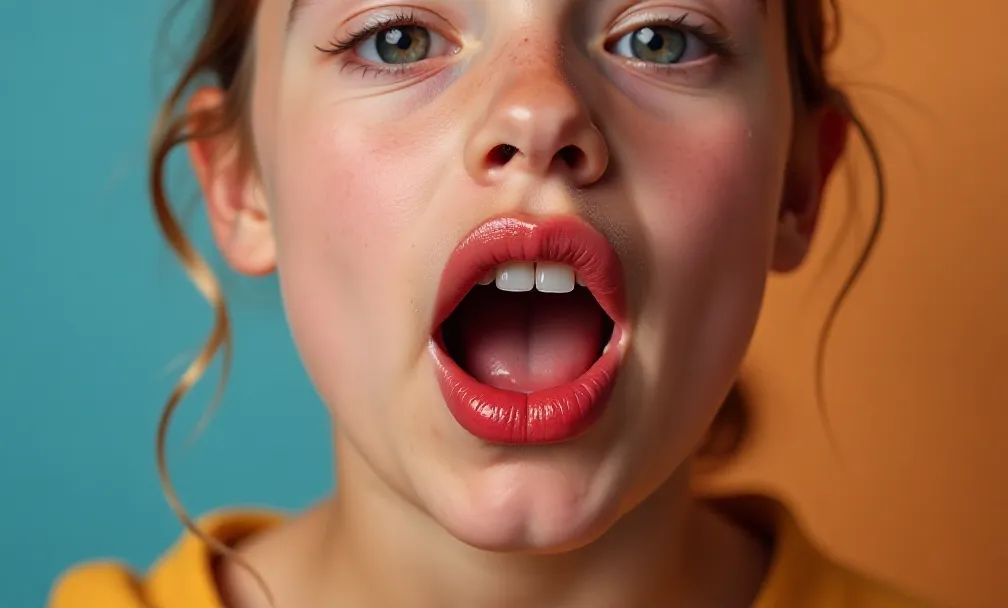
How to use Pixelfox AI as an AI video translator with lip sync (step-by-step)
This is the clean workflow I recommend if you want results that look “native” instead of “AI experiment.”
Step 0: Prep your source clip (this matters more than people admit)
Aim for:
- front-facing or near front-facing speaker
- good lighting on the mouth
- clear audio (even if you plan to dub, transcription needs it)
- minimal loud background music over speech
Short clips are easier.
Long clips still work, but you will want checkpoints.
Step 1: Translate the video
Use Pixelfox AI Video Translator to translate your content into the target language.
What you should look for after auto-translation:
- names and product terms
- numbers, dates, units
- jokes and slang (these break a lot)
Step 2: Fix the script like a human (because you are one)
Don’t rewrite everything. Just fix what breaks meaning.
Small edits help a lot:
- shorten long sentences
- swap weird phrases for normal ones
- keep brand words consistent
Step 3: Generate the new voice track
In Pixelfox, you can use your own audio or choose realistic AI voices (depending on your workflow).
The key is timing: if the dub speaks 20% faster than the original, lip sync has to stretch to catch up.
Step 4: Run lip sync
Send the final audio + video through Pixelfox AI Lip Sync.
This is where the “it looks real” moment happens.
Step 5: Export and QA like a pro (not like a gambler)
Watch:
- close-ups on “p/b/m” sounds (big lip closure)
- “f/v” sounds (teeth + lip contact)
- fast sections (mouth often lags)
If one section looks off, trim that section and re-run it.
Yes it’s annoying. Yes it works.
Tip: When lip sync looks slightly off, try adding a tiny pause (like 150–300ms) in the dubbed audio before a hard consonant. It gives the mouth time to “hit” the shape. It feels like cheating. It’s just smart timing.
Advanced tricks pros use (steal these 👀)
These are the things that separate “AI dubbing” from “localized content people actually watch.”
1) Write for the mouth, not just for meaning
Some languages are longer. Some have heavier consonants. Some compress ideas.
So do “lip-sync-friendly rewrites”:
- replace long phrases with shorter equivalents
- avoid tongue-twister word combos
- split one long sentence into two short ones
You keep meaning.
You also keep realism.
2) Do “scene-based dubbing” for long videos
For 10–30 minute videos, don’t process it as one blob.
Split by:
- topic sections
- speaker changes
- camera angle changes
Why it works: if one section fails, you don’t re-render the entire video. Your future self will thank you (ಥ_ಥ).
3) Use bilingual subtitles for retention + SEO
Even with perfect dubbing, some viewers still like reading.
A bilingual subtitle style can:
- help language learners
- reduce “wait, what did he say?” rewinds
- improve clarity on names and terms
4) Create localized intros with a talking avatar (fast)
If you want a quick localized hook (“Hey Brazil!”) without filming again, use an avatar workflow.
Pixelfox has options like AI Avatar from Photo and AI Photo Talking Generator that can help you create short, localized intros/outros that match the language you’re targeting.
That’s a cheat code for creators and marketers. In a good way 😄
AI video translator vs traditional editing (Premiere/Photoshop vibes)
Let’s talk about the “old way” vs the “why are we doing this to ourselves” way.
The traditional route (manual dubbing + edit)
You typically need:
- translator
- voice actor
- studio time
- audio engineer
- video editor to retime sections
- maybe even manual mouth work for animation
It can look amazing.
It also costs real money and real time.
The “Photoshop method” (yes, people try this)
Some folks literally do frame edits, mouth swaps, or weird hacks in Photoshop for short clips.
It’s like using a spoon to dig a swimming pool.
You can do it.
You also probably shouldn’t.
What AI gives you instead
With a good ai video translator with lip sync:
- you scale to more languages without multiplying teams
- you iterate fast (script change → re-generate)
- you keep a consistent “speaker identity” across languages
You trade some control for speed.
Pixelfox AI is strong here because it’s built to get you to a believable output fast, without you living inside a pro editing timeline.
Tool comparison: best AI video translator choices in 2026
You’re probably also searching best ai video translator because you want options. Fair.
Here’s a clean comparison based on public feature claims from each platform’s own pages (so you’re not relying on some random affiliate blog with “Top 47 Tools!!!” energy).
| Tool | Language support (claimed) | Lip sync | Voice cloning | Multi-speaker | Best for |
|---|---|---|---|---|---|
| Pixelfox AI | Wide language + accent coverage | Yes | Voice options (AI voices / your audio) | Depends on clip setup | Fast, realistic creator workflows |
| HeyGen | 175+ | Yes | Yes | Yes | Enterprise + marketing localization |
| Rask AI | 130+ | Yes | Yes (32 languages) | Yes | Scale + API workflows |
| AKOOL | 155+ | Yes | Yes | Yes | Real-time + advanced editing options |
| Maestra | 125+ | Dubbing + subs (lip sync not always core) | Yes (29 languages) | Noted features focus on captions/dub | Teams needing captions + integrations |
| Vozo AI | 110+ | Yes | Yes | Yes | Editor-first control + subtitle styling |
| Dubly.AI | 32+ | Yes | Yes | Not highlighted as core | GDPR-focused teams, high quality export |
| Perso AI | 32+ | Yes | Yes | Yes | Low-cost entry + simple workflow |
| lipsync.video | 36+ | Yes | AI dubbing | Not highlighted as core | Quick tests, short clips |
My take (yes, subjective):
- If you want a clean path to believable results without a giant enterprise workflow, Pixelfox AI is the easiest “start here.”
- If you need heavy enterprise controls, HeyGen or Rask can make sense.
- If you care about privacy compliance (and your legal team is awake), Dubly’s GDPR positioning is a real angle.
Real-world case studies (not made-up fairy tales)
Case Study 1: Trivago’s ad localization speed-up
HeyGen publicly shares that Trivago localized TV ads across 30 markets and cut post-production time by about 50%, saving 3–4 months per campaign (as stated on HeyGen’s own page).
What to copy:
- translate once, then scale languages
- keep one consistent speaker “identity”
- use lip sync when the face is on camera
You can run that same playbook with Pixelfox AI: translate, dub, lip sync, then export language variants.
Case Study 2: YouTube Shorts growth through localization
Rask AI highlights a story where a Canadian Catholic association saw 30x more views after experimenting with localized Shorts (as stated in Rask’s success stories section).
What to copy:
- start with Shorts (fast feedback loop)
- localize your best-performing clip first
- keep the hook natural in the target language
Pixelfox AI fits this approach well because Shorts are short, and short clips are where lip sync shines the most.
Common mistakes: the 7 ways beginners break lip sync 😬
People blame the tool. Half the time, it’s the input.
1) Side-profile videos
Fix: use front-facing shots, or crop tighter.
2) Low light on the mouth
Fix: add soft light, avoid harsh shadows.
3) Audio with loud music over speech
Fix: use cleaner audio, or separate voice track if you can.
4) Over-literal translation
Fix: rewrite for natural speech, not word-for-word accuracy.
5) Dub pacing doesn’t match the original
Fix: adjust pauses and sentence breaks so timing stays close.
6) Trying to localize a 40-minute video on day one
Fix: do 30–90 seconds first, then scale.
7) Thinking “lip reading translator” tech will save you
Fix: don’t treat lip-reading as magic. It’s a backup, not a plan.
Lip reading translator: can AI translate speech from silent video?
Let’s clear the confusion because Google loves mixing these queries.
A lip reading translator usually means:
“I have a video with no audio (or bad audio). Can AI read lips and translate it?”
That’s called visual speech recognition. It’s real research.
It’s also not a guaranteed solution in the wild.
Why it’s hard:
- camera angle changes
- low resolution
- mustaches, hands, microphones, masks
- similar-looking mouth shapes across words
So here’s the honest workflow:
- If you have audio: use an ai video translator with lip sync (best path)
- If you don’t have audio: try transcription from any available source, then validate with a human
- If you must use lip reading: treat it like a “clue generator,” not a courtroom truth machine 😅
Professional best practice: If the video matters (medical, legal, safety, finance), use a human reviewer. Always.
Security, consent, and “please don’t get sued”
Voice cloning and face animation are powerful. That also means you can do dumb stuff fast.
Basic rules:
- get clear permission from the speaker if you clone or recreate their voice
- disclose AI use when your platform, client, or local law expects it
- store files responsibly (especially if it’s client work)
Rask AI mentions C2PA membership (content authenticity) publicly, which is a good sign that the industry is moving toward clearer disclosure. Expect more of that in 2026.
I’m not your lawyer. I’m also not your bail bondsman. Keep it clean.
FAQ
How can I make lip sync look more natural?
Use a front-facing shot, clean audio, and short sentences in the dub. Then check “p/b/m” and “f/v” sounds during QA. Small timing fixes can make a big difference.
Why does lip sync look off even when the translation is correct?
Because translation quality and lip sync quality are different problems. The mouth needs timing + phoneme match, not just correct words.
Can I use an AI video translator with lip sync for YouTube?
Yes. It’s a common use case for creators and brands that want more global watch time. Start with your top-performing video, then localize that first.
What’s the difference between a lip reading translator and lip sync translation?
A lip reading translator tries to guess speech from mouth movement. Lip sync translation takes known speech (audio/text) and makes the mouth match the new audio. One is guessing. One is syncing.
How do I choose the best AI video translator for my business?
Pick based on what you need most: speed, realism, language coverage, team controls, privacy, or API. If you want fast, believable results without heavy setup, Pixelfox AI is a strong starting point.
The move that actually works (and what to do next)
If you want more global views, more trust, and fewer “this looks fake” comments, stop treating dubbing like a subtitle problem. Treat it like a performance problem. That’s what an ai video translator with lip sync is really fixing.
Try it with Pixelfox AI using the two-page workflow:
- Pixelfox AI Video Translator to translate and localize
- Pixelfox AI Lip Sync to make the mouth movements match
Give it one short clip. Watch the difference. Then scale. 🚀 (ง’̀-’́)ง
Author note / disclosure: I’m a content strategist who writes about AI media tools and localization workflows. I’m not a legal advisor. If you’re using voice cloning or sensitive content, get proper consent and follow local rules.