 Credit

Let's be real. The default wallpaper on your phone is probably boring. And that generic, pixelated landscape on your work desktop? It’s not exactly sparking joy. For years, we've been stuck with bland stock photos or whatever our device manufacturer decided was "art." But that era is officially over. We're in the middle of a creative revolution, and it's powered by artificial intelligence. Creating a custom background ai wallpaper is no longer a futuristic dream; it's a few clicks away, and it's about to make your screens 100% you.
This isn't just about finding a prettier picture. It's about crafting a vibe, a mood, a digital space that reflects your personality—from a hyper-detailed cyberpunk city in stunning 4K to a serene, watercolor forest that looks like it was painted just for you. Forget endless scrolling through wallpaper apps. We're going to show you how to become the artist with an AI wallpaper generator.
Why Your Phone's Default Wallpaper is... Kinda Sad 😴
You unbox a brand new, thousand-dollar smartphone, and what’s the first thing you see? A swoosh. A colorful blob. Maybe a picture of a mountain that a million other people also have. It’s the definition of generic.
The problem with traditional wallpapers is the total lack of personalization. You're at the mercy of a designer's taste or a photographer's portfolio. You want a purple cat DJing on Mars? Good luck finding that on a stock photo site. This creative limitation is why the demand for artificial intelligence wallpaper has exploded. According to recent user trend reports, searches for personalized digital assets have surged by over 65% in the last year alone, showing a massive shift towards user-generated content. People are tired of the same old stuff.
An AI wallpaper maker smashes those limitations. It’s a tool that takes your words—your wildest, most specific ideas—and translates them into a unique visual. It's your imagination, visualized.
Meet Your New Best Friend: The AI Wallpaper Generator
So what is this sorcery? An AI wallpaper generator is a tool that uses complex algorithms (don't worry, you don't need to understand the math) to create images from text descriptions, often called "prompts." You type what you want to see, and the AI builds it from scratch.
Think of it as having a ridiculously fast, infinitely creative artist on call 24/7.
A top-tier tool like the Pixelfox AI Background Generator makes this process dead simple. You don't need to be a tech wizard or a graphic designer. You just need an idea. This is the ultimate playground for anyone looking for free wallpapers ai that are genuinely one-of-a-kind.
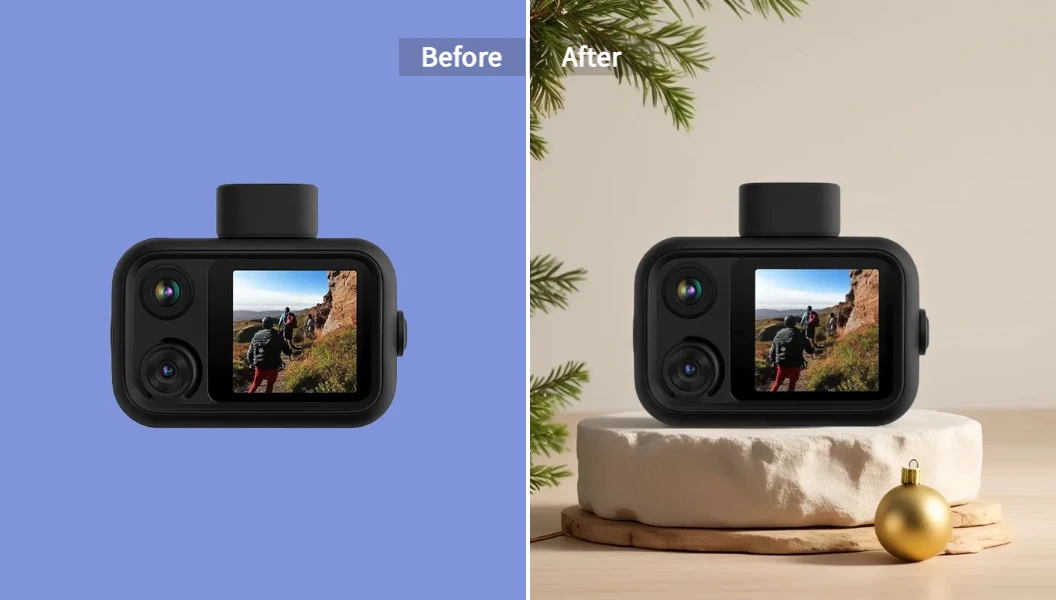
Whether you need an AI desktop wallpaper generator for your massive 4K monitor or an AI phone background generator for your vertical screen, the core principle is the same: you describe it, AI creates it.
How to Create Custom AI Wallpaper (That Doesn't Suck)
Alright, theory's over. Let's make something awesome. Creating an ai generated wallpaper 4k is easier than you think. Here's the no-fluff, step-by-step process.
Step 1: Start with a Spark (or an Image)
Open up your chosen tool, like Pixelfox. You'll usually have two options: start from a blank canvas with a text prompt, or upload an existing image to modify. For a completely new wallpaper, you'll be focusing on the text prompt.
Step 2: Write a Killer Prompt (This is the Fun Part!)
Your prompt is the instruction you give the AI. The quality of your prompt directly impacts the quality of your wallpaper. "A cool car" is okay. "A retro 1980s sports car, driving through a neon-lit Tokyo street at night, synthwave aesthetic, cinematic lighting, 4K detail" is way better.
Be specific! Think about:
- Subject: What's the main focus? (A dragon, a forest, an abstract shape)
- Style: What should it look like? (Photorealistic, cartoon, watercolor, oil painting, 3D render, anime)
- Setting/Mood: Where is the subject? What's the vibe? (Dark and moody, bright and cheerful, futuristic, ancient)
- Details: Add specifics about colors, lighting, and composition. (e.g., "glowing blue mushrooms," "dramatic shadows," "minimalist design")
Step 3: Generate, Refine, and Download
Hit the "Generate" button and watch the magic happen. The AI will give you one or more options based on your prompt. Don't love the first result? No biggie. Tweak your prompt and try again. Maybe change "neon-lit" to "rain-slicked" or "synthwave" to "cyberpunk." Once you have a winner, you can download it in high resolution and set it as your new background. The whole process to create wallpaper with ai free can take less than a minute.
Tip: Your Prompt is Everything - The Secret Sauce
Newbies often make the mistake of being too vague. The AI can't read your mind (yet 🤖). Here's a cheat code: use a formula.
[Subject] + [Action/Setting] + [Style] + [Technical Details]
- Bad Prompt: "dog wallpaper"
- Good Prompt: "A happy golden retriever puppy, sitting in a field of wildflowers, bright morning sunlight, impressionist painting style, vibrant colors."
- Awesome Prompt: "A majestic corgi wearing a tiny crown, sitting on a throne made of books, in a grand library, dramatic cinematic lighting, photorealistic, 4K, octane render."
See the difference? The more detail you feed the machine, the more incredible your custom wallpaper ai will be.
Pixelfox AI vs. The Old Guard (Like Photoshop)
For decades, if you wanted a custom background, your only real option was a beast of a program like Adobe Photoshop. And look, Photoshop is incredible... if you're a professional designer with hours to spare and a hefty subscription budget.
For creating a wallpaper, using Photoshop is like using a sledgehammer to crack a nut. It's overkill.
| Feature | Pixelfox AI Generator | Adobe Photoshop |
|---|---|---|
| Speed | Seconds | Hours (for non-pros) |
| Ease of Use | Click, type, download. Super intuitive. | Steep learning curve. Layers, masks, brushes... 🤯 |
| Cost | Free to start | Expensive monthly subscription |
| Idea Generation | Infinite. AI creates brand new things. | Limited to your own skill and stock photos. |
| "Happy Accidents" | Constantly surprises you with cool results. | You get exactly what you build, for better or worse. |
The advantage of an AI tool is clear: it democratizes creativity. You don't need a design degree to make something that looks stunning. The AI does the heavy lifting.
Navigating the Crowded World of AI Wallpaper Tools
Okay, so there are a bunch of AI art generators out there. You've got the big, complex ones like Midjourney and Stable Diffusion, and more user-friendly platforms like Canva or Fotor. They're all pretty cool, but they often come with catches: credit systems, resolution limits, or sneaky watermarks on free downloads.
This is where a tool laser-focused on ease and quality, like Pixelfox, really shines. It's designed to give you a high-quality artificial intelligence ai background without the headache. The interface is clean, the process is straightforward, and the results are consistently impressive. You get the power of advanced AI without needing to join a Discord server or learn complex commands.
Pro-Level Moves: Taking Your AI Backgrounds Beyond the Desktop
Think this is just for making your phone look cool? Think again. This technology has some seriously practical applications.
Create Pro Product Shots with a Clean AI Background
Got a small e-commerce store? Instead of building a photo studio, you can take a picture of your product on your kitchen table, use an AI background remover tool to get a clean cutout, and then use the AI generator to place it in a perfect, studio-quality setting. Imagine your handmade mug sitting on a marble countertop with soft morning light. Instantly professional.
Design Eye-Catching YouTube Thumbnails in Seconds
Content creators need to churn out compelling visuals constantly. Need a thumbnail background for a video about ancient Rome? Prompt: "Ancient Roman forum at sunset, dramatic sky, cinematic view, no people." Bam. Done in 30 seconds. No more hunting for the right stock image.
Real-World Wins: See How People Use AI Wallpapers
Case Study 1: Sarah, the Startup Founder
Sarah runs a small tech startup. She needed branded wallpapers for all the company laptops—something that reflected their futuristic, innovative vibe but wasn't just a logo slapped on a blue background. Using an ai wallpaper maker, she generated a dozen variations of "abstract network of glowing blue and orange data streams, minimalist, dark background, 4K." Now, every company device looks sleek, professional, and on-brand.
Case Study 2: Leo, the Gamer
Leo has a serious gaming setup with three monitors. He was tired of stretching one low-res image across all of them. Using an AI image extender, he was able to generate an ultra-wide artificial intelligence wallpaper 4k of a "sprawling alien jungle on a distant planet, bioluminescent plants, two moons in the sky." His setup now looks like a portal to another world.
Common Facepalms: 3 Mistakes to Avoid with Your AI Wallpaper Maker 🤦
- Vague Prompts: We covered this, but it's the #1 mistake. "Fantasy landscape" won't cut it. "An elven city built into giant waterfalls, style of Studio Ghibli, golden hour lighting" will.
- Forgetting the Aspect Ratio: A wallpaper for your vertical phone screen (like 9:16) is very different from your horizontal desktop monitor (16:9). Many tools let you specify the aspect ratio. If you don't, you might get a perfect square image that's useless as a background.
- Settling for Low-Res: Don't generate a masterpiece and then download a grainy, low-quality version. Always look for the high-resolution or 4K download option to make sure your
ai wallpaper 4klooks crisp on your screen.
Tip: Upscale for That Crisp 4K Goodness
Sometimes the AI generates the perfect image, but it's just a little too small for your giant monitor. This is where an AI upscaler comes in. Tools like the Pixelfox AI Image Extender can intelligently increase the resolution of an image without making it look blurry or pixelated, preserving all that beautiful detail. It's the perfect finishing touch.
Your AI Wallpaper Questions, Answered (FAQ)
Q: Can I really create an AI wallpaper 4K for free?
Absolutely. Many tools, including Pixelfox, offer generous free tiers that allow you to generate high-resolution artificial intelligence background image files without paying a cent. They're perfect for personal use, and you can generate as many as you like to find the perfect one.
Q: How do I make a wallpaper specifically for my phone? The key is the aspect ratio. In your prompt, or in the tool's settings, specify a vertical aspect ratio like "9:16" or simply use terms like "phone wallpaper." This tells the AI to create a tall, skinny image that will fit your screen perfectly.
Q: Is using an AI-generated wallpaper legal for commercial use? This is a great question! The rules are still evolving, but generally, the policies of most AI generator tools state that you own the images you create. This means you can use them for things like marketing materials or YouTube thumbnails. However, always check the specific terms of service of the tool you're using, just to be safe.
Q: What's the difference between this and just finding an image on Google? Night and day. An image from Google is owned by someone else (a photographer, a company) and you likely don't have the right to use it. Plus, it's not unique. An AI-generated wallpaper is created for you from your unique idea. It's one-of-a-kind and belongs to you.
So, are you ready to ditch the boring and unleash your creativity? Your screens are a canvas, and you've now got an infinite palette of colors, styles, and ideas at your fingertips. No more settling for generic. It's time to design a digital world that's uniquely yours.
Stop scrolling and start creating. Give your screens the personality they deserve. Head over to the Pixelfox AI Background Generator and see what you can dream up in the next 60 seconds. Your first amazing background ai wallpaper is just one prompt away. ✨