 Credit

Let’s be real for a second. We have all been there. You take forty-seven selfies, and in every single one of them, the lighting is weird, your hair looks like a bird's nest, or the background is just a pile of laundry you forgot to fold.
Enter the buzzword of the year: poto ai.
If you've been scrolling through TikTok or Instagram lately, you’ve probably seen those impossibly perfect headshots or "magic" edits that look like they cost a thousand dollars. People are searching for the best photo ai application to fix their digital lives, and honestly, the technology has gotten kind of scary good.
But here is the catch. Not all AI tools are created equal. Some make you look like a supermodel, while others make you look like a melted candle.
In this guide, we aren't just going to talk about what poto ai (or POTO, as some call the category) actually is. We are going to dive deep into how you can use tools like Pixelfox AI to crush your fotografi ai goals without spending hours learning Photoshop.
What on Earth is Poto AI?
When people type poto ai into search bars, they are usually looking for one of two things:
- A specific app called "Poto" or "Photo AI."
- A general way to take a picture ai style—meaning, generating or editing photos using artificial intelligence.
Basically, it's the lazy genius way to do photography. instead of hiring a photographer, renting a studio, and buying expensive lights, you feed a computer a few messy selfies, and it spits out professional-grade gold. Or, you take a boring product photo and use AI to teleport it to a beach in Bali.
But it goes deeper than just filters. We are talking about generative AI. This is where the software understands the pixels and rebuilds them.
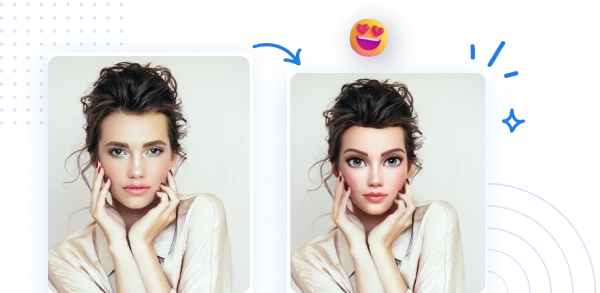
Why Is Everyone Obsessed?
- Money: Professional headshots cost $300+. AI costs pennies (or is free).
- Time: A photoshoot takes half a day. AI takes 30 seconds.
- Ego: Let’s admit it, AI removes that pimple on your chin better than concealer ever could.
How Does "Fotografi AI" Actually Work?
You might think it’s magic, but it’s actually just really smart math. Whether you are using a dedicated photo ai application or a browser-based powerhouse like Pixelfox AI, the process usually follows a similar path.
1. The Input (Garbage In, Garbage Out)
You upload an image. The AI scans it. It looks for facial landmarks, lighting patterns, and depth.
2. The Diffusion Model
This is the "brain." It adds noise (static) to an image and then reverses the process to create something new based on your text prompts or style selection.
3. The Refinement
The AI cleans up the edges. This is where the pros get separated from the amateurs. Bad AI leaves you with six fingers. Good AI, like Pixelfox AI, ensures your hands actually look like hands.
Tip: Don't Over-Prompt! When using a take a picture ai tool or a text-to-image editor, keep it simple. instead of saying "man in suit blue tie office window bright light 4k," try "Professional headshot of a man in a blue suit, office background, natural lighting." The AI gets confused if you yell at it with too many keywords.
Why Traditional "Poto" Apps Are Falling Behind
Here is the dirty secret the app stores won't tell you. Most standalone mobile apps that claim to be the "best poto ai" are actually just wrappers for basic filters. They crash, they are filled with ads, and they compress your image quality until it looks like a potato took the photo.
Plus, they are "one-trick ponies." They might do a face swap, but they can't edit the background. Or they can generate an image, but they can't extend the borders.
This is why savvy creators are switching to comprehensive suites like Pixelfox AI. You need a toolkit, not a toy.
The Pixelfox Advantage
Pixelfox isn't just generating images; it's editing reality.
- AI Avatar: Want to make your photo talk? Check out the AI avatar from Photo feature. It’s perfect for faceless YouTube channels.
- Image Extender: Did you take a photo that’s too zoomed in? Most apps can't fix that. Pixelfox can un-crop images seamlessly.
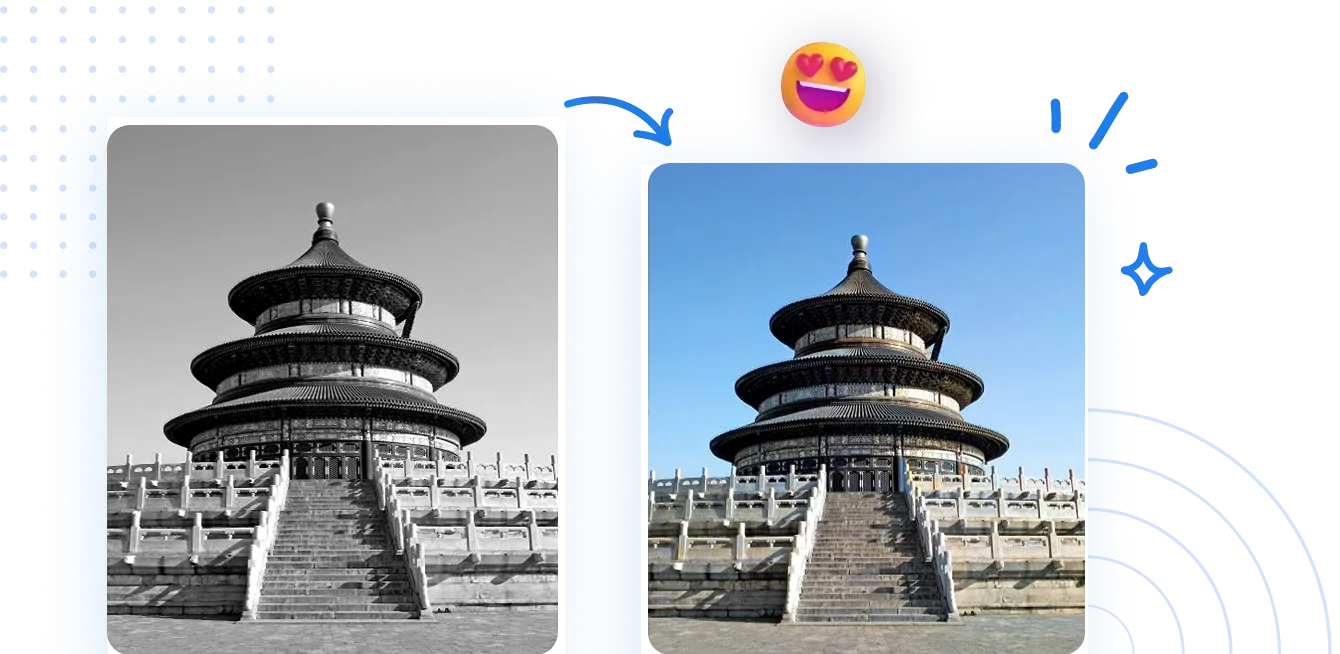
Method Showdown: Traditional vs. AI
Let's look at the numbers. Why should you care about fotografi ai tools compared to the old school way?
Round 1: Photoshop vs. AI
- Photoshop: Requires a subscription, a powerful computer, and roughly 6 months of learning curves just to figure out what the "Lasso Tool" does properly.
- AI Tools: You upload. You click "Edit." You are done.
Round 2: Traditional Photography vs. AI Generation
- Traditional: You need a camera ($1000+), lenses, lighting, and a cooperative subject.
- Take a Picture AI: You can generate a hyper-realistic photo of a lion wearing a tuxedo on Mars while sitting in your pajamas.
Round 3: The "Poto AI" Apps vs. Pixelfox AI
- Generic Apps: Usually limit you to low resolution unless you pay a weekly subscription. Limited control.
- Pixelfox AI: Offers high-resolution outputs and a suite of tools (Blender, Extender, Editor) in one place.
Advanced Playbook: 2 Tricks to Look Like a Pro
Okay, you know the basics. Let's talk about the stuff that actually makes you money or gets you likes. These are the techniques the influencers are gatekeeping.
Trick 1: The "Infinite Canvas" Strategy
One of the biggest annoyances in photography is bad framing. You took a great shot of your product, but you cut off the edge, or you need it to be a 16:9 banner for a website but you shot it in vertical 9:16.
Most people stretch the image (gross) or crop it tighter (losing detail).
The Solution: Use an AI Image Extender Online For Free. This tool literally hallucinates the rest of the room. It looks at the pixels on the edge of your photo and predicts what should be there. It’s perfect for turning Instagram Stories into YouTube Thumbnails without losing quality.
Trick 2: The "Frankenstein" Blender
Sometimes you have a great photo of yourself, but the background is a messy bedroom. You have another photo of a cool neon street, but you aren't in it.
Don't just cut and paste. The lighting will look wrong. Use an AI Image Blender. This adjusts the lighting and color temperature of your foreground to match the background. It makes the composite look real, not like a bad collage project from 3rd grade.
Tip: Watch the Shadows! The number one thing that gives away a fake AI photo is the shadows. If the light is coming from the left in the background, but your face is lit from the right, the human brain instantly knows it's fake. Use Pixelfox’s editing tools to adjust lighting direction to match your scene.
Real-World Case Studies
Talk is cheap. Let’s see how this actually helps real people.
Case Study A: The E-Commerce Savior
The Problem: Sarah runs a vintage clothing store on Etsy. She works from her basement, which has terrible yellow lighting. Her sales were flat because her photos looked amateur. The Solution: She started using poto ai techniques. She took photos of her clothes on a hanger against a plain wall. Then, she used Pixelfox AI to remove the background and generate a clean, "studio minimalist" background. The Result: Her click-through rate increased by 40% because the images looked like they were shot in a professional studio.
Case Study B: The LinkedIn Glow-Up
The Problem: Mark is a developer looking for a job. His profile picture was a crop from a wedding photo where he was holding a beer. Not a great look. The Solution: He didn't have money for a headshot. He uploaded a selfie to a photo ai application model. He used Pixelfox AI to swap his t-shirt for a suit and cleaned up his skin texture. The Result: Recruiters started taking his profile seriously, leading to 3x more interview requests.
Common Mistakes When Using AI Photo Tools
Even though AI is smart, users often make it dumb. Here is how to avoid looking like a rookie.
1. The "Plastic Face" Syndrome
This happens when you set the "denoise" or "beautify" slider to 100%. You lose all skin texture. You don't look human; you look like a mannequin. Fix: Dial it back to 50%. Let some pores show. Realism implies trust.
2. Ignoring Resolution
You generate a cool image, but it's tiny. Then you try to print it, and it looks like pixel soup. Fix: Always use an upscaler. If you generate a small image, run it through an enhancer before posting.
3. The "Bad Hands" Oversight
AI hates hands. It just does. Always check the fingers before you post. If the AI gave you 7 fingers, use an object remover or generative fill (like the AI Image Editing with Text Prompts) to fix it.
FAQ: Questions You Were Too Afraid to Ask
Q: Is Poto AI safe to use with my personal photos? A: Generally, yes, but read the privacy policy. Reputable tools like Pixelfox AI prioritize user privacy. Be careful with sketchy, random apps that pop up on social media ads; they might sell your data.
Q: Can I use Poto AI for videos? A: Yes! The tech is moving fast. You can animate static images. For instance, you can create an AI avatar from Photo that speaks with your voice. It’s wild stuff.
Q: What is the difference between "filtering" and "generative AI"? A: A filter just puts a color layer over your photo (like Instagram). Generative AI (what we are talking about) actually creates new pixels that didn't exist before. It’s the difference between putting on makeup and getting plastic surgery.
Q: Why do my AI photos look like cartoons? A: You might be using a model trained on anime or art. If you want realism, make sure you are using a "photorealistic" model or prompt. Or, if you want that look, lean into it!
The Verdict
Look, the world of fotografi ai is moving faster than a cheetah on espresso. The term poto ai might just be a keyword today, but it represents a massive shift in how we create.
You no longer need to be a technical wizard to create stunning visuals. You just need a creative idea and the right tool.
While there are dozens of apps out there, many are just cash grabs. If you want a tool that combines the ease of a photo ai application with the power of professional desktop software, you need something robust.
Don't settle for blurry, plastic-looking results. Whether you are trying to fix a bad selfie, create a talking avatar for your business, or just take a picture ai style for fun, the quality of your tool matters.
Ready to stop fighting with Photoshop? Jump into Pixelfox AI right now. Try the Image Extender or the AI Editor for free and see how much time you can save. Your future self (and your Instagram feed) will thank you.