 Credit

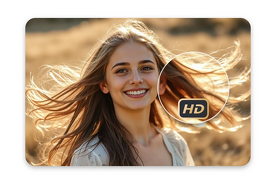
Have you ever had a fantastic picture that seemed too small or blurry when magnified? That is where AI image upscaling comes in. Now you can easily expand pictures online without any detail loss with the new technology, and it is possible due to AI-based free upscale enlargement software, which will intelligently improve resolution and sharpness.
You can have AI-powered tools to make it easy, quick and correct, be it in terms of printing a photo, posting online, or resizing it to fit a project. These are intelligent algorithms which extend beyond pixel stretching; they revitalize textures, colors and edges to produce a natural, high-quality image.
We will discuss here how to make your photos appear crystal-clear in only a few clicks and how to enlarge them online.
Why Use AI to Enlarge Pictures Online?
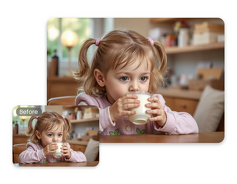
Old-fashioned resizing applications just expand by stretching pixels and produce blurred or blocky images. Instead, AI photo enlargers will reconstruct your picture pixel by pixel, which results in a cleaner and sharper picture. The reason why they are the best solution is as follows:
No Quality Loss: AI recreates lost information to achieve ultra-sharp images.
Faster than Manual Editing: Upload, scale and download in seconds.
Preserves Textures: The skin, cloth, and ground elements remain lifelike.
Free & Accessible: Most free and accessible upscale AI tools are web-based and user-friendly.
Ideal for All Uses: Perfect to be used by the photographers, designers and daily users.
All these characteristics make AI upscalers the best method of enhancing image quality online.
How to Enlarge Pictures Online (Step-by-Step)
Here's a Cheat Sheet to how you can use AI online to enlarge your images without having to know anything about editing:
· Choose an AI Photo Enlarger
Begin with a reliable AI picture enlarger such as Pixelfox AI, Upscale.media or Fotor AI Enlarger. Such tools are based on deep-learning models of precision upscaling.
· Upload Your Picture
Drag and drop your picture into the tool. Supported formats are JPG, PNG, and WebP.
· Select Enlargement Level
Select the degree of enlargement of the image: 2x, 4x, or 8x. The AI options of upscale, free and enlarge do not distort the quality.
· AI Enhancement in Action
The AI scans the textures and edges of your picture as well as the color gradients and recreates the missing pixels to give the picture the appearance of a natural increase in size and sharpness.
· Preview and Download
After that, view the improved image and save it in high definition. You will have a high-quality image of professional calibre that will look great on any screen or print.
Benefits of Enlarging Images with AI
An AI-enhanced photo enlarger is much more successful than the traditional way of enlarging the photo:
Sharper Details: AI guarantees clean edges and sharp lines.
Color Accuracy: The system preserves the original colors and contrast of your image.
No Pixelation: Huge pictures remain clear at 4x or 8x.
Time Efficiency: Takes less than one minute to accomplish the process.
Automatic Processing: No manual correction or complicated filters are required.
The distinction is obvious; AI does not simply enlarge your photo; it just reconstructs it.
Best Use Cases for Online Image Enlargement
· Printing Large Photos
Transform your online pictures into posters, banners, or framed prints with no loss in quality.
· Restoring Old or Low-Quality Images
Revive damaged or tiny photographs in sharper resolution with renewed clarity.
· Social Media & Digital Projects
To optimize photos to be shared online, they have to be kept sharp and attractive on any device.
· Product & eCommerce Photos
Prepare high-quality small product images to be used in websites or catalogues.
· Graphic Design & Marketing
Scale down logos, backgrounds, and banners to different sizes without compromising quality.
Tips for Getting the Best Enlargement Results
· Post only the best possible version of your photo.
· Select best detail restoration with 4x or 8x scaling.
· Do not upscale undersized or under-illuminated images.
· Store your final output in PNG format to be as clear as possible.
· Compare before and after previews to make sure that the outcome matches your requirements.
Minor adjustments can achieve a lot to look like the enlarged image.
FAQs
Can I enlarge pictures online for free?
Yes! There are numerous free enlarge and upscale AI tools that upscale and resize images at no cost and with no registration.
Will enlarging a photo reduce quality?
Not with AI. Intelligent AI photo enlargements restructure details to preserve and even enhance image clarity.
Can I make an image longer or wider?
Yes, AI tools may lengthen an image or alter dimensions, preserving proportions that are natural.
Is AI image upscaling safe?
Indeed, the vast majority of online sources automatically delete uploaded files after processing as a privacy precaution.
Final Thoughts
In case you have ever wondered how you can make pictures bigger on the internet without losing sharpness or pixels, AI tools are the solution. Make any image bigger, sharper, and more detailed with the help of AI photo enlargers, all in a couple of seconds.
To enhance ancient memories and create print-ready images, AI-based upscaling enables one to reach a quality of a professional image more than ever.
“Test a free AI upscale service now and see how your small photos change to gorgeous high-quality paintings.”