 Credit

Creating believable characters that can speak is a cornerstone of animation. It’s the magic that transforms a static drawing or a silent 3D model into a personality we can connect with. This magic is called lip sync animation. For years, it was a complex and time-consuming task reserved for seasoned professionals. Today, thanks to new techniques and powerful AI tools, anyone can learn to make their characters talk. This comprehensive lip sync guide will walk you through everything you need to know in 2025, from the basic principles of mouth movements to the latest in automated technology. Whether you're a beginner or a seasoned animator looking to speed up your workflow, you'll find valuable insights here.
What is Lip Sync Animation and Why Is It Important?
Lip sync animation is the process of matching a character's mouth movements to a pre-recorded audio track of speech or singing. The goal is to create the illusion that the character is actually speaking the words. This goes far beyond just opening and closing the mouth; it involves creating specific shapes that correspond to the sounds, or phonemes, of a language. When done well, lip animation adds a deep layer of realism and emotional depth to a character.
A character's performance relies heavily on convincing dialogue delivery. Without it, the connection with the audience is lost. Poor lip-syncing can be distracting and make an otherwise great animation feel cheap or unprofessional. This is true for all styles, from hyper-realistic 3D films to stylized lipsync cartoon productions. As animator Kuzillon notes in his popular tutorials, even a slight change in head position or a blink can make a talking character feel much more natural, but the mouth is where the core performance happens.
The Fundamentals: Understanding Lip Sync Mouths (Visemes)
To master lip sync, you first need to understand the building blocks of speech animation. Spoken words are made of sounds called phonemes. The visual shapes our mouths make to produce these sounds are called visemes. You don't need to create a unique mouth shape for every single sound. Many different sounds create the same visual shape. For example, the sounds for "P," "B," and "M" all start with a closed mouth. Animators group these into a single viseme.
Most lip sync mouth animation relies on a standard set of about 8 to 15 key visemes. You can find many phoneme charts online, like the ones shared in animation communities on Reddit, which are great starting points.
Here are the most essential lip sync mouths you need to know:
-
Neutral/Silence (Sil): This is the closed-mouth resting pose. It’s used for pauses and for sounds like M, B, and P. The lips are closed but relaxed. For more enunciated sounds, the mouth might press together more tightly.
-
Aah/Ahh: This is a wide-open mouth shape. The jaw drops, and the mouth is vertically stretched. This viseme is used for the vowel sound in words like "hot" or "father."
-
Ee: For the "ee" sound in "feet," the mouth stretches horizontally, almost like a smile. The teeth are often visible and close together. It's a key shape for showing certain types of happy expressions during speech.
-
Oh/Ooh: This shape is created by rounding the lips into a small circle or "O" shape. It’s used for the vowels in "boat" and "food." The more pronounced the "ooh" sound, the more the lips will pucker forward.
-
F/V: To make these sounds, the upper teeth rest gently on the lower lip. The mouth is only slightly open. This is a subtle but very important shape for creating realistic speech.
-
L/D/T/N: These sounds are all made with the tongue. For the "L" sound, the tongue touches the roof of the mouth or upper teeth. For "D," "T," and "N," the tongue is positioned just behind the upper teeth. From the front, these shapes can look very similar, often appearing as a slightly open mouth. Animator @stemmmm on Tumblr wisely points out that people talk quickly, and these mouth shapes often blend together, so you don't need to animate every single one distinctly.
-
S/Z/Ch/J: These sounds are made with the teeth close together. For "S" and "Z," the mouth is slightly open with the lips pulled back. For "Ch" and "J," the lips are a bit more puckered and pushed forward.
A Practical Lip Sync Guide: Traditional Techniques
Before AI, lip sync animation was done entirely by hand, frame by frame. While demanding, this method gives the animator complete control. Even if you plan to use AI, understanding these traditional techniques will dramatically improve your results.
Using Reference: The Mirror and Camera Trick
The single best tip for any animator is to use a reference. You don't need fancy equipment. As recommended in many professional guides, a small mirror or your phone's camera is your best friend. Say the lines of dialogue you want to animate out loud. Watch your own mouth. Pay attention to which shapes are the most important and which ones are skipped or blended in natural speech. This practice helps you avoid "over-animating," a common beginner mistake where the mouth moves too much and looks robotic. You’ll notice that your mouth doesn't form a perfect, distinct shape for every single syllable. This observation is key to creating natural mouth movements animation.
The Frame-by-Frame Workflow
- Break Down the Audio: Import your audio file into your animation software. Listen to it frame by frame. This is called "scrubbing." Identify the exact frames where each key sound occurs.
- Create an Exposure Sheet (X-Sheet): On a chart, write down the dialogue and mark which viseme (mouth shape) should be on which frame. This is your blueprint for the animation.
- Draw the Key Poses: Draw or pose your character's mouth for the most important visemes you identified. These are your keyframes.
- Add In-Betweens: Create the frames that transition between your key poses. Sometimes, you can hold a mouth shape for several frames. Other times, you’ll need a smooth transition from one shape to another. The goal is flow, not just a sequence of static shapes.
Common Pitfalls and How to Fix Them
A frequent problem in lip sync animation is timing. Often, the mouth shapes appear slightly after the sound is heard. This makes the sync feel off. A quick fix is to shift your drawn mouth frames one or two frames before the sound actually occurs in the audio track. The visual should anticipate the sound.
Another tip is to remember the rest of the character. Is the character blinking? Are they tilting their head or raising their eyebrows to emphasize a word? Adding these secondary animations makes the lip sync mouth animation feel integrated and much more alive.
The Future is Now: AI-Powered Lip Sync Animation
The traditional process is an art form, but it is incredibly labor-intensive. This is where Artificial Intelligence has completely changed the game. AI-powered tools can analyze an audio file and automatically generate a lip sync animation in a fraction of the time.
Tech giants like Adobe have integrated AI into their software. Adobe Sensei, the AI engine behind products like Adobe Character Animator and Adobe Animate, can automatically match phonemes in an audio file to a library of visemes you create for your character. Blender, a popular free animation software, also has a powerful built-in Lip Sync add-on, as shown in tutorials by creators like MK Graphics. This add-on analyzes an audio file and automatically generates keyframes for your character's shape keys.
How AI Tools Streamline the Workflow
The process with AI is refreshingly simple. Instead of manually mapping sounds to frames, you typically just:
- Upload your character (a video, 3D model, or even a still photo).
- Upload your audio file (a voiceover, dialogue, or song).
- Click "Generate."
The AI handles the heavy lifting, analyzing the audio waveform and applying the correct lip sync mouths at the right time.
Introducing Pixelfox AI: Your Go-To Lip Sync Solution
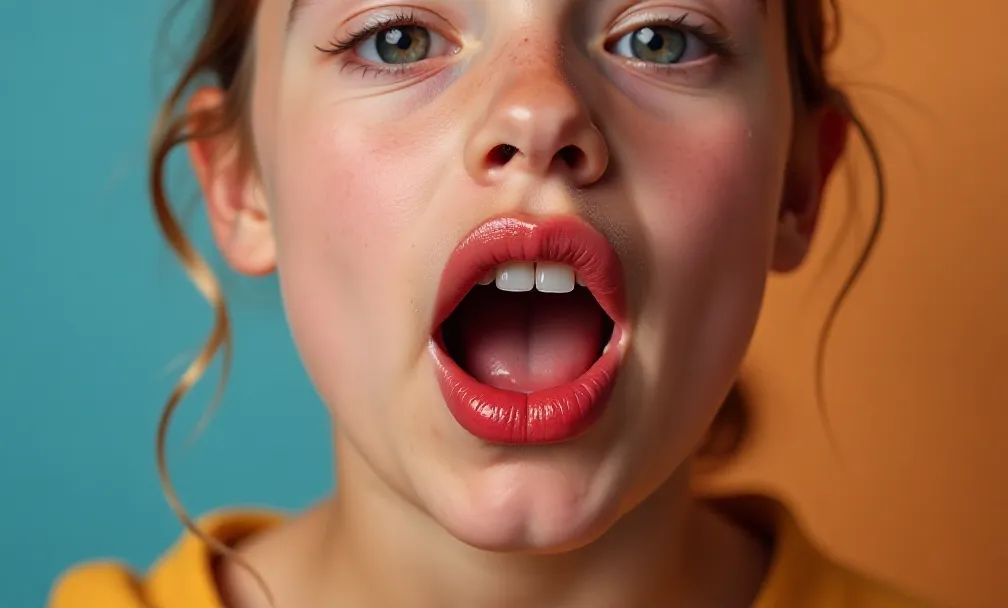
For those who want professional results without the steep learning curve of complex software, dedicated online tools are the perfect solution. Pixelfox AI is designed to make high-quality lip sync animation accessible to everyone. With tools like an AI Lip Sync generator, the process becomes incredibly simple. You can upload a video and a separate audio track, and our AI will seamlessly sync them, making it look like the person was speaking those words all along. This is perfect for dubbing videos into other languages, correcting mistakes in interviews, or creating marketing content.
Beyond Dialogue: Creative Uses of AI Lip Sync
AI lip-sync technology opens up a world of creative possibilities beyond just animating dialogue for cartoons. You can make a still image come to life with AI face singing technology, turning a friend's photo into a hilarious singing meme. You can also create a compelling AI photo talking avatar for your next presentation or social media post. These tools use the same core principles of lip animation to create engaging and dynamic content from static sources.
Combining Techniques for Professional Results
Is AI a replacement for animators? Not at all. It's a powerful tool that should be part of every animator's toolkit. For the absolute best results, professionals often use a hybrid approach. They use an AI generator to create a solid first pass of the lip sync animation. This saves hours or even days of tedious work.
Then, they go back into their animation software and manually tweak the results. They might adjust the timing on a few key phrases, exaggerate a mouth shape for emotional impact, or add a custom expression that the AI missed. As the Blender tutorial on lip-syncing points out, you can get a great result from the add-on and then manually keyframe the tongue and teeth for that extra layer of realism. This combination of AI efficiency and human artistry is the future of professional animation.
Getting Started: Tools and Resources
Ready to start your journey into lip sync animation? Here are some tools and resources to get you going.
-
Software for Manual Animation:
- Blender: A free, open-source, and incredibly powerful 3D animation suite. Its Lip Sync add-on is a fantastic starting point.
- Adobe Animate & Character Animator: Industry-standard tools for 2D animation, with powerful AI-assisted lip-syncing features.
-
AI Lip Sync Generators:
- Pixelfox AI: An easy-to-use, web-based tool for creating high-quality AI lip-sync videos, talking photos, and singing portraits.
- Sync.so: Another powerful online tool focused on providing realistic lipsync for video content.
-
Learning Resources:
- YouTube Tutorials: Channels like Kuzillon offer excellent, concise guides on the principles of lip-sync.
- Community Blogs and Forums: Resources like the Tumblr animation community or the r/animation subreddit are filled with guides and tips from animators.
Conclusion
Lip sync animation is an essential skill for bringing characters to life, and it has never been more accessible. By understanding the fundamentals of mouth shapes and timing, you can create compelling performances using traditional methods. At the same time, embracing modern tools like Pixelfox AI can drastically speed up your workflow and unlock new creative avenues. The best animators of 2025 and beyond will be those who can blend artistic principles with technological innovation.
Ready to bring your own characters to life? Try the suite of animation tools at Pixelfox AI today and see the magic for yourself