 Credit

How to Remove Watermarks from Videos Quickly and for Free
It is annoying to find a perfect video to use in your project and then observe an ugly water-mark on the video.
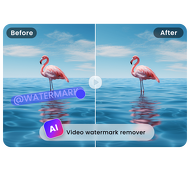
This text or logo in the corner spoils a very good clip. One needs a simple way to remove the watermark video contents without spending money on expensive programs and professional editing techniques. It is now possible to all users due to the modern AI tools. A watermark eraser will automatically identify and remove such undesirable aspects and revert your video to its clear professional condition. This tutorial explains the functioning of these tools and their usage without incurring any charges.
What is a Video Watermark?
Video watermark is a semi-transparent logo, text or graphic superimposition on video material. Such watermarks are used by creators and corporations to protect copyright or market their brand or indicate the provenance of the material. Even though the watermarks are necessary in terms of the defense of the intellectual property, they can be distracting to those who purchase the video justly or have acquired the video in a legal manner. Watermark elimination requires specialised software that is able to rebuild the video content behind the watermark.
A video watermark is an overlay that is visible on video content to mark ownership or off their brand. It is usually a semi-transparent logo or texted in one side or corner of the frame.
How Does a Watermark Eraser Work?
Watermark remover systems that are based on AI utilize advanced machine-learning algorithms to analyze the video content. The technology is conditioned using millions of video frames with and without watermarks. It is trained to recognize the patterns found in the typical watermarks, and then it reinvents the missing background information of the common watermarks.
The process involves three main steps:
1. Detection: The AI scans each frame to identify the watermark's position, size, and transparency.
2. Analysis: The algorithm studies the surrounding pixels to understand what content should be behind the watermark.
3. Reconstruction: Using pattern recognition, the AI fills in the missing area with content that matches the rest of the video.
Introducing Pixelfox.ai's Watermark Removal Tool
At Pixelfox.ai we have created an advanced watermark eraser and it is easy to remove unwanted elements. Our tool is aimed at preserving the quality of video and removing distractions altogether. It does not need any technical skills to use it, simply upload your video, mark the watermark space, and leave the rest to our artificial intelligence. Our algorithms have been optimised to support different types of watermarks and maintain the original video quality.
How to Remove Watermarks in 3 Simple Steps
Using a free online watermark remover is straightforward. The entire process takes just a few minutes.
1. Video Recommendation: Go to Pixelfox.ai and upload your video file. The majority of tools work with such typical formats as MP4, MOV and AVI.
2. Choose Watermark Area: The selection tool is used to highlight the area where the watermark is to be. There are some sophisticated tools, which recognize watermarks automatically.
3. Process and Download: Click on the process button. The watermark will be analyzed by the AI and eliminated. Watch preview, and download your clean video.
What Makes a Good Watermark Removal Tool?
Not all watermark removers deliver quality results. An effective tool should offer:
Quality Maintenance: The cleaned section must be well integrated with the rest of the video.
Ease of Use: Easy interface which does not involve editing experience.
Speed: Quick processing that is not hours-long.
Format Support: Supports different video file formats.
Privacy Security: Does not keep your videos once they have been processed.
Pixelfox.ai tool fulfills all these needs with the secure processing which automatically removes your files upon completion.
When Can You Realistically Remove a Watermark?
The success would be based on a number of factors. Uncomplicated, plain-text watermarks on videos that are of high quality are most simple to erase. The tool is effective when the watermark:
Is regularly placed throughout the video.
Does not cover significant moving things.
Is not excessive in reference to frame size.
Occurs on somewhat stable areas of the background.
It eliminates in a realistic manner watermarks that are static, semi-transparent, and are over textures or patterns that are homogenous. Multicolored watermarks that move or occupy finer areas are more complicated.
Limitations of Watermark Removal Technology
Although AI has come to a higher level, there are still certain limitations:
- Water marks which are moving are not easy to erase.
- Artifacts may be left by watermarks on complex moving objects.
- immensely large watermarks do not clean out well.
- Videos of very low quality are not easy to process.
The technology only works with standard watermarks in corners or edges as opposed to ones covering central content.
Ethical Considerations for Watermark Removal
One should be ethical in the use of these tools. Take out the watermarks of the videos that you own the right to use. Do not take away copyright protection over material, which you do not own. fair uses are:
- Eliminating your outdated branding on videos.
- Removing watermarks on your bought videos.
- Cleaning up videos with the permission of the copyright holder.
- Stock footage that can be watermarked out of afterwards, using the license.
Why Choose an Online Watermark Remover?
Online tools offer significant advantages over desktop software:
No software to install: Operates on your web browser.
No fast computer required: Processing occurs on off-cloud servers.
Up-to-date: You never need to wait before you get the latest version.
Anywhere Accessible: Can work on any internet connected device.
Affordable: A large number of them are free or low priced.
Pixelfox.ai's Free Watermark Removal Features
Our free tier provides:
Several free video processes per month
Support for videos up to 1080p resolution
Processing for videos up to 5 minutes long
Multiple format support (MP4, MOV, AVI)
No watermark added to output videos
Tips for Best Watermark Removal Results
Follow these suggestions for optimal outcomes:
1. Use source videos of high quality: Higher input quality is higher in the results.
2. Select videos that have still backgrounds: It is more difficult to eliminate watermarks on video than on the move.
3. Pick the area accurately: Accurate picking assists the AI to perform better.
4. Test various processing options: There are tools that provide various algorithms of removal.
5. Preview downloading: Before final processing review results.
Common Uses for Watermark Removal
People use these tools for various legitimate purposes:
- Content creators removing old branding from their videos
- Businesses cleaning up promotional materials
- Educators preparing classroom content
- Social media managers creating clean posts
- Video editors working with stock footage
Is Free Watermark Removal Effective?
Yes, the recent AI applications deliver impressive output with most of the popular types of watermarks. Most of the typical watermarks can be removed using free online software, although terribly complex cases may need to undergo professional editing. The technology has been developed over the last few years and what was originally a professional work has become available to all people.
Try Free Watermark Removal Today
Do not let the watermarks spoil your ideal video. Pixelfox.ai is a free method of trying out our tech. Video upload, experiment with the removal process and get results yourself. It only takes a few minutes and you can download your cleaned video instantly and you do not need any registration.
FAQ
Q: Can the watermarks be removed in videos?
A: It can only be legal provided that you are the owner of the copyright or have the consent of the copyright bearer. It is copyright infringement to delete watermarks of an unknown content.
Q: What is the time of removal of a watermark?
A: The average duration of video processing varies between 2 and 5 minutes based on the length and resolution. Videos longer will require more time.
Q: Will the area that has been pulled out appear natural?
A: Yes, it is the AI technology that creates the background based on the available content. In the case of the majority of watermarks, the outcome is smooth and invisible.
Q: What types of video are supported?
A: The majority of tools can handle such popular formats as MP4, MOV, AVI, and WEBM. Breadth requirement of check specific tools.
Q: Does it have a video size restriction on the free removal?
A: Free plans usually have a length restriction (usually 2-5 minutes). The long videos might need a premium plan or processing.