 Credit

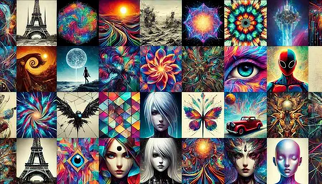
Artificial intelligence art has conquered social media, design circles, and digital narration, rightfully so. AI can generate a piece of art in thousands of styles within seconds, all with a simple prompt or with a picture uploaded. From watercolour to anime or hyperrealistic painting, creativity is no longer exclusive to a few with the advent of the AI art style trend.
Whether you are an artist, a marketer, or just someone who prefers to have fun, new AI tools enable you to try numerous visual looks without drawing or having advanced software.
What Is AI Art?
The artwork made through artificial intelligence is called AI art. The AI algorithm is used to analyze millions of visual patterns, brush strokes, color palettes, lighting effects and textures and then uses them to create a new image depending on what you ask it to create.
It works by just telling the AI what you desire, or by providing a reference image, and the AI generates an illustration in the style that you have chosen. It is quick, precise, and incredibly innovative.
Why AI Art Style Is So Popular
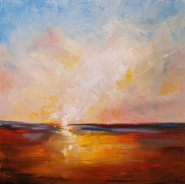
The styles of AI art become viral as it provides you with creative freedom. You do not need to draw, paint or learn any complicated design tools. With AI:
· You may make anything out of a work of art.
· You may experiment with hundreds of styles, from cartoon to oil painting.
· You have the option of developing customized illustrations of branding, stories, thumbnails, and others.
· You are able to experiment with ideas which would take hours to develop.
It can be a fantasy scene, it can be a futuristic portrait, it can be the old-fashioned photo style, and it is easy to imagine it with the help of AI.
Best Ways to Use AI Art Styles
· Transform Photos Into Digital Art
Select a picture and use an AI art style of your preference, such as watercolour, anime, cyberpunk, abstract paint strokes, and others. The artificial intelligence will do an analysis of your picture and reproduce it in an artistic style.
· Generate Artwork From Text Prompts
Just explain what you wish:
“A watercolour depiction of a sunset is dreamy.”
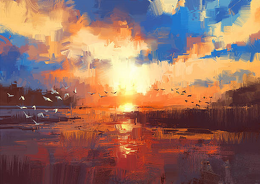
“Neon cityscape art Cyberpunk art”
Your words are transformed into picturesque artistic sets with the help of the AI style generator.
3. Create Branding & Social Media Graphics
In contemporary designs, AI is applied to create posters, banners, thumbnails, and reels with a uniform art style that helps them stand out.
4. Experiment with Different Styles Instantly
Try:
Digital painting
Anime
3D character art
Pencil sketch
Pop art
Realistic portrait art
It is easy to create an infinite number of variations.
Popular AI Art Styles
Here are some popular art styles one can try:
· Watercolor AI Art Style
It is light, plush, and dreamlike, ideal in the case of aesthetic content or sleepy drawings.
· Anime Art Style
Bright colors, features of expression, shading. Easy to design characters and to tell stories.
· Realistic Painting Style
It provides a realistic but professional touch to your photos, like the olden-day portrait painters.
· Cyberpunk Neon Style
Flashy lights, modernistic themes and glowing colors which can be seen immediately on the internet.
· Vintage & Film Style
Feeds grain, has plenty of warm components, and has a vintage texture to throw back to art.
How to Create AI Art Style Online
1. Upload Your Image or Write a Prompt
2. Select Your Art Style
3. Apply the AI Style Filter
4. Adjust Details (Optional)
5. Download Your Artwork
Store your complete work in HD and share it on social media, in projects or in personal portfolios.
Best AI Tools for Art Styles
· Pixelfox AI Art Style Generator (Recommended)
It produces beautiful and clean art using various original styles and quick processing.
· OpenAI DALL·E
This one is perfect in the case of images based on time with customized art styles.
· Midjourney
It is known to have dramatic and cinematic styles of art.
· Fotor & Canva AI
Fotor provides fast art filters and stylization.
Why AI Art Styles Matter Today
Below are some reasons why AI art is getting popular in the modern days:
· They make creativity easier for novices.
· They assist the professionals in accelerating design processes.
· They open up visual possibilities.
· They allow you to experiment with an infinite number of styles in real time.
· They make digital art creation available to all
AI is not taking over the artists; it is giving them superpowers.
Final Thoughts
The AI art style is changing rapidly, and it is accessible to unlimited creativity. AI makes the task easy whether you want to share the ideas visually, experiment with new styles, or create unique illustrations to be used personally or in business.
You can make art in a few seconds using programs such as Pixelfox AI Art Style Generator all you need to do is be imaginative and creative and the program does the rest, creating a work of art without spending even a single penny.