 Credit

Short-form video is still eating the internet alive. According to Statista’s social media trend reporting, people keep shifting attention from static posts to video, and yeah… your photo that doesn’t move now feels like a silent movie nobody asked for. That’s why a face animation app (aka ai face animation / face moving app) is suddenly “must-have,” not just “nice-to-have.” This guide helps you pick one that looks good, loads fast, and doesn’t treat your face like free seafood for the data-hungry sharks.
Suggested URL: /blog/best-face-animation-app-2026
What a face animation app actually does (and why some look cursed)
A modern face animation app usually does three jobs:
- Find the face (eyes, mouth corners, jawline) using facial landmarks
- Predict motion (blink, smile, head tilt, lip shapes) based on a template or audio
- Render frames (stitch it into a video that should look human)
When it goes wrong, it goes spectacularly wrong. Big teeth. Rubber skin. Eyes that stare into your soul like a tax auditor.
Here’s the boring truth (and it matters): most “bad” results come from mismatch.
- The app expects a clear face, but you fed it a tiny face in the background
- The audio is fast, but the motion preset is slow
- The tool over-smooths or compresses the output, so it turns into mush
- Servers are overloaded, so quality gets sacrificed for speed
Nielsen Norman Group has long pointed out that users bail fast when tools feel confusing or slow. Face animation tools are the same. If it takes forever, or the UI hides key controls, people quit and go complain on the App Store (as they should).
Quick picks: best face animation app choices in 2026
You’ll see a lot of “top apps” lists that are basically ads wearing a fake mustache. This one is built around real user pain: paywalls, weird results, slow renders, and privacy anxiety.
| Tool | Platform | Best for | Pricing vibe | What to watch |
|---|---|---|---|---|
| Pixelfox AI | Web (works on mobile/desktop) | Singing/lip-sync, avatars, fast exports | Free + paid | Strong control + no-watermark exports (even free) |
| Revive | iOS | Singing/talking + trendy effects | Free + subscription/IAP | Privacy prompts + complaints about waits/crashes |
| FaceDance | iOS | Meme songs, TikTok-style dances | Trial + subscription | Some users report sync issues + distortion |
| Nero AI Face Animation | Web | Simple face template animations | Credits-based | Can look blurry; templates limited |
| Avatarify / Anyface | Android (varies) | Animator-style face motion | Freemium (varies) | Quality depends a lot on device + setup |
| CrazyTalk | Desktop | Pro talking heads / lip sync | Paid software | Powerful, but learning curve is real |
If you want the quickest route to “wow, this actually looks shareable,” Pixelfox AI is the one I keep coming back to.
Why Pixelfox AI is my default face animation app (yes, even in 2026)
Most apps try to trap you in the same three-step horror story:
1) “Free” download
2) Make one video
3) Paywall jump-scare 💸
Pixelfox AI does the opposite. It feels built for people who actually want output, not an argument.
- 1-minute free audio uploads (perfect for hooks and choruses)
- No watermarks on downloads (even on free exports)
- Drag-and-drop workflow (fast on desktop, not painful on mobile)
- Preview & regenerate quickly (so you can fix things without starting over)
And it plugs into the exact stuff people want from a face moving app: singing, talking, performing, and meme-ready results.
Pixelfox AI Face Singing (lip-sync that doesn’t look haunted)
If your main goal is “make this photo sing,” start here: AI Face Singing - Lip Sync Photos to Any Song.
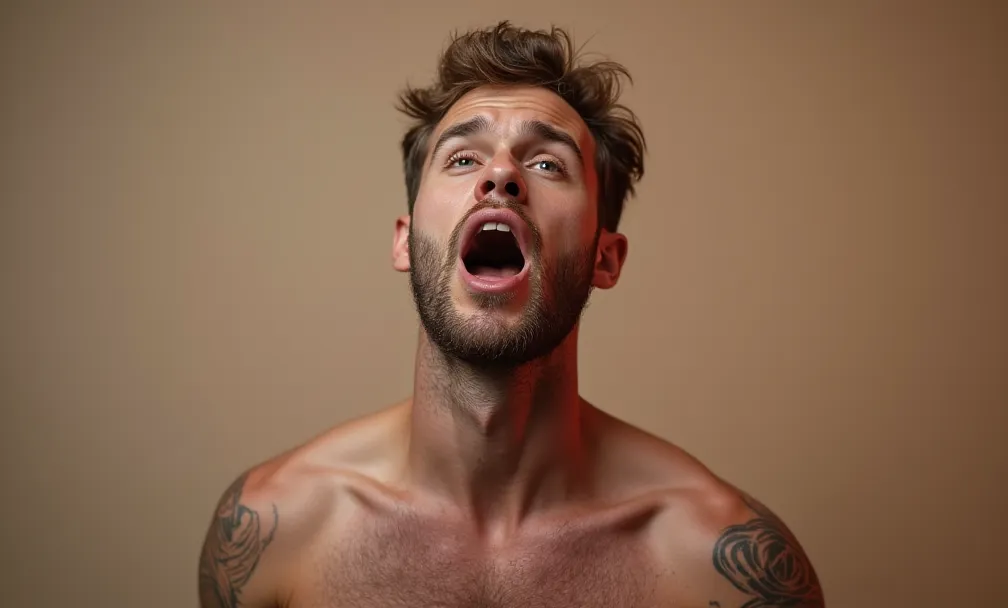
What makes it hit different is control. You can pick a vibe, not just “one animation fits all”:
- Active: high energy, big expressions (pop, rap, rock)
- Normal: balanced and natural (works for most tracks)
- Calm: subtle motion (ballads, slow songs, less meme-y, more sweet)
You can also tune:
- head movement intensity
- mouth sync precision
- blinking (tiny detail, huge realism boost)
That’s how you get results that look like a performance, not a glitch.
Tip #1: If the face looks “off,” don’t blame the AI first. Crop tighter so the face takes up more of the frame. Most face animation models behave better when the face is big, clear, and front-ish. (Yes, “front-ish” is a technical term 😄)
Pixelfox AI Avatar from Photo (talking head content without hiring an actor)
Need a spokesperson style video for promos, explainers, or “hey team” updates? Use AI Avatar from Photo – Make Pictures Talk, Sing, Perform - Pixelfox AI.
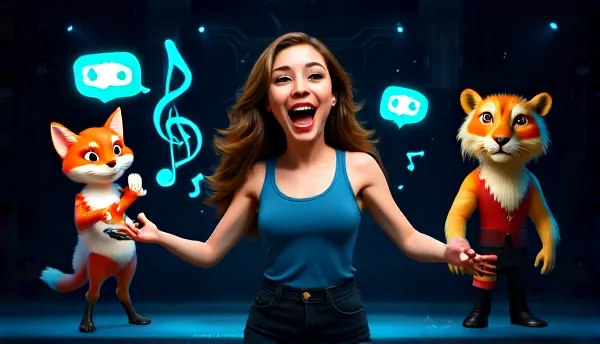
This is the smarter, less cringe way to do “virtual humans” content, especially if you:
- don’t want to show your face on camera
- need consistent brand output
- want fast iterations for ads and landing pages
Gartner has been loudly signaling that synthetic media and generative AI are becoming standard tools in marketing workflows. Translation: this isn’t a gimmick anymore. It’s a production shortcut.
Bonus chaos (or polish): Face Swap + Face Reshape
Sometimes you want realism. Sometimes you want pure meme energy. Pixelfox can do both.
- For swapping faces in images: Free AI Face Swap Tool – Swap Faces in Photos Easily | Pixelfox AI
- For swapping faces in videos: AI Video Face Swap Online – Natural Swap by Pixelfox AI
- For fixing proportions (subtle edits): AI Face Reshape - Edit facial features

A lot of creators do a simple combo:
- reshape slightly (natural tweaks)
- then animate singing
- then export and post
It’s like grooming before a job interview, except the job is “go viral.”
Tip #2: Match the song to the face. A calm portrait with a screaming metal track usually looks weird. A high-energy selfie with a slow lullaby looks like the person is held hostage. Pick audio that fits the photo’s vibe and lighting. It saves you so many rerenders.
Step-by-step: make a photo move without it looking weird (Pixelfox workflow)
This is the basic workflow that keeps results looking clean.
1) Pick the right photo (this matters more than people admit)
Use a photo where:
- the face is sharp (not blurry)
- the mouth is visible (no hand, mic, giant sunglasses)
- lighting is even (avoid harsh shadows across the lips)
Old photos can work too, but scan them well. Low-res in = low-res out.
2) Choose your animation goal
Ask one question: do you want template motion or audio-driven lip sync?
- Template motion = quick expressions (wink, nod, smile)
- Audio-driven = singing/talking realism
For singing, use Pixelfox’s Face Singing tool and upload audio (MP3/WAV is the usual standard). Keep it under a minute if you want to stay in the free zone.
3) Tune movement so it looks human
If the result feels “too much,” lower intensity.
If it feels dead, increase head movement slightly and add blink.
You’re aiming for “believable,” not “possessed.”
4) Preview, regenerate, export
This is where Pixelfox is honestly a time-saver. Quick preview + quick reruns means you stop wasting time arguing with a tool.
Advanced plays: pro-level face animation tricks (not just “tap and pray”)
These are the moves that separate “lol” from “wow.”
1) Create a hook library (so you don’t burn hours every post)
Short-form content lives or dies in the first second. So build a tiny library:
- 5 different songs/hooks
- 2 movement styles per hook (Active and Normal is a great pair)
- same face photo
Now you have 10 variants ready for testing. This is how creators stay consistent without melting down.
2) Use “controlled realism” for ads (yes, ads can be fun)
When you’re making marketing content, go less extreme:
- choose Normal or Calm
- reduce head movement intensity
- keep blink subtle
That “almost real” look tends to feel more trustworthy.
Forrester regularly emphasizes that trust drives conversion. People don’t buy from content that screams “fake.”
Real-world case studies (how people actually use a face moving app)
Case study 1: The creator who needed 15 videos fast (and didn’t want to film)
A small creator (think coach/teacher style content) wanted daily short videos but hated recording. They used one good portrait, then ran multiple audio clips through Pixelfox Face Singing.
What made it work:
- consistent lighting in the base photo
- “Normal” style for most clips
- “Active” only for punchy, meme-ish hooks
Result: they got a repeatable pipeline. No camera setup. No retakes. No “ugh I hate my voice” spiral.
Case study 2: The family birthday video that didn’t turn creepy
A family wanted to animate a relative’s photo for a birthday montage. The goal was sweet, not weird.
What made it work:
- cropped the photo so the face was large
- used a gentle song segment
- picked Calm motion and minimal head movement
- regenerated until the mouth timing looked natural
The vibe stayed respectful. No jump-scare uncanny valley moment. Everyone cried the good kind of tears.
(And yes, this is the kind of thing people try to do in apps like Revive too. The difference is how much control you get and how hard the paywall hits.)
Common mistakes with a face animation app (and how to fix them)
New users make the same mistakes over and over. It’s almost comforting. Almost.
Mistake 1: Using a tiny face in a full-body photo
Fix: crop in so the face takes up a big chunk of the frame.
Mistake 2: Blurry inputs and expecting movie-quality output
Fix: use a sharper photo, or upscale it with a dedicated enhancer before animating.
Mistake 3: Covering the mouth (hands, mic, beard shadows)
Fix: choose a photo with a clear mouth area, or switch to a different shot.
Mistake 4: Picking the wrong motion style for the audio
Fix: fast song → Active, normal speech/music → Normal, slow song → Calm.
Mistake 5: Overdoing intensity until it looks like a puppet
Fix: reduce head movement and let lip sync do the heavy lifting.
Mistake 6: Ignoring privacy screens and blindly tapping “Agree”
Fix: read what data the app collects. Some apps request biometric/facial data consent and may collect identifiers and usage data (you can literally see this kind of disclosure in app store privacy sections). If that bugs you, pick a tool with clearer privacy posture and fewer tracking vibes.
Mistake 7: Animating someone else without consent
Fix: don’t. Or get permission. Deepfakes are fun until they become a legal and ethical dumpster fire.
Pixelfox AI vs alternatives (Photoshop, apps, and online tools)
Versus Photoshop (traditional pro workflow)
Photoshop can animate, sure. You can keyframe, puppet warp, do frame animation.
Here’s the catch: Photoshop is not built to lip-sync a face to audio in a fast, natural way. You can fake it, but it’s slow. It also takes skill. Lots of it.
Pixelfox AI is built for the “I want it now” workflow:
- upload photo
- upload audio
- choose style
- export
Photoshop is like cooking a five-course meal.
Pixelfox is like grabbing a really good taco. Different goals.
Versus Revive (iOS app)
Revive is popular for singing/talking effects and it has lots of fun templates. It also gets complaints about:
- subscriptions and upsells
- long generation times
- privacy concerns (including biometric data consent prompts)
If you love app-based effects and don’t mind subscriptions, it can be fun. If you want faster iteration and cleaner exporting vibes, Pixelfox is simpler.
Versus FaceDance (iOS app)
FaceDance leans hard into viral dances and meme sharing. Users also report stuff like:
- audio sync issues
- distortion (teeth getting weird)
- frequent prompts to subscribe
Great if you want “tap one button and post.”
Not great if you want more control over realism.
Versus Nero AI Face Animation (web)
Nero’s online face animation is easy and template-based. It even notes that results can be blurry and suggests using a bigger, clearer face.
So it’s solid for quick expression animations.
For music-driven lip sync with richer control, Pixelfox Face Singing is a better fit.
Versus CrazyTalk (desktop)
CrazyTalk is a classic. It’s powerful for talking heads, and it’s used in more serious production contexts.
It also:
- takes longer to learn
- costs money up front
- fits “project work,” not “I need a meme in 2 minutes”
If you’re doing animation projects professionally, desktop tools can be worth it. If you want social content now, go AI web.
Privacy, safety, and not being “that person” 😇
Face animation is a blast. It’s also part of the wider “synthetic media” world, and that has rules now (formal rules and social rules).
A simple safety checklist:
- Get consent if you animate a real person who isn’t you
- Don’t use it for impersonation (obvious, but somehow still needed)
- Check data collection disclosures in app store listings and privacy policies
- Avoid uploading sensitive photos (IDs, kids’ school uniforms, medical settings)
Trust is hard to build and easy to torch.
Don’t torch it for a meme.
FAQ
How do I pick the best face animation app for my needs?
Pick based on your main output. If you want singing and natural lip motion, choose an audio-driven tool with motion control (like Pixelfox Face Singing). If you just want quick winks and nods, template tools can work.
Why does my ai face animation look blurry or low quality?
The face is usually too small, the input is blurry, or the tool compresses output. Crop tighter, use a sharper image, and avoid extreme angles. Some tools also struggle during heavy server load.
Can a face moving app animate pets or cartoons?
Many can, as long as the face is clear enough for landmark detection. Cartoons and pet faces work best when the eyes and mouth area are visible and not too stylized or blocked.
What’s the difference between template animation and lip-sync animation?
Template animation uses preset expressions (wink, smile, nod). Lip-sync animation maps mouth shapes to audio over time, so it feels like the photo is actually singing or talking.
Can I use any song in a face animation app?
Usually yes, if the tool supports uploading MP3/WAV. Just remember copyright rules if you post publicly. The tech can animate it, but platforms can still flag it.
The part where you stop scrolling and actually make something (ง •̀_•́)ง
A face animation app should not be a part-time job. It should be quick, controllable, and shareable, and it should not slap a watermark on your work like it’s doing you a favor. If you want a clean, modern ai face animation workflow for singing, talking, and creator-style output, Pixelfox AI is the easiest “start here” option I recommend.
Go make the photo sing. Make it weird. Make it wholesome. Just don’t make it creepy on purpose… unless that’s your brand.