 Credit

Suggested URL: /best-artificial-intelligence-art-generator
AI art tools in 2025 are like streaming services: there are too many, they all claim they’re “the best,” and somehow you still waste 40 minutes picking one 😅. This guide solves that. If you’re searching for the best artificial intelligence art generator, I’ll show you what “best” actually means (spoiler: it depends on your job), what I’d use in real life, and how to get clean, usable images without fighting the tool like it owes you money.
And yes, I’m going to bias toward Pixelfox AI—because most “best AI art” lists forget the part where humans need to finish work fast, not collect 300 pretty pictures in a folder named “final_final_v7”.
What “best artificial intelligence art generator” really means in 2025
Most roundup articles secretly judge tools on “wow factor.” That’s fun, but it’s not how real work ships.
A good AI art generator in 2025 should do these things without drama:
- Prompt accuracy: it should draw what you asked for, not what it felt you meant.
- Style control: you need repeatable looks, not random “vibes.”
- Text & layout handling: if you do marketing, bad text renders are a deal-breaker.
- Editing workflow: you will change your mind. The tool must keep up.
- Speed + friction: fewer clicks, fewer logins, fewer “credit packs” that feel like arcade tokens.
This maps nicely to classic usability thinking from Nielsen Norman Group: users value learnability, efficiency, and low error rates. (Translation: if a tool makes you feel dumb, it’s not “pro,” it’s just annoying.)
Also, a quick reality check: when people say “AI art generator,” they mix up two things:
- AI art models (the “engine”): like FLUX, SDXL, DALL·E, etc.
- Apps (the “car”): like Canva, NightCafe, Pixelfox AI, Midjourney UI, and so on.
You don’t buy an engine and drive it to work. You pick the car. Most people need the car.
Quick picks (based on what you actually need)
If you’re here to make a decision fast, here’s the cheat sheet:
- Best “get it done” pick (fast, simple, no fuss): Pixelfox AI
- Best for artsy cinematic moodboards: Midjourney
- Best for photo edits / re-style your own photo: ChatGPT image generation or Google’s Nano Banana (Gemini)
- Best for text in images (logos, posters, typography): Ideogram
- Best for “I want control and I don’t fear settings”: FLUX / SDXL workflows
- Best for design teams already living in templates: Canva
Now let’s do the part most competitor posts don’t: explain why and show you how to actually use it.
How I evaluate “best AI for art creation” (so this isn’t fluff)
I judge tools like a working creator, not like a demo video. My rubric looks like this:
- Output quality (faces, hands, edges, lighting)
- Prompt follow rate (objects, style, mood, framing)
- Editability (can I revise without restarting from zero?)
- Text rendering (ads, labels, logos—aka pain)
- Workflow friction (login, credits, watermarks, download steps)
- Commercial readiness (can I use it in client work without sweating?)
You’ll notice “community vibes” isn’t on the list. It’s nice. It’s not your deadline.
Pixelfox AI: my practical #1 for most people 🙃
A lot of tools win on “cool.” Pixelfox wins on “usable.”
If your goal is best ai art that you can actually deploy into a blog, ad, product page, or YouTube thumbnail—Pixelfox AI’s workflow is the kind you don’t regret.
Here’s the core page I send people to when they ask for a best artificial intelligence art generator that doesn’t waste their time:
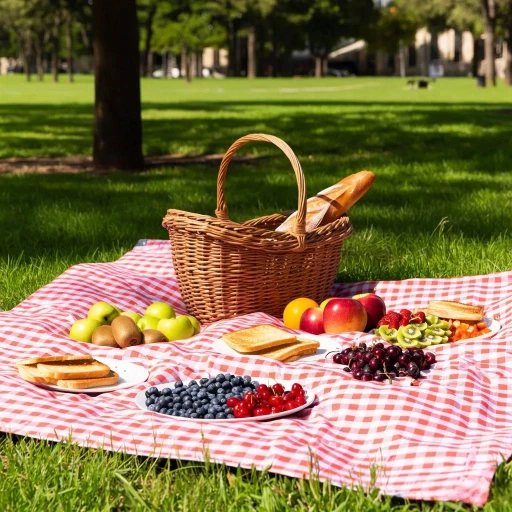
free AI image generator
Why Pixelfox AI works (especially for beginners who still want pro output)
What Pixelfox AI gets right is the boring stuff that matters:
- Free & no sign-up required (you don’t get blocked by account friction)
- Fast processing (iteration is the whole game)
- Format support (PNG/JPG/WEBP so you can ship assets easily)
- Style direction (you can push toward a look instead of praying)
- Multi-modal behavior (text + reference image workflows are how pros work)
A lot of “best ai art generator app” searches come from people who tried one tool, got weird hands, got mad, and rage-quit. Pixelfox is built to lower that failure rate.
A simple 3-step workflow (the one you’ll actually use)
Step 1 — Write a prompt like you’re briefing a designer
Bad: “cool dragon”
Better: “A red dragon flying over a snowy mountain village, cinematic lighting, wide shot, sharp details, realistic scales”
Step 2 — Pick style + ratio based on where it will live
- Instagram post: square
- Story/Reels: 9:16
- YouTube thumbnail: 16:9
Step 3 — Generate, then iterate with small changes
Don’t rewrite the whole prompt. Change one thing: “make it sunset,” “add fog,” “more contrast,” “remove text.”
Tip: If you want more consistent results, keep a “base prompt” you reuse. Change only the last 1–2 lines. Consistency beats inspiration when you’re producing content at scale.
“Original AI generator” vs multi-model platforms (and why you should care)
Some platforms are basically “model malls.” NightCafe is a great example: lots of models, lots of community, lots of options. Fun, and sometimes perfect for exploration.
But if you’re trying to choose the best artificial intelligence art generator, you should ask:
- Do I want a single strong workflow (ship assets fast)?
- Or do I want access to many AI art models (experiment and compare)?
Pixelfox leans into the first: get a clean result quickly, then keep moving.
Best AI art generator app: mobile-friendly reality check
People search best ai art app and artificial intelligence art generator app because they want phone-first creation.
Here’s the honest take:
- Mobile-first tools are great for quick generation.
- Serious work still happens when you can download clean files, manage versions, and reuse prompts.
So the “best ai art generator app” is often the one that syncs well with real workflows. Pixelfox being web-based is a win here: you can start on mobile and finish anywhere.
And if you want to expand from images into motion content, Pixelfox also has:
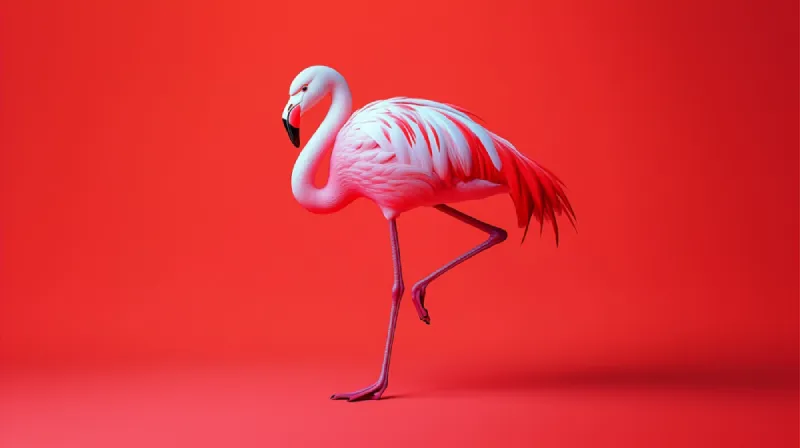
AI video generator
Head-to-head: where the big names win (and lose)
I’m not going to pretend Pixelfox is the only tool on Earth. Different tools spike in different jobs.
Midjourney (amazing art, less “marketing-ready”)
- Wins: cinematic style, mood, textures, “gallery-level” outputs
- Loses: text accuracy, workflow friction, and “why is this public?” issues (depending on plan/settings)
If your priority is pure aesthetic exploration, Midjourney stays elite.
ChatGPT image generation (great iteration, can be slow)
- Wins: you can talk to it like a creative director; easy revisions
- Loses: speed, and sometimes “policy moods” where it refuses things unpredictably
Google Nano Banana / Gemini image (killer edits, watermark annoyances)
ZDNET’s 2025 testing basically called it a clear winner in their head-to-head scoring—especially for image edits and text. The big complaint: watermarks and occasional weird session behavior.
Ideogram (text rendering king)
If you need readable poster text, logos with actual letters, or clean typography, Ideogram is the “stop messing around” option.
Adobe Firefly + Photoshop (commercial-safe pipeline)
Firefly shines inside Adobe workflows. If you already live in Photoshop, it’s a smooth path. If you don’t… welcome to learning curves and subscription land.
Canva (design workflow, weaker generation)
Canva is awesome when your “image generation” is just one part of building a whole design. As a pure generator, it’s not the strongest, but it’s convenient.
FLUX / SDXL (control for power users)
If you want full control and don’t mind complexity, open models are a playground. If you’re a beginner, they can feel like assembling IKEA furniture with no instructions.
So yeah: plenty of options. But “best” usually means “best for your workflow.” For most creators who need repeatable outputs fast, Pixelfox is the smoother day-to-day pick.
Pixelfox AI vs Photoshop (and other “traditional methods”)
Let’s compare the old way to the new way.
The classic Photoshop workflow
- Find stock image
- Cut subject
- Fix lighting
- Replace background
- Add effects
- Export sizes
- Realize you need 6 more variations
- Cry quietly
Photoshop is powerful. It’s also slow if you’re starting from scratch.
Pixelfox AI workflow
- Describe what you need
- Generate variations fast
- Pick the best direction
- Iterate with small edits
- Export and move on
It’s not “Pixelfox replaces Photoshop forever.” It’s “Pixelfox gets you 80% there in 20% of the time.” That’s why it’s a good ai tool for art in real production work.
Tip: Use AI to create the base image and Photoshop only for final polish. That hybrid workflow is where pros land. It’s also where deadlines stop yelling at you.
Advanced workflows (the stuff that makes you money) 💰
Here are 3 practical plays that go beyond “look what I generated” and into “I shipped assets.”
1) E-commerce: perfect white background product shots
Goal: clean product images for Shopify/Amazon listings.
How to do it (fast):
- Generate or edit your product image in Pixelfox AI (aim for realistic lighting).
- Keep the prompt strict: “white seamless background, soft shadow under product, studio lighting, high detail”
- Export as PNG for clean edges.
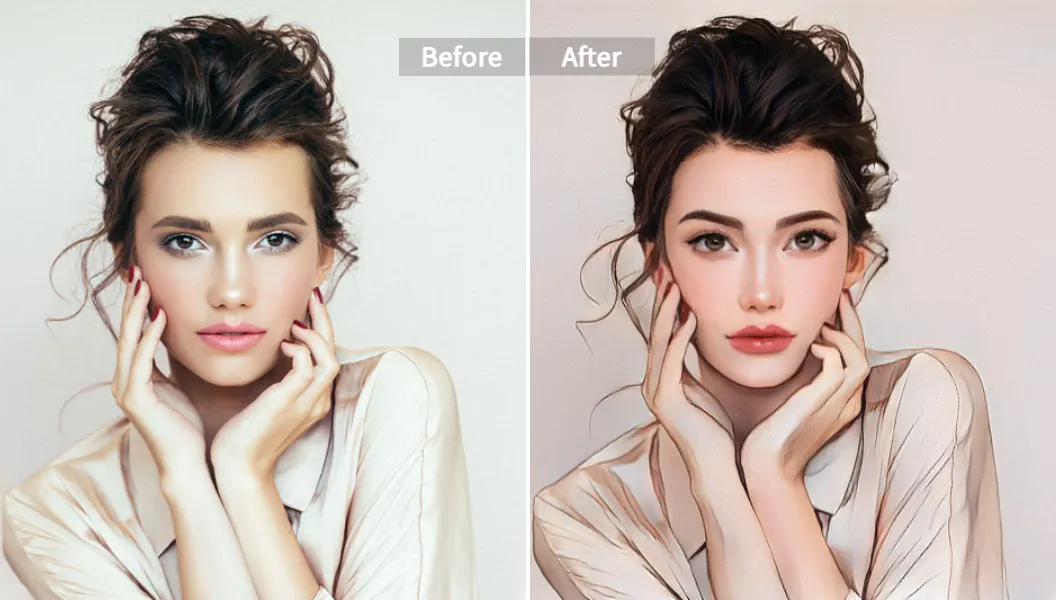
If your product visuals include people (fashion, merch, creator brand), you can also do stylized portraits with:
AI anime generator
2) YouTube thumbnails: change background without re-shooting
Goal: consistent thumbnail style with different topics.
Playbook:
- Use a consistent subject style (same lighting, same framing).
- Swap backgrounds by prompt: “neon tech lab,” “cozy studio,” “dramatic storm clouds”
- Keep text space in mind: “leave empty space on right side for title”
Then convert the image into short motion loops for extra pop using:
AI video generator - text & image to video
3) Transparent background logo assets (without pain)
Most generators struggle with clean logo edges. Your best chance:
- Prompt for “flat vector style, high contrast, simple shapes”
- Export PNG and keep a version with extra padding
- If you need style changes for video intros, use:
AI video style transfer
This helps you build brand motion without hiring an animator for every tiny variation.
Real-world case studies (2 examples that mirror real workflows)
Case Study 1: Content marketer producing 30 days of visuals
Problem: A B2B marketer needed blog headers + social posts weekly. Stock photos looked generic. Designers were booked.
What worked:
- They used Pixelfox AI to generate a consistent header style: “minimal tech illustration, soft gradients, clean shapes, lots of negative space.”
- They reused a base prompt and changed only the “topic object” (robot arm, dashboard, cloud server, etc.)
- They exported in the same ratios every time.
Result: Faster production, more consistent branding, and fewer design requests clogging the team. Also fewer “why does this stock photo show people high-fiving?” moments.
Case Study 2: Indie game dev building concept art quickly
Problem: A small studio needed environment concepts for pitching. They didn’t need final art. They needed direction.
What worked:
- Pixelfox AI for quick exploration: “isometric desert village, warm palette, stylized, game concept art.”
- They generated 20 variations, picked 3, then refined prompts to lock in architecture shapes.
- Final assets went to an illustrator as references.
Result: The illustrator worked faster because the team already agreed on mood, palette, and layout. AI didn’t replace art. It removed indecision.
Common mistakes newbies make with “best ai art generator” tools (and how to fix them)
New users do the same stuff over and over. It’s kind of comforting. Also painful.
Mistake #1: Prompts that are too vague
“Cool cyberpunk city” gives you random cyberpunk soup.
Fix: Add camera + lighting + mood.
“Wide shot, rain, neon reflections, cinematic lighting, sharp details”
Mistake #2: Changing 10 things at once
Then you don’t know what caused the result.
Fix: Change one variable per iteration. Keep a base prompt.
Mistake #3: Ignoring aspect ratio
Your image looks great… until you crop it and the face disappears.
Fix: Decide destination first (ad, thumbnail, post), then generate to that ratio.
Mistake #4: Forgetting “text space”
The AI fills the whole frame with chaos. Your headline has nowhere to live.
Fix: Prompt for layout: “leave blank area on the left for text.”
Mistake #5: Treating AI like a final artist, not a draft machine
That’s how you end up spending 2 hours “perfecting” something you could remake in 6 minutes.
Fix: Generate more, polish less.
How to avoid “best ai art generator app” hype backfiring on you
People buy a subscription after watching one viral example, then discover the tool is bad at their work.
A quick defense checklist:
- If you need fast marketing assets, prioritize speed + editing + downloads (Pixelfox style).
- If you need gallery art, chase the art engines (Midjourney).
- If you need text, don’t gamble—use a text-strong tool (Ideogram).
- If you need commercial risk control, consider Adobe’s ecosystem.
This lines up with what you see across major reviews (ZDNET-style head-to-head tests, Zapier-style workflow comparisons): tools win in different categories, and the “winner” changes when the use case changes.
FAQ
How do I pick the best artificial intelligence art generator for my job?
Pick based on output + workflow. If you need fast images you can use in content and marketing, start with Pixelfox AI. If you want high-art style exploration, Midjourney is strong. If you need clean text in images, go Ideogram.
Why do AI images still mess up hands and text?
Diffusion-style generation struggles with small structured details. Hands have complex joints. Text needs exact letter shapes. Use tools that specialize in text, and prompt for “hands out of frame” when you don’t need them (seriously).
Can I use Pixelfox AI images for commercial projects?
Yes—Pixelfox AI is positioned for both personal and commercial use cases. For any AI tool, you still need to follow your local laws and avoid using protected logos or real people in misleading ways.
What’s the difference between AI art models and AI art apps?
AI art models are the engines (FLUX, SDXL, etc.). AI art apps package models into workflows (generation UI, editing, export). Most creators should choose an app first, not a model.
How can I get more consistent characters across images?
Use a repeatable base prompt, keep camera and lighting consistent, and iterate in small steps. If your workflow supports reference images, use them. Consistency is more about process than magic.
The part nobody wants to hear (but you need): “best” is a workflow, not a trophy 🏆
If you want the best artificial intelligence art generator, pick the tool that lets you produce useful visuals fast, revise them without pain, and export them cleanly. That’s why, for most creators and marketers, Pixelfox AI is the easiest “yes.”
If you’re ready to stop comparing 27 tabs and start generating, go try Pixelfox here: Pixelfox AI or jump straight into the best free online AI image generator and ship something today. That’s what the best artificial intelligence art generator is for.
Disclosure / transparency: I’m writing as a content strategist who cares about output quality and production speed. AI tool capabilities change fast, so re-check pricing and policies before committing to a long subscription.