 Credit

Why You Need a 4K Video Editor
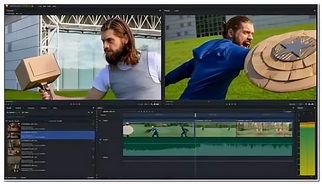
4K resolution offers incredible clarity and detail, making your videos appear sharp, professional, and immersive. However, editing 4K footage requires advanced tools that can handle large files, maintain video quality, and support creative control. That’s where the best free 4k video editor becomes essential.
Instead of relying on expensive, complicated software, modern AI-based platforms like Pixel Fox allow anyone to edit videos online efficiently. These editors not only handle 4K resolution smoothly but also provide professional tools for transitions, effects, and video editing with audio editing capabilities, all for free or at a minimal cost.
What Makes Pixel Fox a Leading 4K Video Editor
Pixel Fox stands out as a next-generation video creation platform that caters to both beginners and professionals. It simplifies the entire process, from importing footage to exporting finished 4K videos.
Here’s what makes it exceptional:
Intuitive Interface: Easy-to-use controls for trimming, cutting, merging, and enhancing clips.
AI Assistance: Automated color correction, stabilization, and enhancement powered by smart algorithms.
Multilayer Editing: Add videos, images, effects, and audio tracks seamlessly.
Fast Processing: Handles high-resolution footage without lags or performance drops.
As one of the best free 4k video editor tools available, Pixel Fox balances creativity and technology to help users produce professional-quality videos without requiring deep technical knowledge.
The Power of Video Editor with Audio Editing
A truly professional video requires more than just visuals; it needs immersive sound. That’s why having a video editor with audio editing features is so valuable. Pixel Fox provides an all-in-one solution that lets you edit soundtracks, voiceovers, and background music directly within the same platform.
Key audio features include:
Audio Syncing: Automatically syncs music and voice-overs with your visuals.
Noise Reduction: Removes background noise for a clean, crisp sound.
Volume Control: Adjust levels for dialogue, effects, and background music.
Sound Effects Library: Add ambient sounds or transitions to enhance the viewer's experience.
These features allow you to craft a complete story, where every scene, transition, and beat is perfectly in harmony.
Benefits of Using a Free 4K Video Editor
The biggest advantage of using a free 4k video editor like Pixel Fox is accessibility. You no longer need costly software licenses or high-end systems to produce stunning visuals. Everything is cloud-based, fast, and efficient.
Here are some major benefits:
Cost-Effective: Create professional videos without spending a dime.
Time-Saving: AI automation speeds up editing, trimming, and rendering.
Quality Retention: Maintain full 4K resolution without compression loss.
Flexibility: Edit anytime, anywhere using your browser.
With these benefits, creators can focus more on storytelling and creativity, while the platform handles the technical side.
How to Use Pixel Fox as a 4K Video Maker
Pixel Fox doubles as a 4k video maker, offering a smooth, guided editing experience. Here’s how to get started:
Upload Your Footage: Begin by importing your 4K videos directly from your device or cloud storage.
Choose a Template or Start Fresh: Select from creative templates or start from scratch for full control.
Edit with Ease: Trim unwanted parts, add transitions, and enhance lighting and colors.
Add Music and Effects: Use built-in audio editing to match soundtracks with visuals.
Export in 4K: Once finished, export your final video in ultra-high resolution with one click.
It’s fast, simple, and efficient, ideal for vloggers, educators, marketers, and filmmakers who want professional output without the learning curve.
The Role of AI in 4K Video Creation
The integration of AI in video editing tools like Pixel Fox has made a huge difference in efficiency and quality. By analyzing your footage, AI automatically adjusts lighting, contrast, and color balance to deliver cinematic visuals.
AI also assists in:
Scene Detection: Automatically cutting and organizing clips.
Smart Transitions: Suggesting the best transitions for smoother flow.
Auto Captions: Generating subtitles for accessibility and engagement.
Object Tracking: Keeping your focus sharp on moving subjects.
These intelligent tools redefine what’s possible with the best free 4k video editor, allowing users to focus on creativity while the system perfects the technical aspects.
Becoming a 4K Video Creator
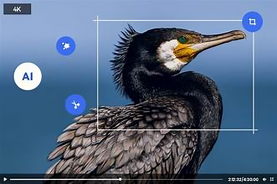
If you’re looking to become a professional 4k video creator, consistency and creativity are key. The quality of your visuals can determine how your audience perceives your brand or content. Pixel Fox helps you maintain that high standard with precision tools that keep your visuals crisp and engaging.
Whether you’re editing a travel vlog, commercial, short film, or educational video, this AI-powered platform allows you to create stunning, broadcast-level content all within minutes. Its flexibility makes it an ideal choice for professionals and beginners alike.
Final Thoughts
In today’s visual-driven world, high-quality video content is essential for success. The best free 4k video editor tools make it easier than ever to produce cinematic, professional results without expensive equipment or complicated software.
Pixel Fox provides all the tools you need, from a video editor with audio editing to AI-powered automation, helping you create, refine, and export your videos with perfection. Whether you’re a seasoned editor or a beginner, this free 4k video editor ensures your creativity shines in ultra-high definition.