 Credit

What Is a Morph GIF?

A morph GIF is an animated image that gradually transitions one object or face into another. You might have seen viral transformations where a baby’s photo morphs into an adult version, or where two celebrities’ faces blend seamlessly into one another. This unique motion effect creates a smooth, captivating visual that feels both magical and realistic.
If you’ve ever wanted to create morph GIF animations for fun, social media content, or professional use, AI-powered tools like Pixel Fox can help you do it effortlessly. The platform simplifies the process so you can focus on creativity instead of technical details.
Why People Love Face Morph GIFs
There’s something incredibly appealing about a face morph gif; it tells a story of transformation, connection, or creativity in just a few seconds. Whether for personal fun or professional use, morphing brings life to still photos.
People use this effect for:
Social media content – Trendy GIFs that grab attention.
Marketing campaigns – Showing before-and-after effects or comparisons.
Entertainment – Fun transformations or character blends.
Personal projects – Morphing between family photos or friends’ faces.
With Pixel Fox, you can generate realistic morph animations that feel natural and smooth, avoiding the awkward distortions that often happen with outdated editing software.
How to Create a Morph GIF Easily
Thanks to AI innovation, learning how to create a morph GIF is now simple and beginner-friendly. Pixel Fox makes it possible in just a few steps:
Upload your photos, choose two or more faces you want to morph.
AI recognition: The platform automatically detects facial landmarks such as eyes, nose, and mouth.
Transformation process, AI smoothly blends one face into another, frame by frame.
Download your GIF, Export the final face morph GIF in HD quality.
This intelligent automation removes the complexity of manual animation. The result? A realistic and fluid transition that looks professionally made.
Benefits of Creating Morph GIFs with AI
Traditional morphing methods often required advanced animation knowledge and time-consuming manual adjustments. Now, AI tools like Pixel Fox handle everything quickly and accurately.
Here are the main benefits when you create a morph GIF using AI:
Speed: Get results in seconds instead of hours.
Accuracy: AI aligns facial features perfectly for smooth transitions.
Realism: The GIF looks natural and detailed.
Accessibility: No need for specialized software; everything is done online.
By leveraging AI, Pixel Fox empowers creators, marketers, and casual users to generate professional-quality animations without technical barriers.
Why Face Morph GIFs Are So Popular Online
In the world of short-form content, GIFs dominate. A face morph gif in particular stands out because it’s engaging, visually dynamic, and easy to share. Platforms like Instagram, TikTok, and Twitter thrive on quick, visually appealing content, and morphing effects fit perfectly into that format.
Creators use these GIFs for creative storytelling, humor, and brand awareness. Imagine a campaign where a product evolves from concept to completion in one seamless animation, or a personal video where family generations morph together. The emotional and visual appeal is powerful.
Pixel Fox provides all the tools needed to turn your imagination into motion, making it easier than ever to stand out in the crowded digital landscape.
Creative Uses for Morph GIFs
The ability to create a morph GIF opens up countless creative opportunities. Here are some unique ways you can use them:
Before-and-after edits: Show transformations for makeup, fitness, or design projects.
Historical comparisons: Morph an old photo into a new one to show changes over time.
A face morph GIF is versatile; whether you’re an artist, brand, or casual user, it adds excitement and engagement to your visuals.
How Pixel Fox Makes Morph Creation Effortless
Pixel Fox focuses on simplicity, speed, and precision. Unlike traditional animation tools that require manual layering, it automates the process entirely.
Here’s what sets it apart:
User-friendly interface – Designed for both beginners and pros.
AI-powered enhancement – Ensures transitions look smooth and natural.
Custom output options – Choose file size, resolution, and speed for your final GIF.
In just a few clicks, you can turn static photos into moving art, ready to share anywhere.
The Future of GIF Morphing
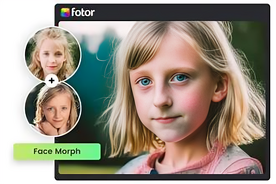
With continuous AI advancements, morphing is becoming more realistic and accessible. Soon, you’ll be able to morph not just faces, but full scenes, objects, and emotions in real time. Pixel Fox continues to lead the innovation curve, making AI-based creativity available to everyone, from casual users to professionals.