 Credit

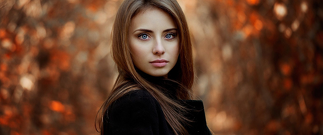
Have you ever wished your selfies were more artistic, refined, and stylish? Modern portrait apps have made it possible to transform any picture into a professional portrait in a few clicks. The creation of AI-generated art and realistic computer-generated portraits has made these applications vital to content creators, influencers, and any other person who is simply fascinated by beautiful images.
Whether you want to produce a studio-like headshot, transform your image into digital art, or enhance your profile on any social network, the correct AI portrait app will accomplish all that immediately for you.
Here in this article we will take a look at the best tools and discuss how the portrait technology is developing.
Why Portrait Apps Are So Popular Today
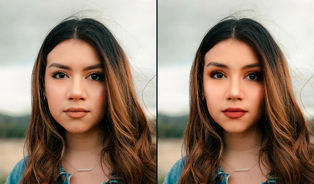
The use of portrait apps has gone wild due to the combination of creativity, convenience, and AI accuracy. Here is the reason why users cannot live without them:
Instant Makeovers: Change any picture into a stylized portrait in a couple of seconds.
Professional Results: Obtain studio-quality portraits without cameras.
Creative Freedom: Select creative style.
AI Intelligence: Intelligent algorithms identify the faces and create ideal portraits.
No Skills Needed: Even the amateurs are able to make great portraits without any trouble.
Strong portrait app is like a bridge between photography and digital art, offering infinite possibilities to convey yourself.
Best AI Portrait Apps to Try
The highest-rated tools that provide beautiful portrait transformations are listed below:
· Pixelfox AI Portrait App
Pixelfox is one of the most developed AI portrait application systems, which can transform ordinary pictures into cinematic, illustrated, or natural portraits. Artistic and realistic portraits are best suited to it.
· YouCam Perfect
YouCam manages to beautify the selfies and transform them into refined portraits with the help of beauty AI and aesthetic filters. It is perfect in the Beauty portraits and profile pictures.
· Fotor AI Portrait Creator
Fotor enables you to transform images into hand-drawn, painted or digital images with clean lines and artistic textures. It can be used perfectly in sketch, art and cartoon portraits.
· Remini Portrait Tool
Remini is known to have AI-smarter versions of realism and is used to sharpen, brighten, and make high-quality images of low-quality photographs. It Is good at restoring old or low-quality portraits.
· PortraitAI App
PortraitAI focuses on the creation of old and traditional-style portraits through neural networks. It is best to use for classical art effects.
How to Create a Stunning Portrait Using AI (Step-by-Step)
1. Choose a perfect Portrait App
2. Upload Your Photo
3. Select a Portrait Style
4. Let AI Process Your Image
5. Download and Share
Your new HD portrait is complete and ready to be used for socials, avatars, prints, or creative projects.
Popular Types of Portrait Styles
· Realistic AI Portraits
Good to use in a professional setting for headshots and profile photos.
· Artistic & Painted Portraits
Become artistic with watercolour, oil art, sketch, and digital paint styles.
· Anime & Cartoon Portraits
Entertaining, emotional, and suitable as an avatar or an amusing social media post.
· Vintage Portraits
Add flair with vintage, traditional and antique artistic effects.
· Fantasy & Cinematic Portraits
Become more magical or dramatic or movie-like by using the lighting and effects enhanced by AI.
Tips for the Best Portrait Results
· Use large and frontal photos.
· Ensure that your face is bright to be properly identified by AI.
· Experiment with portrait styles; they provide a different atmosphere.
· It is recommended to avoid images with blurry or heavy shadows.
· Export in HD when you intend to print or use the portrait in business.
FAQs
What is the best AI portrait app?
Pixelfox.AI Portrait App contains one of the most realistic and artistic portrait outputs on the market.
Can I turn any photo into a portrait?
Yes! AI applications can make beautiful portraits out of the face as long as it is visible.
Are AI portrait apps free?
The majority of apps feature a free version and HD exports yet premium styles are present in the paid versions.
Do portrait apps work on older or blurry photos?
Yes, applications such as Remini and Pixelfox have the ability to sharpen and transform old pictures into clear portraits.
Final Thoughts
Portrait apps are a booming industry in themselves nowadays, empowering all individuals to make beautiful portraits using AI. The most impressive AI portrait app will give you a high-quality portrait virtually overnight, whether you need realism, creativity or creative transformation.