 Credit

Artificial intelligence has taken digital creativity to a greater level. An AI Image Generator allows artists, designers and ordinary users to rapidly generate amazing images in a few seconds. These applications can turn the plain text descriptions into vivid and creative works of art. It can provide you with a product photo, a fantasy image, or a special digital art piece, making it possible now faster and easier than ever before with the help of AI. We will explore how these AI tools work, what kind of art they can give you and how you can easily make your own AI based art.
What is an AI Image Generator?
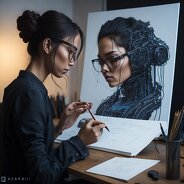
An AI Image Generator is an intelligent application that generates images based on text requests and works with artificial intelligence. You just have to type something like a description such as a cat sitting under a neon sky and AI will come up with it on the spot. Its technology is based on machine learning architectures that were trained on large image collections in order to grasp color, composition, and artistic style.
The next trend goes with the Pixelfox AI Image Generator, which turns your words into visually realistic and detailed images. You are able to select various styles of art, modify details, and even save your art within just a few seconds.
What AI Can Create Images?
Many recent AI models such as DALL·E, Stable Diffusion, and Midjourney have become popular at creating visual artistic work. Nevertheless, Pixelfox is more accessible and easy to use by anyone by directly accessing it through a browser without any need to install and set up additional software.
In addition to image creation, Pixelfox offers other features such as the AI Style Transfer, which enables you to apply various artistic filters to your photographs and AI Image Reimagine which is the best tool to use in creating copyright-free versions of already existing visuals.
How the AI Generator Works
Once we know what AI image generation is, it is also useful to learn how it works behind the scenes. Photo generator is an intelligent version of artificial intelligence. It relies on deep learning models that analyze millions of photographs. As you type your text, the AI reads and comprehends what you write. After that, it makes guesses as to what the image should be and builds them.
The system of Pixelfox is trained to create sharp and high-quality images. Another way of enhancing performance is by using the AI Image Editor to edit your photos or the AI Image Blender to combine two pictures. It is all done online, therefore one does not need to download software.
Why Use a Free AI Image Generator?
A lot of creators enjoy an AI image generator free version and then upgrade. Pixelfox offers free access to powerful tools to experiment without constraints. The free version is to allow users to test creativity, whereas the premium version is of higher resolution and more styles. AI tools such as Pixelfox make the process of testing ideas or producing content at scale efficient and affordable.
How to Make Artificial Intelligence Art?
Learning how to make artificial intelligence art is incredibly easy with Pixelfox. Here’s how you can start:
Go to the AI Image Generator tool on Pixelfox.ai.
Enter your text prompt—for example, “a mountain village under northern lights.”
Select the art style or quality (realistic, abstract, painting, etc.).
Generate your image in seconds.
Enhance or modify it using Pixelfox’s AI Image Editor or AI Image Extender.
Benefits of Using Pixelfox’s AI Image Generator
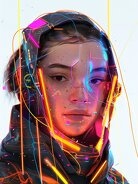
Pixelfox’s AI Image Generator offers a free and simple way to create professional-quality images. You can generate unlimited images without watermarks or downloads. Its text-to-image feature understands natural language, helping you create detailed and unique visuals. The tool helps to produce various art forms, such as digital paintings, as well as realistic photographs. It is quick to work on any device and integrates well with other tools like the AI Image Enhancer or AI Image Background Remover, making it a creative process that is smooth and of high quality.
Conclusion
The AI Image Generator changed the way individuals generate visuals. It simplifies creation, drives creativity, and opens possibilities of exploring an infinite world of art. Create digital art just for fun or professional work: Pixelfox provides the means to achieve high quality work - no experience will be needed. Today is the time to start experimenting with AI-based creativity Pixelfox's AI Image Generator and make your imagination come true within a few seconds.
FAQs
1. How does the AI Image Generator from text work?
It transforms your text prompts to the corresponding images based on the sophisticated AI algorithms and artistic pattern recognition.
2. What kind of images can AI make?
AI can create all types of visuals, including portraits, fantasy art, products, cartoons, and scenery.
3. How do I make AI art from text?
Go to the AI Image Generator, type your idea, and click “Generate.” The image will appear in seconds.
4. Can I use AI-generated art for projects?
Yes. You may apply AI images to personal or business projects, however, verify the regulations of each platform regarding the right of use.