 Credit

Hand-drawing animation is one of the most fascinating and enduring forms of art in a world surrounded by digital animation and AI tools. The method is also called drawn animation, as in this method, each frame is drawn by a human artist in order to give a sense of fluidity and storytelling. Hand-drawn animation continues to be popular among artists and audiences in traditional cartoons, animated feature films, or even creative advertisements with their rough emotion, gracefulness, and human touch.
This article will discuss the process of hand-drawing animation, why it is still applicable, and what types of tools you can use to animate hand-drawn characters and scenes in the digital age.
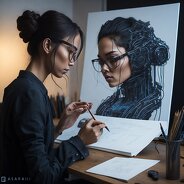
What is Hand Drawing Animation?
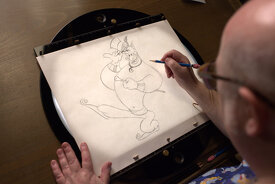
Traditional animation (also known as hand-drawing animation) is the animation process in which each frame of the animation is drawn by hand. When these individual drawings are played one after another, they give an illusion of movement. This technique was employed to create iconic films in studios such as Disney and Studio Ghibli, where artists hand-rendered scenes with passion and precision.
How Hand-Drawn Animation Works
The primary concept of drawn animation is frame-by-frame illustration. An animator draws each movement on individual sheets, on paper or digitally using a stylus drawing tablet.
Basic Process includes:
Storyboarding: The animator plans out the story graphically.
Key frames: The essential poses or moves are first drawn in.
In-between frames: More drawings are used to smooth motion.
Ink and color: The drawings are defined, wiped and coloured.
Final compositing: Music, backgrounds, and effects are added.
Although this process is difficult and time-consuming, the outcome is rich and expressive, something that digital automation cannot achieve easily.
Why Hand-Drawing Animation Still Stands Out
· Authentic Artistic Expression
The animation is lively and emotional, and there is a touch of the artist in every frame.
· Unique Style and Texture
Hand-drawn animation has visual appeal that digital technology attempts to recreate but seldom achieves. Pencils, brush and hand strokes, and other hand-shaded features make it an additional viewing experience.
· Flexibility in Creativity
Artists can do anything with it; there are no strict limitations. The animator easily can break the laws of physics, over emphasize facial expressions, and distort dreamlike backgrounds.
· Cultural and Artistic Value
Most of the iconic animated movies that turned out to be cultural icons were produced through the use of traditional hand drawing.
Evolution of Hand-Drawing Animation in the Digital Era
Although the oldest form of animation, pencil and paper, has not disappeared, the current generation tends to apply the new technologies, creating animations using hand-drawn characters through the use of digital tools. These programs are like sketching but have layers, undo/redo capabilities and real-time previews.
Famous Digital Tools of Drawn Animation
These platforms help artists in bringing the hand drawings alive but without losing the old style of animation.
Hand Drawing Animation and AI: A Creative Revolution
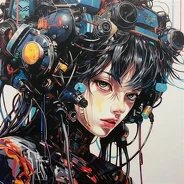
Animation through hand-drawing is an emerging discipline that transforms at very rapid rates with the help of artificial intelligence. The AI tools are not crowdsourcing out traditional artists; they are supplementing the animation process, making it quicker, more accessible and more beautiful, as well as keeping the beauty of hand-drawn creativity intact, preserving the charm of hand-drawn creativity.
FAQs
What is hand-drawn animation called?
It is also known as traditional animation or 2D drawn animation, in which each frame is drawn with a pencil.
Is hand-drawing animation still used today?
Indeed, it is still widely used in a variety of studios and by independent artists, either in the traditional form or by using a digital drawing tool.
Is drawn animation difficult to learn?
It requires practice, and with the help of current tools and web-based guides, one can begin at any level of expertise.
Can I create hand-drawn animation on my tablet?
Absolutely, Procreate, Toon Boom, Adobe Animate, and similar tools can be used to draw digitally frame-by-frame fully under control.
Final Thoughts